
Most small business owners handle availability the same way you probably do: by asking. Every week, the same questions. Are you free this time? Did you tell me your schedule changed? The answers live in text threads and memory, and there's no system to remember what someone told you last month.
Availability is just one thread in the tangle. Once you know who can work, you still need to know who did work: the actual hours, the overtime, the clock-in that didn't happen. That's where the right timesheet app for small business makes the difference. It tracks hours accurately, catches overtime before it costs you, and connects directly to payroll.
This guide covers the six best options for small businesses in 2026, what to look for before you commit, what free plans cover, and what the law requires you to keep on file.
{{banner-cta}}
The Best Timesheet Apps for Small Business: Quick Summary
A timesheet app records when your team clocks in and out, calculates hours worked, and turns that data into timesheets ready for payroll. Most go further: flagging overtime before it hits your budget, verifying employee location at clock-in, and syncing hours directly to your payroll provider so you're not re-entering numbers by hand.
The best one for your small business depends on how your team works, and the answer looks different for a restaurant than it does for an agency. Here's the short version:
- Homebase: Best for hourly, shift-based teams. Free for one location and up to 10 employees, with scheduling, time clock, and payroll built in.
- Clockify: Best free plan for project-based teams. Unlimited users at no cost; GPS and scheduling require paid tiers.
- Jibble: Best free option with GPS and facial recognition. Free for unlimited users.
- Connecteam: Best for field and deskless teams. Free for up to 10 employees.
- QuickBooks Time: Best if you're already using QuickBooks for payroll.
- Harvest: Best for project billing and client invoicing.
The one question that narrows this down fast: does your team work set shifts, or do they track time against client projects?
Why Trust Homebase on This Topic
We're Homebase. We make scheduling, time tracking, and payroll for small businesses with hourly teams, and it's free to start. We publish this guide because we spend a lot of time thinking about the problems hourly teams run into with timesheets, and we have access to how those problems play out at scale across more than 150,000 small businesses. That context sharpens the research.
Homebase is not in the ranked list below. Every app in this guide was evaluated independently, on its own merits. We don't accept payment or backlinks for a product mention, and every assessment covers both where an app does the job and where it falls short.
How We Chose the Best Timesheet Apps for Small Business
These six apps were chosen because they address what hourly teams need most. Here's what drove each assessment:
- Free plan limits and user caps: We checked every free plan against each app's live pricing page. Several apps advertise free plans that don't cover the features teams need, or cap users well below what a small business requires.
- Clock-in options and verification: Does the app support mobile clock-in, kiosk mode, GPS, and facial recognition? Can it prevent buddy punching? Time theft prevention through GPS, photo verification, and unique PINs was a core part of each evaluation.
- Payroll integration: Is hours data transferred natively, or does the employer still manually re-enter from a CSV? Which payroll providers are supported on which plan?
- Overtime visibility: For hourly teams, the most expensive timesheet error is finding out about an overtime threshold after the paycheck is cut. We looked at whether each app flags overtime before it happens.
- FLSA recordkeeping: Does the app store time card edits with a full audit trail? Can it meet the two-year records retention requirement for wage and hour records?
- User sentiment across verified reviews: We pulled patterns from Capterra and G2 reviews current as of August 2026, looking at what reviewers consistently cited as strengths and frustrations rather than isolated complaints.
Every pricing figure was verified against each app's live pricing page. Where pages were removed or unclear, as with Jibble, we sourced from multiple third-party sources and flagged the uncertainty directly in the relevant entry. Read more about our research methodology here.
The Best Timesheet Apps for Small Business in 2026
The best timesheet app depends on one thing: how your employees work. Shift-based hourly teams in restaurants, retail, and caregiving need scheduling and time tracking together. Project-based businesses like agencies and consultants need time tied to clients and tasks. Shift-based teams need hourly employee time tracking and scheduling connected. The tools that fit that setup barely overlap with the ones built for agencies. Here are five that stand out.
Clockify: best free plan for unlimited users.
Clockify is a time tracking app with a free plan and no credit card required to start.
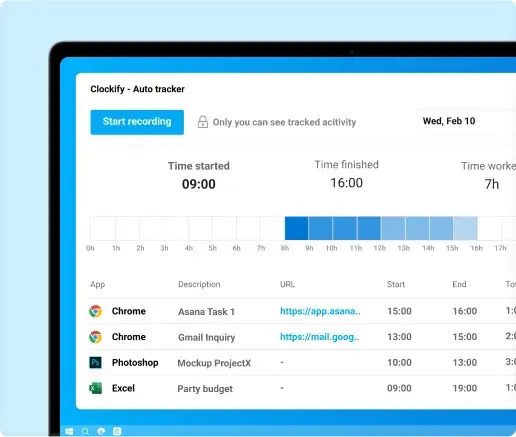
Best for: small agencies, freelancers, and project-based teams that need basic time tracking at no cost.
Ratings: 4.5/5 (200+ reviews) on G2, 4.8/5 (9,200+ reviews) on Capterra.
What you get:
- Timer and manual time entry across web, mobile, and desktop, with a weekly timesheet view.
- Project and task tracking with billable and non-billable hour separation.
- Exportable timesheet reports for payroll prep and client billing.
- QR code and kiosk clock-in for shared device time capture.
What users like: Reviewers consistently highlight the intuitive interface and how fast teams get started. Project-based tracking, customizable reports, and billable hour management come up most often as strengths.
What users criticize: Mobile sync issues are the most common complaint, with some users noting inconsistency between the mobile and desktop apps. Others find reporting customization limited without upgrading to a paid plan.
Pricing: Free plan available. Paid plans start at $4.99 per user per month. For shift-based teams: overtime and attendance reporting require the Standard plan ($6.99/user/month); scheduling and GPS tracking require the Pro plan ($9.99/user/month).
Our take: Clockify is the strongest free option for project-based teams tracking billable hours. The free tier delivers: unlimited users, clean interface, solid reports. Scheduling, overtime alerts, and GPS all sit behind paid tiers, so hourly shift-based teams will hit the ceiling fast.
Connecteam: best for mobile and field teams.
Connecteam was built for businesses with deskless employees, including cleaning, delivery, construction, and field services.
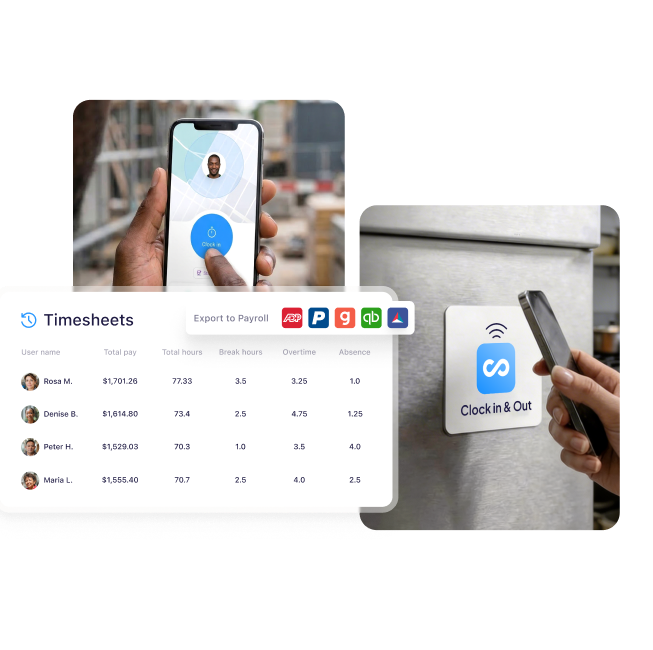
Best for: field-based teams where employees aren't working from a fixed location.
Ratings: 4.6/5 (3,500+ reviews) on G2, 4.6/5 (5,300+ reviews) on Capterra.
What you get:
- GPS-verified clock-in and clock-out with geofencing to confirm employee location at the start and end of each shift.
- Drag-and-drop shift scheduling with open shift claiming and real-time push notifications.
- In-app team messaging, checklists, and task management in one mobile-friendly interface.
- Automatic clock-in reminders and missed punch alerts to cut down on timesheet gaps.
What users like: Reviewers consistently point to the intuitive interface and how fast teams get up and running. Field and deskless teams appreciate having scheduling, time tracking, and communication in one mobile-first app.
What users criticize: The most common complaints involve lag, slowdowns, and occasional crashes, particularly on the mobile app. Several small business owners also note a noticeable price increase once their team grows past 10 employees.
Pricing: Free for up to 10 employees (the Small Business Plan), including GPS, scheduling, and time tracking. Paid plans start at $29/month for up to 30 users. 14-day free trial available.
Our take: A solid pick for field and deskless teams that need GPS, messaging, and scheduling in one mobile app. Connecteam’s free plan covers up to 10 employees. Worth running the numbers before you scale. Pricing jumps significantly above that threshold, and payroll integration requires a paid plan.
Jibble: best free option with GPS and facial recognition.
Jibble offers a free plan for unlimited users that includes GPS location stamps, facial recognition at clock-in, and automatic timesheets.
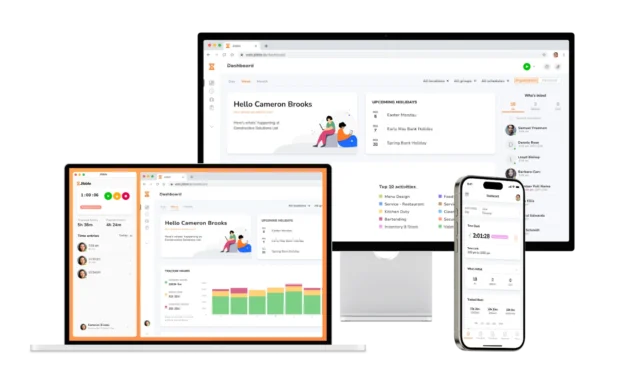
Best for: businesses that need attendance verification without paying for it, including field services, construction, healthcare, and distributed teams.
Ratings: 4.7/5 (500+ reviews) on G2, 4.8/5 (1,900+ reviews) on Capterra.
What you get:
- AI-powered facial recognition at every clock-in to prevent buddy punching, included for unlimited users at no cost.
- GPS location stamps and geofencing on every clock-in, restricting employees to approved sites.
- Shared kiosk mode with PIN or face ID for on-site clock-in from a single shared device.
- Automatic timesheets with overtime calculation and export to QuickBooks, Xero, and Gusto.
What users like: Reviewers consistently highlight the generosity of the free tier, specifically GPS and facial recognition at zero cost for unlimited users. Automatic timesheets and quick team onboarding come up most often as additional strengths.
What users criticize: Sync issues and mobile app bugs are the most common complaints, particularly for teams working in low-connectivity areas. Some users also flag that facial recognition can be unreliable in poor lighting, and that editing a missed punch-in is more cumbersome than it should be.
Pricing: Free forever for unlimited users with GPS, facial recognition, and timesheets included. Jibble seems to be offering paid plans, but no pricing page is currently published on their website.
Our take: GPS and facial recognition for unlimited users at no cost is unusual. You won't find it elsewhere at this price. The tradeoff is reliability: sync issues and lighting-dependent facial recognition come up consistently in reviews. Worth testing before committing.
QuickBooks Time: best for businesses already using QuickBooks.
QuickBooks Time, formerly TSheets, integrates directly with QuickBooks for payroll and accounting.
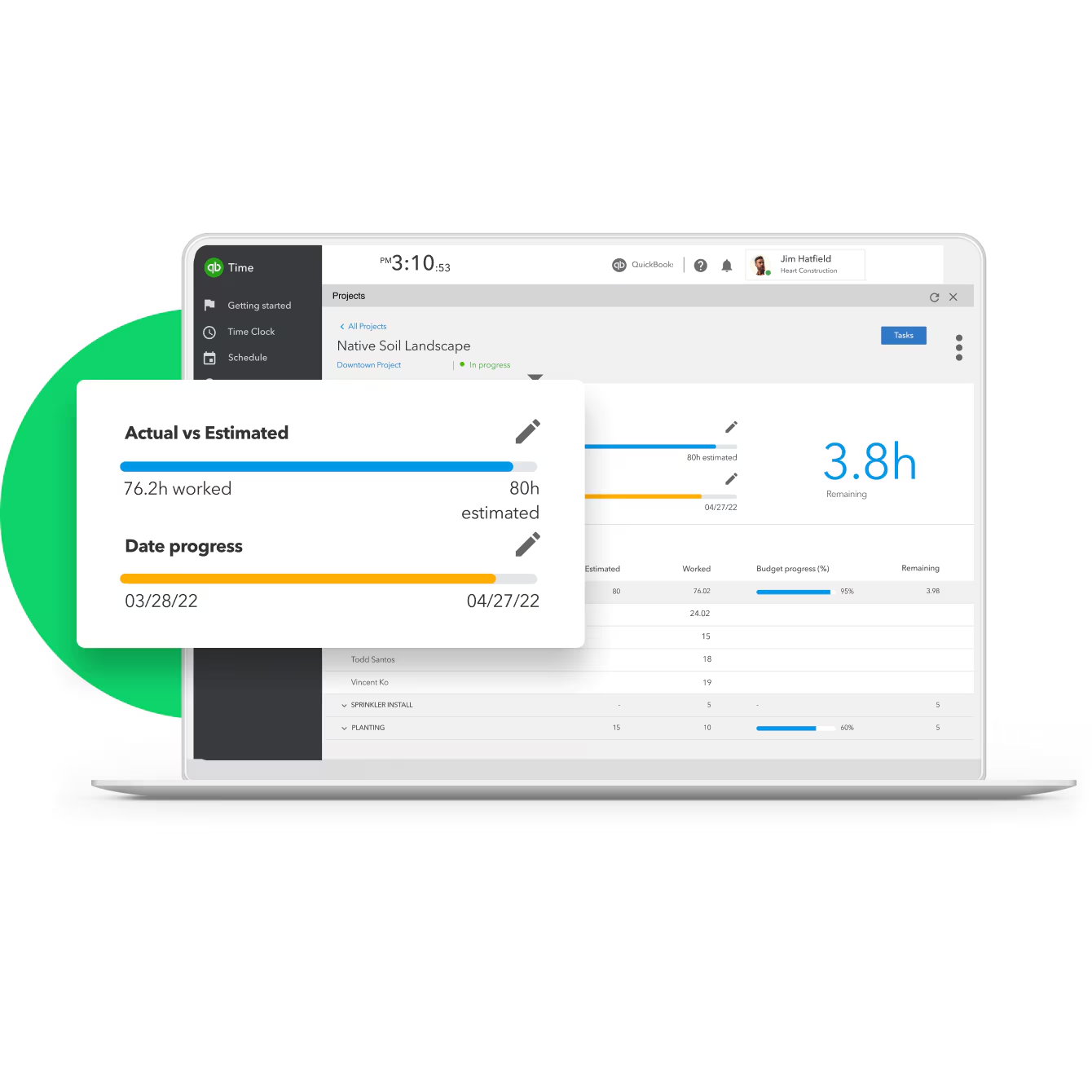
Best for: businesses already in the QuickBooks ecosystem that want time tracking to connect without manual data entry.
Ratings: 4.5/5 (1,400+ reviews) on G2, 4.7/5 (7,000+ reviews) on Capterra.
What you get:
- Direct sync to QuickBooks payroll and invoicing with no manual re-entry, including job costing and project billing.
- GPS tracking and real-time visibility into employee locations while on the clock.
- Shift scheduling, overtime alerts, and mobile timesheet approvals.
- Geofencing that auto-reminds employees to clock in and out when entering or leaving job sites (Elite plan only).
What users like: Reviewers consistently highlight the seamless QuickBooks payroll integration as the standout strength, with hours flowing straight to payroll without re-entry. Customer support also earns strong praise for responsiveness and hands-on setup help.
What users criticize: Cost is the most common complaint, especially since an active QuickBooks Online subscription is required on top of QBT fees, making the total spend higher than the listed price suggests. Recurring bugs, sync glitches, and occasional crashes are also regularly reported.
Pricing: No free plan. Premium from $20/month base plus $10/user/month. Requires an active QuickBooks Online subscription as a separate cost.
Our take: Makes sense if you're already paying for QuickBooks Online and want hours to flow to payroll without re-entry. For teams outside the QuickBooks ecosystem, the combined subscription cost is hard to justify compared to alternatives that include payroll integration in their base price.
Harvest: best for project billing and invoicing.
Harvest is among the best time tracking tools for small businesses that bill by the hour. It is not built for shift-based teams. There is no scheduling, no shift reminders, and no overtime alerts.
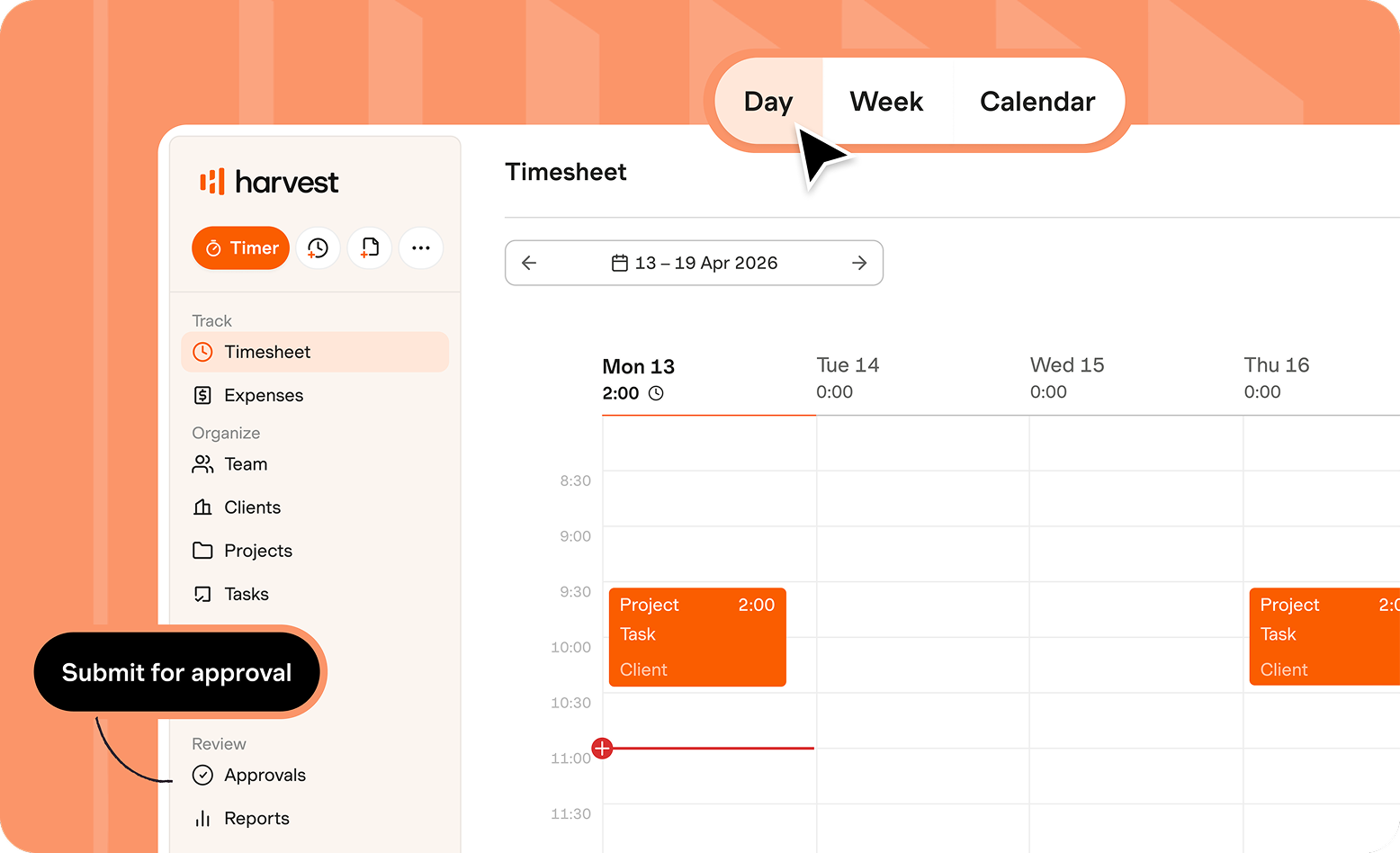
Best for: agencies, consultants, and service businesses that bill clients for their time.
Ratings: 4.3/5 (800+ reviews) on G2, 4.6/5 (600+ reviews) on Capterra.
What you get:
- One-click timer and manual entry for billable and non-billable hours, organized by client, project, and task.
- Automated invoicing from tracked time with Stripe and PayPal payment collection built in.
- Project budget tracking with real-time alerts before you exceed a budget.
- Integrations with Asana, Slack, Xero, and QuickBooks for end-to-end project and accounting workflows.
What users like: Reviewers consistently praise the clean interface and how easily tracked time converts into polished client invoices. The time-to-payment workflow earns particular praise from agencies and consultants who bill hourly.
What users criticize: Pricing is the sharpest pain point in recent reviews. Since being acquired by Bending Spoons, several reviewers report significant price increases and the introduction of usage-based charges above limits for projects, clients, and invoices, making costs harder to predict as a business grows. Reporting is also considered limited compared to more specialized tools.
Pricing: Free for one seat and two projects. Teams plan from $11/seat/month. Note: recent reviewers report usage-based charges above plan limits since the Bending Spoons acquisition. Make sure you double check current pricing before committing.
Our take: The right call for agencies and consultants who bill clients by the hour and need invoicing built into their time tracking. Not a fit for shift-based teams, and the Bending Spoons acquisition has introduced pricing unpredictability that's worth factoring in before you commit.
How Homebase Compares
Homebase is built for the specific use case this article covers: hourly, shift-based teams that need time tracking, timesheets, scheduling, and payroll to talk to each other. Where the apps above are strong individual tools, Homebase is designed to cover the full cycle from schedule to paycheck in one app.
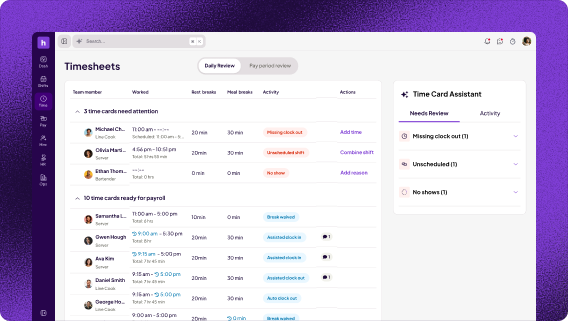
Best for: restaurants, retail, healthcare, and service businesses where employees work set shifts and payroll accuracy matters.
Ratings: G2 4.6 · Capterra 4.6 · App Store 4.8 (93K reviews)
We tracked 1.3 billion hours in 2025 across more than 150,000 small businesses. That's the scale the product decisions are built around.
Key features:
- Multiple clock-in options: mobile, tablet kiosk, or POS with Clover, Square, and Toast
- GPS geo-fence and photo verification to prevent remote clock-ins and buddy punching
- Automatic overtime calculation, early clock-in prevention, and missed clock-out alerts
- Drag-and-drop scheduling with open shift claiming, shift swapping, and team messaging
- One-click export to payroll (QuickBooks, Gusto, ADP) or full Homebase Payroll
Free tier and pricing: Free for one location and up to 10 employees, including time clock, scheduling, team messaging, and GPS clock-in. Paid plans start at $30/location/month (Essentials). Pricing is per location, not per user, which makes it cost-effective for teams larger than 10 employees. Payroll is available as an add-on on any plan for $39/month plus $6/month per employee paid (billed annually).
The gap that pushes hourly teams toward Homebase most often is payroll connectivity. Most owners evaluating time tracking apps are asking the same question Luanne Ronquillo of Ruru Baked asked: "It needs to connect to QuickBooks so I can do payroll. Homebase had everything that I needed."
Visibility from a distance is the other thing that comes up consistently. As Roxana Rodriguez, a retail owner and Homebase customer, described it: "Even when I'm not in the store, I can track my employees' hours. If someone forgets to clock in or out, I can fix it from my phone or computer, wherever I am."
Where it doesn't fit: Homebase is not built for client billing or project invoicing. If you bill clients by the hour, Harvest is a better fit. If you only need basic time tracking without scheduling, Jibble or Clockify may be sufficient at lower cost.
{{banner-cta}}
What to Look for in a Timesheet App for Small Business
The most important features in a timesheet app aren't always the most obvious. For hourly teams, the ones that protect your payroll and keep you compliant are worth understanding before you commit. Here's what to look for.
Clock-in options that fit your team.
Not every team clocks in the same way. A restaurant might use a time clock kiosk at the host stand. A retail store might use mobile time tracking. A cleaning crew spread across job sites needs GPS verification to confirm someone was on location.
The clock in clock out apps you're choosing between differ more than their interfaces suggest. The verification method determines whether your hours are actually accurate, not just recorded. A geofencing time clock creates a virtual boundary around a worksite. Employees can only clock in from within that radius, which stops remote clock-ins and buddy punching.
Overtime visibility before it hits your paycheck.
Overtime errors happen when you find out about them on payday. A good timesheet app tells you before the threshold is crossed, not after the check is cut.
Automatic overtime alerts protect your labor budget. Labor cost reports by department show you what a shift actually costs before payroll closes, not when you're reconciling at the end of the week. Homebase has sent more than 45 million overtime alerts to small business owners. It's a reminder that overtime happens in even well-managed teams, and catching it before the paycheck closes is the whole point.
Overtime rules also vary. Federal law requires overtime after 40 hours per week, but overtime laws by state can be stricter: California and Alaska require it after eight hours in a single day.
Payroll integration that works.
There's a difference between "connects to payroll" and "connects to payroll without you manually moving data." The first describes a CSV export. The second describes a native integration where hours sync automatically, with no re-entry required.
When you evaluate any timesheet app, confirm your payroll provider is on the supported list. Homebase payroll integrations cover QuickBooks, Gusto, ADP, Paychex, and Square Payroll natively.
One pricing detail most comparison guides skip: per-location pricing versus per-user pricing. For a business with 15 or more employees at a single location, per-location pricing can cost significantly less. It's worth asking before you sign up.
Timesheet editing and approval.
Missed punches are part of running a shift-based team. Someone forgets to clock out, a start time needs correcting, a manager adjusts hours after a no-show. The question isn't whether it'll happen. It's how fast you can fix it and whether there's a record of the change.
Look for an app that lets managers correct time cards directly, from a phone or computer, adjusting clock-in and clock-out times without needing to log in on a desktop. Every edit should be timestamped and attributed to whoever made it. That audit trail isn't just good practice. It's what the FLSA requires for wage and hour recordkeeping. It also means timesheets go through manager approval before hours reach payroll, so mistakes get caught before the check is cut. A clocking in and out policy makes the approval step consistent across your team.
Break tracking.
Most states require paid or unpaid breaks at set intervals, and the rules vary by state, shift length, and industry. California requires a paid 10-minute rest break for every four hours worked. Missing a required break is a compliance liability, not just a scheduling gap.
A timesheet app with built-in break tracking for small business removes that risk automatically. Look for configurable break rules by state or location, alerts when a break is missed mid-shift, and a record of breaks taken that you can pull up for an audit.
Scheduling integration.
A time tracking app that doesn't connect to your schedule creates two systems that need to agree with each other by payroll. When they don't, someone is manually reconciling the difference.
An integrated tool connects schedule to clock-in to payroll in one workflow. You can see scheduled hours versus actual hours in real time, prevent early clock-ins before a shift starts, and catch when someone works outside their scheduled hours. For shift-based hourly teams, that connection between scheduling and time tracking is what separates a basic time tracker from a complete team app.
Is There a Free Timesheet App for Small Business?
Yes. Several free timesheet tools offer permanently free plans, and the differences between them are significant. Homebase is one of the best free time clock apps for hourly teams, free for one location and up to 10 employees. Clockify is free for unlimited users and projects. Jibble is free for unlimited users and includes GPS and facial recognition. Connecteam is free for up to 10 employees.
Here's what you get at each free tier:
- Homebase free: Time clock, employee timesheets, scheduling, and messaging are included. GPS geo-fencing is a paid feature. Payroll works via CSV export to external providers on the free plan.
- Clockify free: Basic time tracking, unlimited projects. GPS tracking, overtime reporting, scheduling, and timesheet approvals are on paid tiers.
- Jibble free: Unlimited users with GPS, facial recognition, geofencing, and timesheets included. Basic QuickBooks integration is available on the free tier. Pricing page has been removed from Jibble's website; verify current plan details directly.
- Connecteam free: GPS, scheduling, and time tracking included for up to 10 users. Payroll integration requires a paid plan. Pricing increases substantially above 10 employees.
One thing every free plan has in common: no full native payroll integration. Every app charges for the step where hours sync automatically to payroll without re-entry. If you run payroll regularly, that's the feature that will determine whether a free plan saves you any time at all.
The per-location versus per-user pricing model is also worth understanding before you sign up. For larger teams at a single location, per-location pricing can be significantly cheaper than paying per employee.
Timesheet App Compliance: What the FLSA Actually Requires
The FLSA recordkeeping requirements are specific: track hours worked each day and workweek for non-exempt employees, store payroll records for three years, and keep time cards for two. Paper systems and spreadsheets often fail this standard. Not from dishonesty, but because they create gaps that can't be verified later.
Here's what compliant recordkeeping looks like in practice:
- Full edit history: Every change to a time card should be logged with a timestamp and a record of who made it.
- State-specific overtime rules: These fall under the broader scope of hourly employee labor laws that govern your team. Federal laws set the floor at 40 hours per week; California and Alaska require overtime after eight hours per day. A timesheet app with configurable overtime rules handles the calculation automatically.
- Accessible records: The Department of Labor can audit back two years for wage records. Records need to be retrievable on demand.
Homebase stores time cards with full edit history, tracks overtime per applicable state rules, and keeps records in a format that's accessible if you ever need them. One important note: a timesheet app helps you stay compliant. No app can guarantee compliance. What you're looking for is a tool that removes the manual steps where errors sneak in.
Frequently Asked Questions About Timesheet Apps for Small Business
Is Clockify really free?
Clockify has a free plan with no credit card required and no expiration date. Paid plans start at $4.99 per user per month. The free tier covers basic time tracking well. For shift-based teams, the features that matter most sit behind paid tiers: overtime and attendance reporting require the Standard plan ($6.99/user/month), and scheduling and GPS tracking require Pro ($9.99/user/month).
Is Toggl or Clockify better?
Both are strongest for project-based work, including agencies, consultants, and freelancers. Clockify's free plan is more generous: unlimited users versus Toggl's five-user limit on their free tier. Toggl Track tends to have a cleaner interface. For hourly shift-based teams that need scheduling, overtime tracking, and payroll in one place, neither is built for that compared to purpose-built tools like Homebase.
Is there a free app for timesheets?
Yes. Several apps offer permanently free plans. Homebase is free for one location and up to 10 employees and includes scheduling and messaging. Clockify is free for unlimited users and projects. Jibble is free for unlimited users with GPS and facial recognition. Connecteam is free for up to 10 employees. Most free plans don't include full payroll integration. That step typically requires a paid plan on any app.
Does Microsoft 365 have a timesheet app?
Not a dedicated one. Microsoft 365 users sometimes build timesheet workarounds using Excel templates, Microsoft Forms, or SharePoint workflows. These require manual setup and don't include automation like overtime alerts, GPS verification, or payroll integration. For teams tracking hours regularly, the best mobile timesheet apps are significantly more efficient and less error-prone than spreadsheet workarounds.
What does the FLSA require for employee timesheets?
The FLSA requires employers to record hours worked each day and workweek, the wage basis, and total wages paid each period. Payroll records must be kept for three years. FLSA recordkeeping and time card laws require time cards and schedules to be kept for two. State laws can be stricter: California and Alaska require daily overtime after eight hours. A timesheet app that stores records automatically helps you stay compliant without maintaining paper files.
How Your Team Works Is the Answer
Start with one question: does your team work set shifts, or do they track time against client projects? Get that right and the rest of the decision mostly makes itself. Hourly teams in restaurants, retail, and healthcare need scheduling and overtime built in. Agencies and consultants need hours tied to clients and billing. The apps on this list get you there. They just get you there differently.
Roberto Bustillos, co-owner of Lombard Doggy Daycare, put it plainly: "We use the scheduling, the clocked in and clocked out to track the time of the employees, and it has the payroll built in. For me it's like, I want to have everything in just one platform."
Not sure where to start? Homebase is free for up to 10 employees, with scheduling, time tracking, and payroll all in one app. No credit card needed. Try Homebase free today.
{{banner-cta}}

Carissa is the SEO + GEO Managing Editor at Homebase, with 13 years of experience in content marketing and SEO strategy. She’s created foundational guides on starting a business, navigating payroll, and managing teams, and helped solo lawyers, artists, and creative entrepreneurs grow their web presence and organic traffic.

.webp)
Carissa is the SEO + GEO Managing Editor at Homebase, with 13 years of experience in content marketing and SEO strategy. She’s created foundational guides on starting a business, navigating payroll, and managing teams, and helped solo lawyers, artists, and creative entrepreneurs grow their web presence and organic traffic.
