
.jpeg)
By Friday afternoon, someone has to reconstruct the week from paper time cards, missed texts, and a spreadsheet that was already out of date on Tuesday, and that's before anyone's started calculating overtime. That's exactly the problem a construction time card app is built to solve, but the wrong one creates a different problem: an overly complicated clock-in process reduces crew adoption, so ease of use should be tested with the employees who will use the app in the field.
This guide compares six of the best construction time tracking apps on the things that actually decide the purchase: crew adoption, offline reliability, payroll sync, and what it actually costs once you do the math with your full seasonal roster. No demos required.
The Best Construction Timesheet Apps at a Glance
Looking for the best time tracking app for construction crews? Here's the short version:
- Workyard: Our pick for construction GPS and certified payroll workflows
- ClockShark: Our pick for real-time field updates
- busybusy: Our pick for the broadest permanent free plan
- Buddy Punch: Our pick for flexible clock-in controls at a low per-user cost
- Timeero: Our pick for offline and multi-stop field tracking
- Arcoro Time (formerly ExakTime): Best for rugged hardware time clocks at fixed worksites
Why Trust Homebase's Construction Timesheet App Guide?
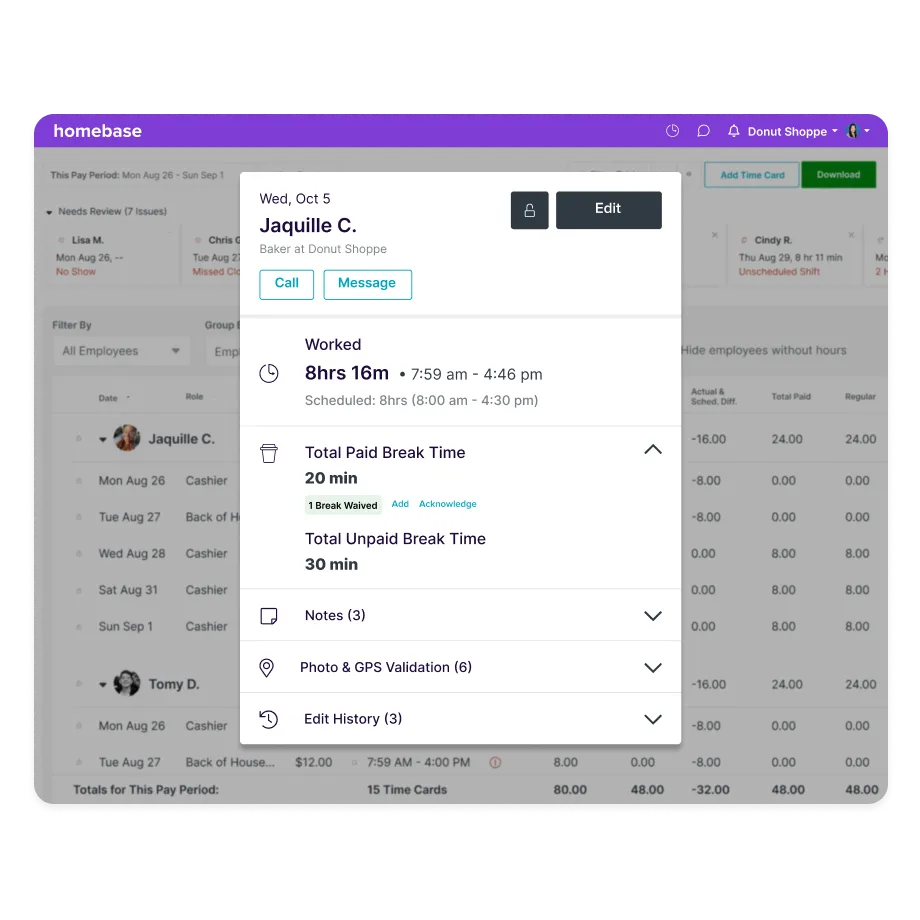
Homebase builds scheduling, time tracking, and payroll tools for small businesses with hourly teams, and construction and trades crews are a meaningful part of who we serve. That means we hear firsthand where things break down: crews forgetting to clock out, foremen texting hours at week's end, and owners re-entering everything into QuickBooks on a Friday night.
We know which jobsite conditions kill app adoption, why all-day GPS tracking makes crews nervous, and what payroll-ready timesheets actually require across multiple sites and cost codes.
Homebase is not in the ranked list below. Every app was evaluated on its own merits using verified pricing, third-party review data, and real contractor input. Homebase's editorial team evaluates every app on its own merits and does not accept payment or backlinks in exchange for product mentions.
How We Chose These Construction Timesheet Apps
Five criteria drove every pick for this construction time tracking software guide:
Crew adoption. Time tracking for construction workers only works if the crew actually uses it. We prioritized straightforward mobile clock-in workflows suitable for field employees using the phones they already carry.
Offline reliability. Job sites lose signal. We looked at whether crews can still punch in and out when that happens, and what data makes it back to the office once service returns.
Payroll and QuickBooks sync. The most common complaint we saw: an app that tracks hours fine but still requires someone to re-key everything into QuickBooks on Friday. We weighted apps that skip that step.
Honest per-user cost. The headline price rarely tells the whole story. We looked at base fees, annual billing requirements, and how each app handles seasonal workers who rotate in and out.
Construction fit. General time-tracking apps and construction ones look similar on paper. We looked for GPS and geofencing, cost codes, and prevailing-wage support for contractors doing public or government work.
For each tool in this time tracking software for construction guide, we pulled pricing directly from the vendor’s live page (accessed July 23, 2026), checked current G2 and Capterra ratings, and reviewed user feedback firsthand. Compliance context draws on DOL FLSA recordkeeping and overtime rules. Full criteria at our methodology page.
Construction Timesheet Apps Compared
Here's a quick side-by-side of the top three picks by the factors that decide the purchase.
Workyard
- Best for: Construction GPS and certified payroll
- Starting price: from $6/user/mo (annual) or $8/user/mo + $50 base (monthly)
- GPS and geofencing: Yes
- Free trial: 14 days; no free plan
- Capterra: 4.8/5 (102 reviews, July 23, 2026)
ClockShark
- Best for: Real-time field updates
- Starting price: $9/user/mo + $40/mo base
- GPS and geofencing: Yes
- Free trial: 14 days; no free plan
- Capterra: 4.7/5 (1,911 reviews, July 23, 2026)
busybusy
- Best for: Free plan for small crews
- Starting price: Free; paid plans from $9.99/user/mo (annual) + $40/mo admin fee
- GPS and geofencing: Yes (enhanced features on paid plans)
- Free plan: Yes, unlimited users
- Capterra: 4.5/5 (441 reviews, July 23, 2026)
How Homebase Compares for Construction Time Tracking
On paid plans, Homebase’s mobile GPS time clock lets crews clock in from their phones with location capture at punch, a geofence that restricts clock-ins to the job site, and overtime calculated automatically. Timesheets are retained for four or more years on paid plans, so your records are there if you ever need them. The free Basic plan keeps 90 days of history.
Where it doesn't go (and you should know this):
- Per-project cost codes, job costing, certified payroll reporting, and equipment-hour tracking are not listed on Homebase's current public feature pages
- No continuous GPS breadcrumb trails across a shift
If you do federal or publicly funded construction work that requires certified payroll reporting, or you’re navigating complex prevailing-wage rules, the ranked picks in this guide are the better fit.
For crews that want scheduling, time tracking, and payroll in one place, Homebase covers the basics on paid plans, with payroll available as a separate add-on.
{{banner-cta}}
The 6 Best Construction Timesheet Apps for 2026
These are organized by use case rather than ranked, because the right construction employee time tracking app really does depend on your crew size, budget, and what your job sites are actually like.
Workyard
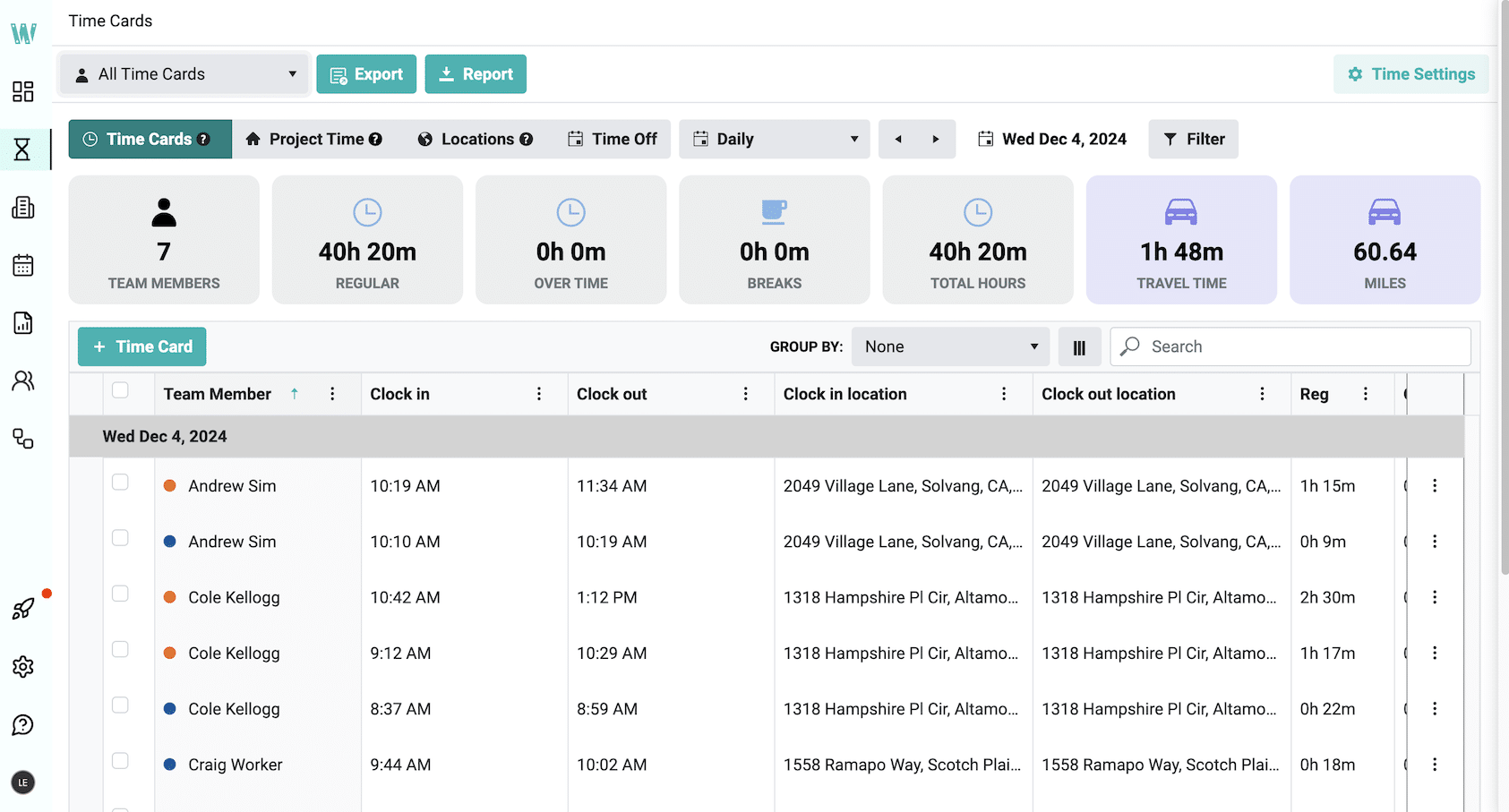
Workyard emphasizes GPS-based field time tracking and location-linked job records, and advertises WH-347 certified-payroll reporting and multiple pay-rate support. For small residential crews that just need clean hours-to-payroll, the base fee plus Pro-tier gating may be more than the job requires.
Best for: Construction-specific GPS accuracy and certified payroll.
Rating: G2 4.8 (50 reviews) · Capterra 4.8 (102 reviews) — accessed July 23, 2026.
Key features:
- GPS tracking and location-linked job records; automatic geofence clock-in/out and advanced job controls require Pro.
- Cost codes and real-time job costing tied to labor hours.
- Certified payroll (WH-347) and prevailing-wage rate support.
- Offline tracking with automatic sync when signal returns.
- Integration or export workflows for QuickBooks Online, QuickBooks Desktop, ADP, Gusto, and other payroll and accounting systems.
Pricing (as of July 2026): Annual billing from $6/user/mo; monthly Starter $8/user/mo + $50 base, Pro $16/user/mo + $50 base. Autopilot plan is quote-based. 14-day free trial, no free plan.
What users like: Reviewers credit GPS and geofencing with ending time-cheating; one construction GM noted it paid for itself quickly.
What users criticize: A government-work office manager noted the prevailing-wage support caps at three pay categories, onboarding multiple crews takes effort, and some workers reported battery drain.
Our take: Our pick for prevailing-wage or job-costed work among the six evaluated. For a small residential crew that just needs clean hours-to-payroll, the $50 base plus Pro-tier gating is more than the job needs.
ClockShark
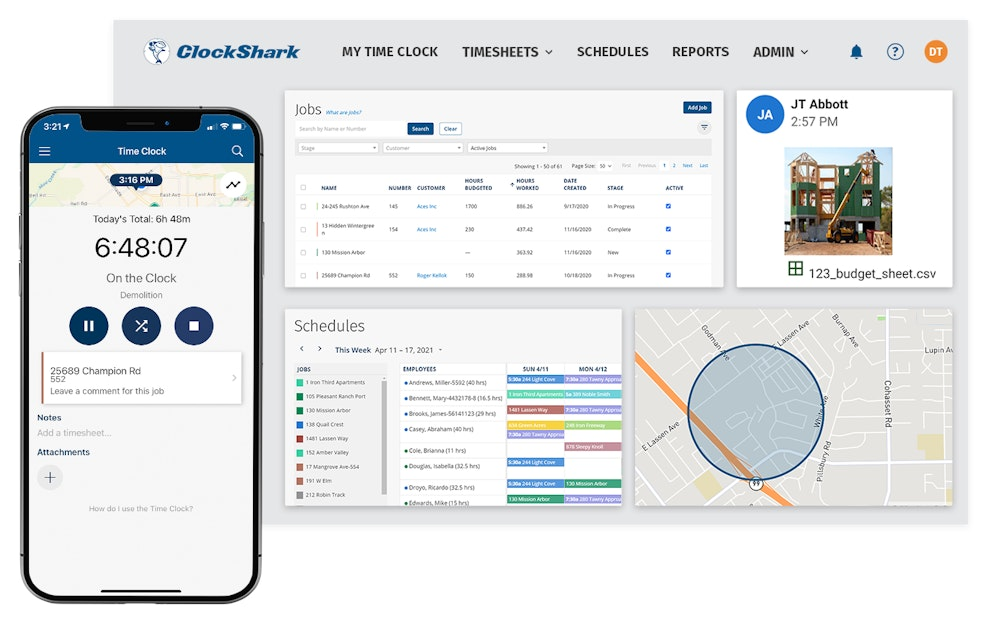
ClockShark gets field updates back to the office without a separate communication app. ClockShark's Shift Wrap-Up forms collect configured responses, notes, and photos at the end of a shift, so the supervisor gets a field report alongside the timesheet.
Best for: Real-time updates from the field.
Rating: G2 4.7 (333 reviews) · Capterra 4.7 (1,911 reviews) — accessed July 23, 2026.
Key features:
- GPS time clock with geofencing and multiple clock-in modes.
- Shift Wrap-Up forms that collect configured responses, notes, and photos at end of shift.
- Crew chat and document sharing.
- Drag-and-drop scheduling tied to job costing.
- Integrates with QuickBooks and other accounting and payroll products.
Pricing (as of July 2026): Standard $9/user/mo + $40 base; Pro $11/user/mo + $60 base. The pricing page references a three-year contract; confirm current billing terms before purchase. 14-day free trial, no free plan.
What users like: Map-based crew tracking and job-specific clock-ins make it easy to see where everyone is without chasing anyone down.
What users criticize: ClockShark bills by active user and prorates changes to active-user counts; some users report friction with particular editing workflows, though timesheet editing is available on mobile and web.
Our take: The Shift Wrap-Up and crew-chat combination earns its place if you want field progress reports alongside the timesheet. Best fit for a small-to-mid crew already using QuickBooks, but confirm current contract length and billing terms before committing.
busybusy
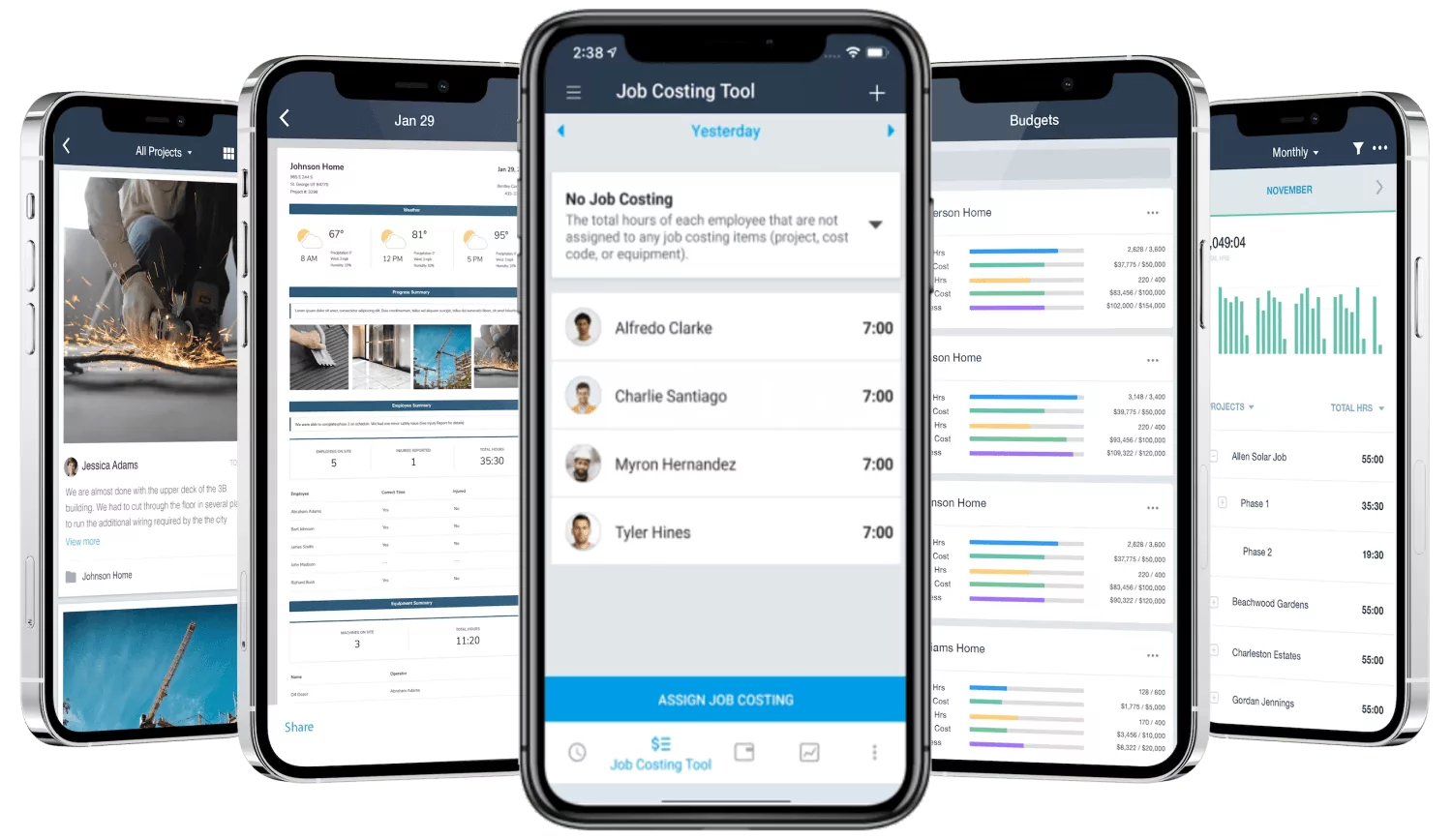
busybusy offers a permanent free tier with unlimited users and several construction-oriented features. Unlike several products in this comparison, busybusy's free plan covers unlimited users, GPS clock-in, and job codes, plus equipment tracking and clock-out injury questions.
Best for: The best free plan for small crews.
Rating: G2 4.8 (158 reviews) · Capterra 4.5 (441 reviews) — as of July 2026.
Key features:
- Free plan with unlimited users, GPS clock-in and clock-out, and job codes.
- Equipment tracking and clock-out injury questions; additional daily sign-off and supervisor functionality may require a paid plan.
- Offline time tracking across plans; enhanced GPS and geofencing features require a paid plan.
- Photo verification and supervisor tools on paid tiers.
- QuickBooks integration.
Pricing (as of July 2026): Free: $0 for unlimited users. Pro: $9.99/user/mo (annual) or $11.99/user/mo (monthly) + $40/mo admin fee. Premium: $14.99/user/mo (annual) or $17.99/user/mo (monthly) + $40/mo admin fee.
What users like: A construction GM on Capterra praises the genuinely useful free tier for a small company without budget for a heavy HR system.
What users criticize: Reviewers report occasional sync glitches, and several note that GPS location history and more detailed reporting sit behind the paid tiers rather than the free plan.
Our take: The strongest starting point for getting off paper without a monthly fee. The free plan is real, not a teaser. Upgrade when you need GPS history, photo verification, or scheduling.
Buddy Punch
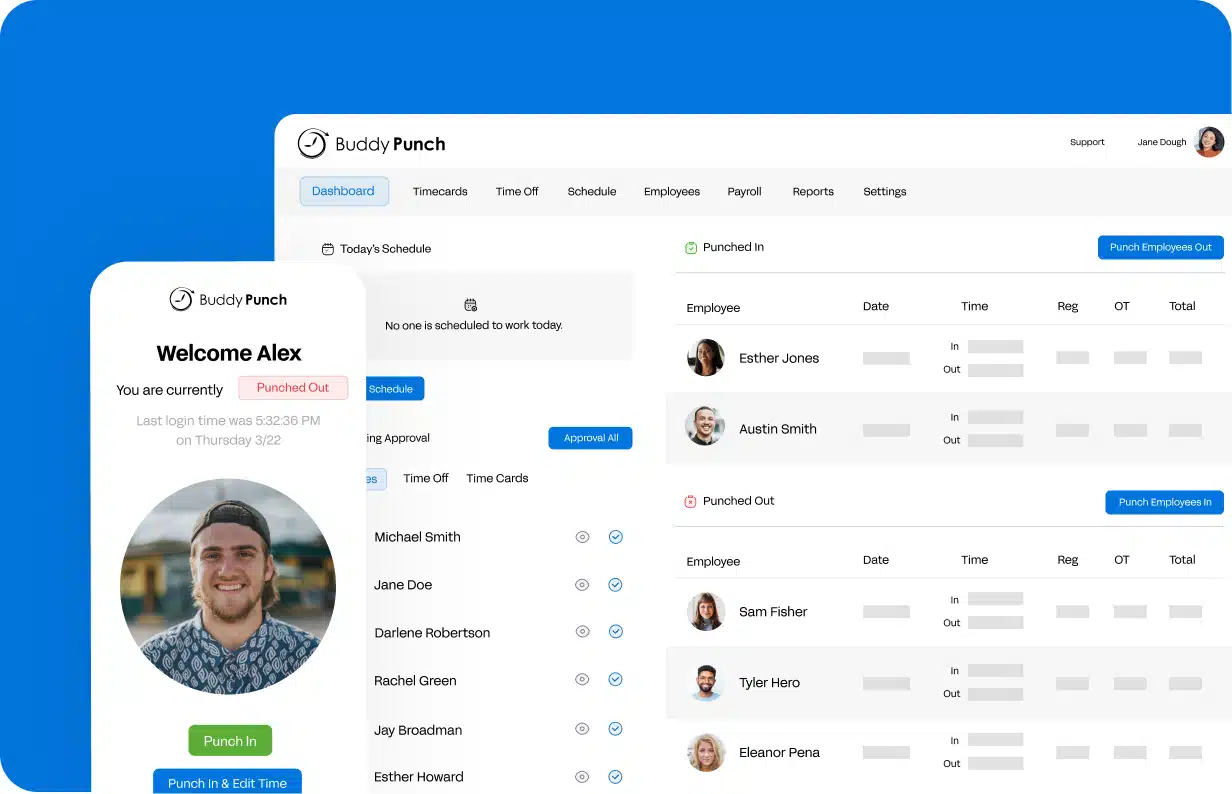
Buddy Punch is a relatively low-cost paid option, starting at $4.99/user/mo annually plus a $19 base fee, and supports several clock-in methods including mobile, PIN, QR code, webcam-based verification, and group workflows. Buddy Punch can display its employee web app in Spanish, a practical differentiator for bilingual crews. The trade-off: it's construction-capable, not construction-specialized, and it does not provide a conventional offline punch-and-sync mode.
Best for: Affordability and ease of use.
Rating: G2 4.8 (388 reviews) · Capterra 4.8 (1,124 reviews) — accessed July 23, 2026.
Key features:
- Multiple clock-in methods including mobile and group punch on Starter; Pro adds geofencing, QR codes, PINs, and webcam capture.
- Geofencing included in Pro and Advanced; real-time GPS is a paid add-on for Starter/Pro and included in Advanced.
- Job costing with project-specific pay rates; employee web app available in Spanish.
- Payroll export or integration workflows for QuickBooks, ADP, Gusto, Paychex, Rippling, and other systems.
Pricing (as of July 2026): Annual — Starter $4.99/user/mo + $19 base; Pro $6.99/user/mo + $19; Advanced $12.99/user/mo + $19. Monthly rates are $5.99, $7.99, and $13.99 respectively + $19 base. Inactive employees do not count toward billing; user-count changes are prorated. 14-day trial, no free plan.
What users like: Crews select the job on clock-in, giving accurate billing and location verification without a complex setup.
What users criticize: Reviewers mention a learning curve on more advanced features and limited report customization options. Buddy Punch does not provide a conventional offline punch-and-sync mode; it offers alternative group or text-based punch workflows for connectivity-limited situations.
Our take: A low-cost, flexible option for getting a small crew onto digital timesheets. Skip it if you need certified payroll or a conventional offline punch-and-sync mode on remote sites.
Timeero
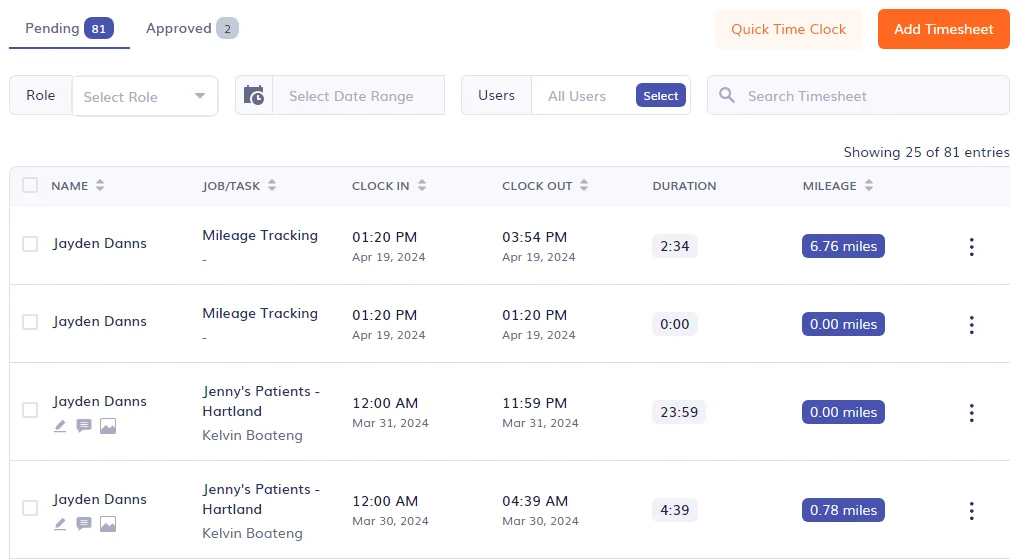
Timeero supports offline time and mileage capture and offers an optional Segmented Tracking add-on for mobile employees who visit multiple locations. It creates a route-and-stop timeline that can show time at registered and unregistered locations, which can reduce manual logging for residential and service crews.
Best for: Offline and multi-site tracking.
Rating: G2 4.8 (49 reviews) · Capterra 4.6 (129 reviews) — accessed July 23, 2026.
Key features:
- Offline tracking that logs time, GPS, and mileage locally and syncs on reconnect.
- Optional Segmented Tracking add-on ($5/user/mo) creates a route-and-stop timeline; not compatible with Auto Clock In/Out.
- Geofencing with configurable supervisor permissions for reviewing and editing time, mileage, and reports.
- QuickBooks and payroll integrations.
Pricing (as of July 2026): Basic $6/user/mo (up to 10 users); Pro $9/user/mo; Premium $12/user/mo; Enterprise custom. Segmented Tracking add-on is $5/user/mo. 14-day trial, no free plan.
What users like: Ease of use, responsive support, and segmented mileage tracking for multi-site crews; some reviewers discuss using Timeero's break settings in California. Employers remain responsible for configuring legally compliant policies.
What users criticize: Some reviewers report app glitches and mid-shift logouts, and there's no free plan.
Our take: Our pick for crews that lose signal or hop between sites in a day, based on the offline and segmented-tracking criteria in this guide. It's not construction-specific, and the no-free-plan means the smallest crews should price it against busybusy first. Note the $5/user/mo add-on cost for Segmented Tracking.
Arcoro Time, formerly ExakTime
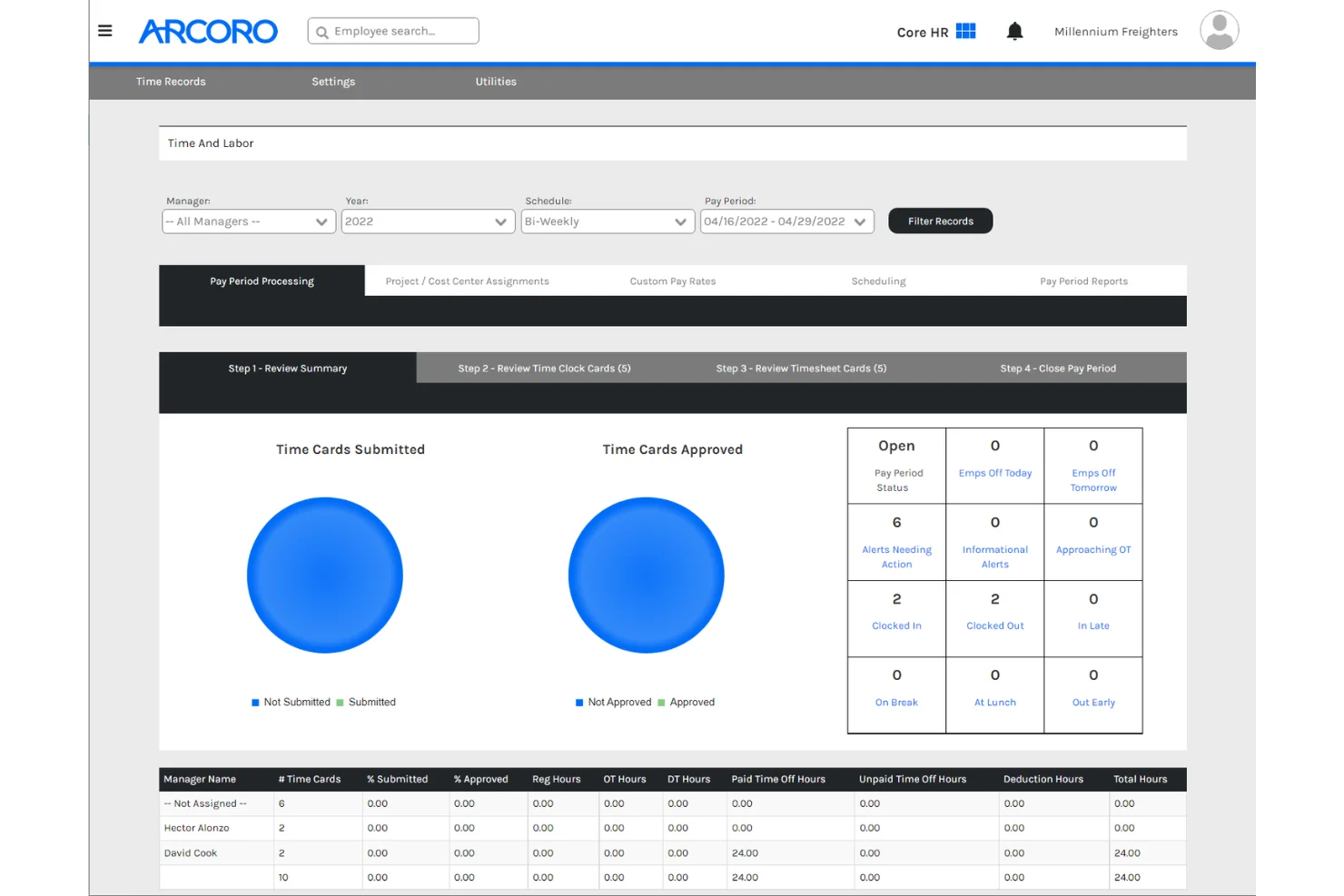
Arcoro Time is a construction-focused time-tracking product for field work that has offered rugged hardware time clocks since 1999. It suits fixed worksites where phone-based apps are impractical. Annual contracts apply, though annual, quarterly, and monthly payment terms are available; confirm how seasonal employee reductions are handled before committing.
Best for: Construction field work with rugged hardware time clocks.
Rating: Legacy ExakTime Capterra 4.5 (6 reviews) — accessed July 23, 2026. Review volume is very low and branding has changed; interpret this rating cautiously.
Key features:
- Real-time GPS and geofencing.
- Rugged physical time clocks for fixed worksites (hardware available separately; confirm current pricing with Arcoro).
- Equipment tracking, cost codes, and field photos.
Pricing (as of July 2026): Essential $9/user/mo; Professional $11/user/mo; Time + Payroll $19/user/mo. Annual contract required; annual, quarterly, and monthly payment terms available. Hardware pricing available from Arcoro. 14-day trial, no free plan.
What users like: A long-time user credits the switch from paper with eliminating rounded "fluff" time and making T&M job reports easy to pull.
What users criticize: Reports that don't export cleanly to Excel, and some users note support friction since the Arcoro acquisition. An annual contract is required, though payment can be made annually, quarterly, or monthly.
Our take: Our pick for fixed worksites where rugged hardware time clocks are needed and phone-based apps aren't practical. The annual contract and lower review volume make it a harder case for a small seasonal crew; confirm seasonal-user handling with Arcoro before committing.
Choosing the Right Construction Timesheet App
Whatever app you land on, the best timesheet app for construction is the one your crew will actually use on a Monday morning before their coffee kicks in. The best time tracking software for construction is no different: weight adoption, offline reliability, and payroll sync over everything else, and do the per-user math with your full seasonal roster before committing to any plan.
If you’d rather keep scheduling, time tracking, and payroll in one place instead of juggling separate tools, Homebase is built for small hourly teams and handles all three, with payroll available as a separate add-on. Over 150,000 small businesses run their teams on Homebase. Try Homebase free →
Construction Timesheet App FAQs
What is a construction timesheet app?
A construction timesheet app records field employees' work time and may also connect hours to jobs, cost codes, locations, breaks, overtime rules, and payroll systems, depending on the product and plan.
How is a construction timesheet app different from regular time tracking software?
General time tracking software logs a start and a stop. Construction-oriented apps go further: they tie hours to a job, a GPS location, and a cost code, and they’re built to work offline when crews lose signal. Under federal FLSA recordkeeping rules, employers generally keep payroll records for at least three years and wage-computation records like timecards for at least two. A GPS time tracking app can add location evidence to those records, though getting the setup right is still on you.
Is there a free construction timesheet app?
Free options do exist, and busybusy is the construction timesheet app free option with the broadest permanent free plan among the six evaluated, covering unlimited users, GPS clock-in, and job codes at no cost. Free plans may limit GPS history, reporting, scheduling, or integrations; check each vendor's current comparison table.
What features should a construction timesheet app have?
Look for mobile clock-in, geofencing and GPS, offline capture, job or cost-code tracking, automatic overtime, and direct payroll sync. Test the clock-in workflow with field employees before rollout, because unnecessary steps can reduce adoption.
Do construction timesheet apps work offline on remote job sites?
busybusy, Timeero, ClockShark, and Workyard all document offline time capture. The way it works: punches are saved locally on the phone and uploaded once signal returns. What actually gets saved offline varies by app, though: GPS data, job codes, mileage, and notes aren’t always included, so check each vendor’s specifics before you rely on it.
What construction timesheet apps work with QuickBooks?
Workyard, ClockShark, busybusy, Buddy Punch, and Timeero all offer QuickBooks integration or export workflows, though the connection type and required plan vary by product. The value is straightforward: approved hours go straight to payroll without anyone re-keying them by hand.
What's the difference between a construction timesheet app and general time tracking software?
Construction-focused apps are built around the way field crews actually work: moving between sites, losing signal, clocking different hours to different jobs, and handing time data off to payroll at the end of the week. General time tracking software handles the basics fine, but it typically wasn’t built with job costing, offline job sites, or certified construction payroll in mind.
Are QR codes a good way to track construction crew hours?
QR codes tend to break down on real job sites: crews forget to scan when their hands are full, or scan and wander off. Most contractors in the r/Construction community get better results from GPS or geofenced auto clock-in, which verifies presence without an extra step.

Kerry McCreadie is the Senior Manager of Organic Growth at Homebase, leading SEO and content strategy for small businesses with hourly teams. With over 10 years of experience, Kerry has developed hundreds of templates and resources for business owners. They've run an arts and culture nonprofit for over a decade and operated their own photography business, bringing hands-on small business understanding to everything they create.

.webp)
Kerry McCreadie is the Senior Manager of Organic Growth at Homebase, leading SEO and content strategy for small businesses with hourly teams. With over 10 years of experience, Kerry has developed hundreds of templates and resources for business owners. They've run an arts and culture nonprofit for over a decade and operated their own photography business, bringing hands-on small business understanding to everything they create.
