
Deputy is a capable scheduling app. But because it charges per user, subscription costs increase as the number of billable users grows. At current advertised rates of $5 for Lite, $6.50 for Core, and $9 for Pro, 30 billable users would cost $150 to $270 per month before add-ons. Deputy's scheduling plans don't include payroll processing by default. Eligible US businesses on annual Core and Pro plans can add Deputy Payroll enabled by Paycor for an advertised $49 monthly base fee plus $8 per user per month, though Deputy notes rates may vary by business size. Teams that don't purchase the add-on will still need a separate payroll provider.
If that's the friction you're feeling, you're not alone. The deputy alternatives below were chosen for teams who need something that fits better: whether that's simpler pricing, a free tier, native payroll, or deeper tools for specific industries like restaurants and field services.
Each app was evaluated on its own merits: pricing model, scheduling depth, time tracking accuracy, payroll options, and how well it fits hourly teams with under 100 employees. No app paid for placement here.
The Best Deputy Alternatives at a Glance
The right deputy alternative depends on where Deputy is falling short for your team. Here are the top picks:
- When I Work — best for teams that need fast, flexible scheduling without a lot of extras
- 7shifts — best for restaurants that need compliance-aware scheduling and payroll in one place
- Connecteam — best for field and mobile teams that need job-based time tracking and GPS visibility
- Buddy Punch — best for businesses where preventing time theft is the main priority
- OnTheClock — best for small teams that want scheduling, time tracking, and payroll together
- Jibble — best free time tracking option for budget-constrained businesses
- Sling — best for seeing labor costs update in real time as you build your schedule
Why Trust Homebase? Why We Built This Guide
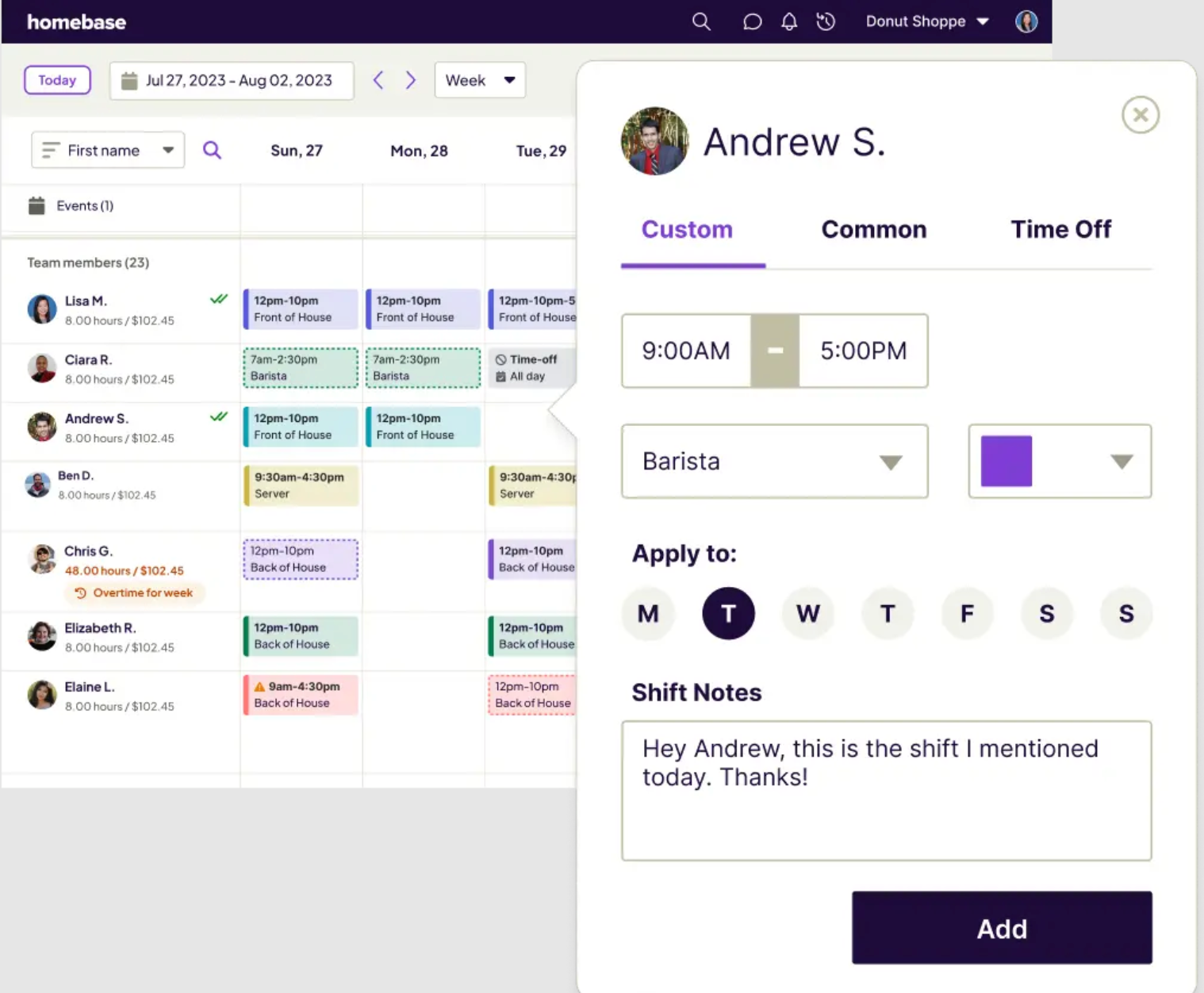
We're Homebase, and we make a team-management app for hourly businesses, with free scheduling and time tracking plus paid payroll and HR capabilities. We have a stake in this topic, so we want to be upfront: Homebase isn't in the ranked list below, and every app was evaluated on its own merits. We don't accept payment or backlinks for product mentions. Over 150,000 small businesses use Homebase to manage their hourly teams.
How We Chose These Deputy Alternatives
We evaluated each app across six criteria: pricing model (per-user vs. flat-rate vs. free tier and its real limits), scheduling depth (templates, shift swaps, auto-scheduling), time tracking accuracy (GPS, geofencing, photo verification), payroll options (native vs. integrations-only), hourly team fit, and user sentiment patterns from verified G2 and Capterra reviews.
Pricing was checked against vendor pages on July 30, 2026. Because plan prices, billing cadences, and limits change, confirm current costs directly with each vendor before purchasing. For user sentiment, we pulled patterns across multiple reviews rather than highlighting isolated complaints.
How the Top 3 Deputy Alternatives Compare
When I Work
- Starting price: $2.50 per user per month (single location); $5 per user per month (multi-location)
- Free tier: No permanent free plan; 14-day free trial available
- Best for: Scheduling-first teams that need shift flexibility
- Key integrations: Rippling and other payroll and business integrations (When I Work)
- Scheduling depth: Auto-scheduling, OpenShifts, shift swaps
7shifts
- Starting price: From $39.99 per location per month (7shifts.com/pricing)
- Free tier: Free Comp plan with basic scheduling and communication
- Best for: Restaurants needing scheduling, payroll, and compliance tools
- Key integrations: Toast, Clover, Square, Lightspeed, Gusto, ADP
- Scheduling depth: Role-based scheduling, sales forecasting, compliance alerts, punch attestation
Connecteam
- Starting price: $29 per month for up to 30 users within a single hub; purchasing multiple hubs increases the total
- Free tier: Free Small Business Plan for up to 10 users
- Best for: Field and mobile teams needing GPS time tracking
- Key integrations: Gusto, QuickBooks, ADP, Zapier
- Scheduling depth: Open shifts, job-based scheduling, task management
A Note From the Publisher: How Homebase Fits
This section is a publisher note. Homebase is not part of the ranked list above.
Homebase makes an all-in-one app for hourly teams covering scheduling, time tracking, payroll, hiring, and HR. A few things set us apart from both Deputy and most alternatives in this list.
- Pricing model: Homebase's Basic plan is free for one location and up to 10 employees and includes scheduling and time-clock tools. Core team-management plans are priced per location rather than per employee, so adding a new hire doesn't increase your base plan cost. Payroll is priced separately.
- Payroll: Homebase Payroll is listed at $39 per month plus $6 per employee paid and can be added to any plan. See joinhomebase.com/pricing for full plan details.
- Where we're not the best fit: Connecteam offers more explicit field-location capabilities, including GPS location history while employees are clocked in. If you run a multi-location restaurant group and need deep POS-driven sales forecasting, 7shifts is more specialized.
Ratings: Capterra: 4.6/5 (1,151 reviews)
When managing your schedule and running payroll through two separate logins gets old, there's a case for having them in the same place. Try Homebase free.
The 7 Best Deputy Alternatives in 2026
Each of the tools below solves a specific problem Deputy users run into. Read the entries for the categories that match your situation. You don't need the most feature-rich option, you need the one that fits how your team works.
1. When I Work
Best for: Teams that need fast, flexible scheduling and easy shift coverage
Rating: Capterra: 4.5/5 (~1,299 reviews)
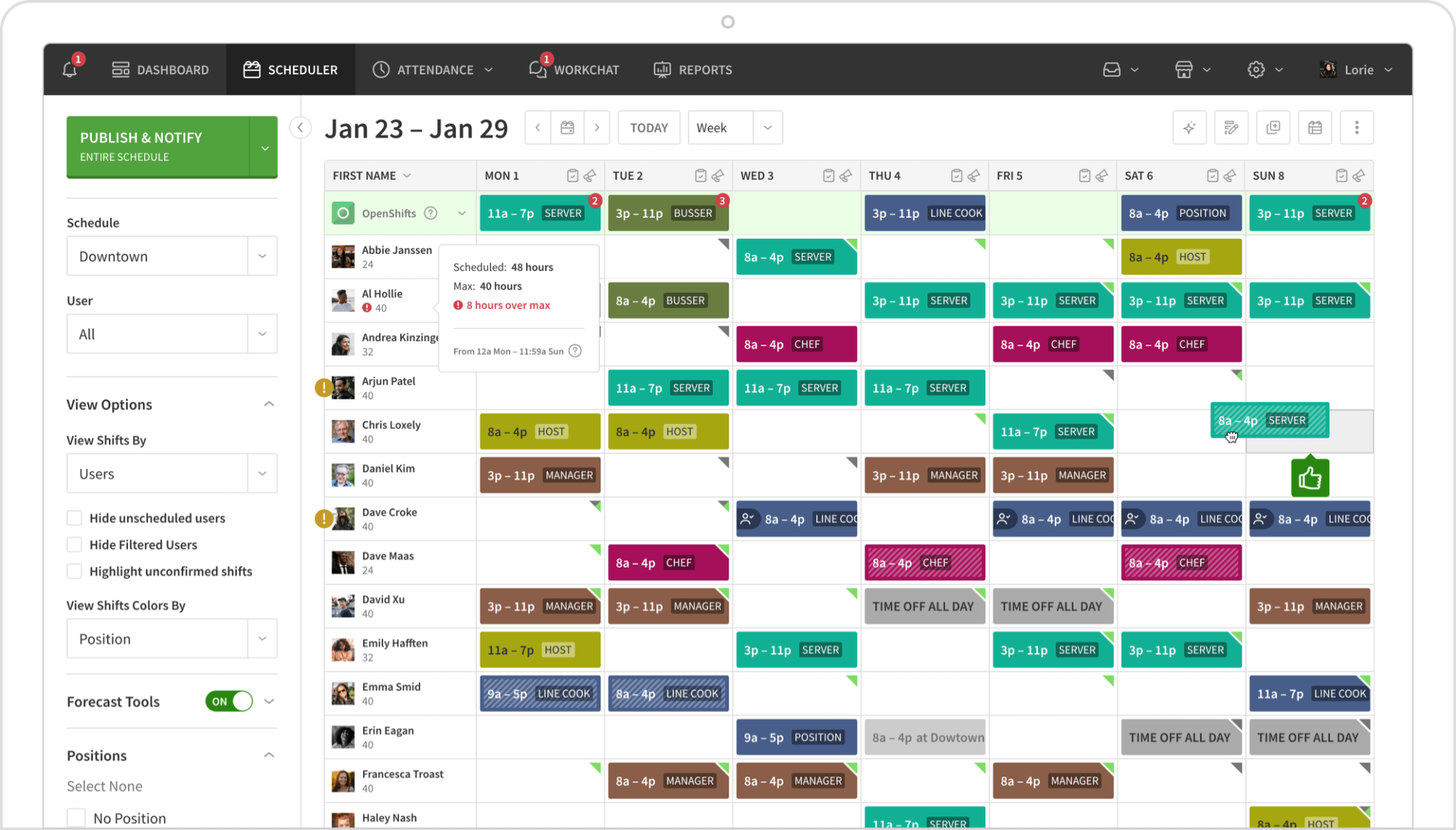
When I Work is a scheduling and time tracking app built for hourly teams that need to move fast. Auto-scheduling helps generate schedules based on staffing needs, roles, and employee availability, and employees can claim open shifts, request swaps, and trade coverage directly in the app, without the manager playing middleman.
Key features:
- Auto-scheduling builds a full schedule based on availability and role
- OpenShifts allow eligible employees to pick up uncovered shifts
- In-app messaging for team communication without personal phone numbers
- Time clock with GPS and photo verification
- Labor cost forecasting tied directly to the schedule builder
Pricing: $2.50 per user per month for single-location teams; $5 per user per month for multi-location businesses. A 14-day free trial is available; no permanent free plan. See When I Work pricing for full details.
What users like: Reviewers frequently describe the shift management tools and employee-facing interface as easy to learn. Scheduling, shift swaps, and notifications come up as consistent positives across Capterra reviews.
What users criticize: One April 29, 2026 Capterra reviewer noted: "The steep price increase if you need 2 locations." (Capterra) Users also report occasional glitches and imprecise drag-and-drop scheduling.
Our take: When I Work suits teams that want clean, fast scheduling at one location. The jump to $5 per user per month for multiple locations is a meaningful step up, so it's worth running the math before committing.
2. 7shifts
Best for: Restaurants and food service teams that need scheduling, payroll, and compliance tools together
Rating: Capterra: 4.7/5 (1,212 reviews)
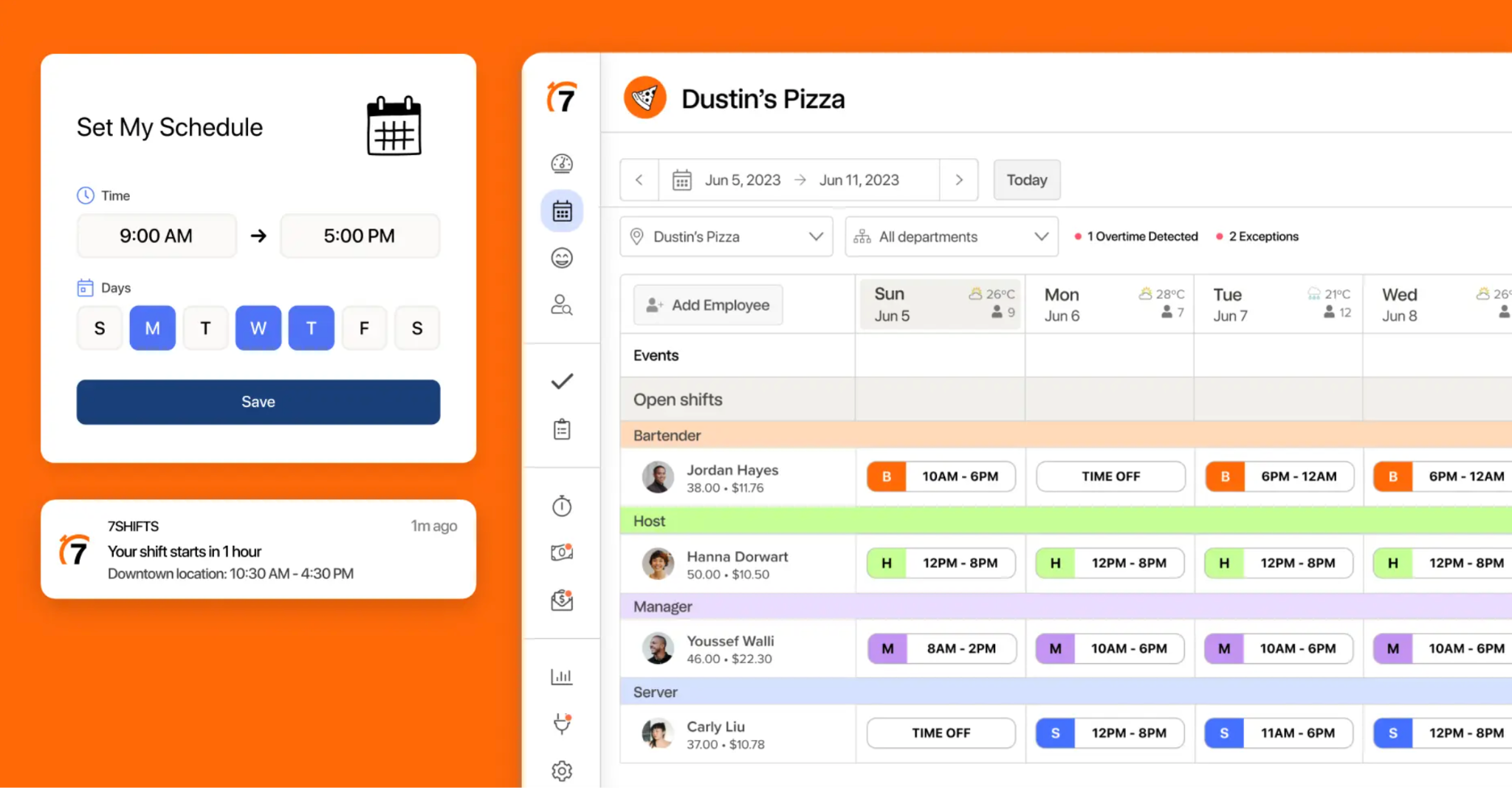
7shifts is a restaurant-specific scheduling app that has expanded to include payroll. Its tools are built around the problems that hit food service teams hardest: tip management, labor compliance, and the kind of variable department-based scheduling that a general-purpose tool handles clumsily.
Key features:
- Configurable attestations and break-compliance tools help document missed breaks and other exceptions (compliance record)
- Right-to-rest alerts can flag "clopen" shifts that don't provide the required rest period, where supported by configured jurisdictional rules
- Tip management with pooling and distribution built in
- Sales and labor forecasting based on POS data
- US restaurant payroll available as a paid add-on at $39.99 per location per month plus $6 per employee paid (see 7shifts.com/pricing)
Pricing: A free Comp plan is available with basic scheduling and communication. Paid plans start at $39.99 per location per month. See 7shifts.com/pricing for current figures.
What users like: Reviewers regularly praise restaurant-specific scheduling, shift trading, labor visibility, and the employee app (Capterra).
What users criticize: Initial configuration takes time, and costs can rise as restaurants add advanced functions. One recurring theme in reviews is app-performance issues and occasional availability or time-zone confusion.
Our take: If you run a restaurant, 7shifts offers one of the broadest restaurant-specific feature sets on this list: scheduling, compliance, tips, and US payroll. For a non-restaurant business, the feature depth in the restaurant-specific tools is less useful and the interface may feel heavier than it needs to be.
3. Connecteam
Best for: Field crews, construction teams, and mobile workers who need GPS time tracking and job-based hours
Rating: Capterra: 4.6/5 (~5,298 reviews)
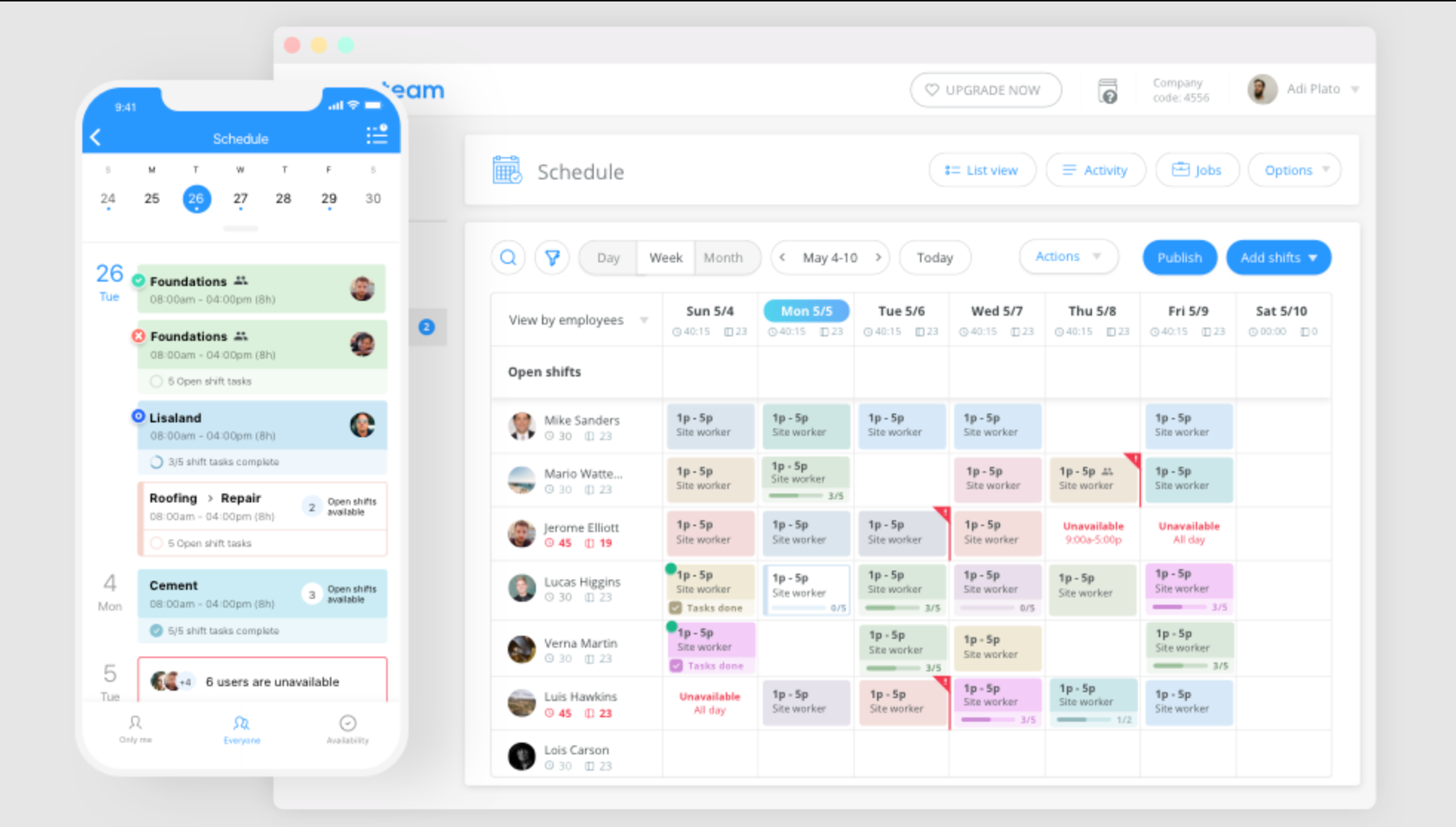
Connecteam is an all-in-one app built primarily for teams that work away from a fixed location. It goes beyond scheduling and time tracking to include operations tools: digital forms, task checklists, job-based scheduling and assignments, and training modules, which makes it popular with construction, cleaning, and field service businesses.
Key features:
- GPS-stamped clock-ins and geofencing
- Breadcrumbs GPS location history records where employees traveled while clocked in, giving managers visibility into routes and visited work sites
- Job-based time tracking for workers moving between multiple sites during a shift
- Digital forms and checklists for compliance documentation
- In-app communication including feeds, chat, and announcements for deskless teams
Pricing: Free for up to 10 users (Small Business Plan includes all hubs). Paid plans start at $29 per month for up to 30 users within a single hub. Purchasing multiple hubs increases the total. See Connecteam pricing for details.
What users like: Reviewers commonly value having scheduling, time tracking, GPS controls, forms, tasks, and team communication in one mobile app (Capterra).
What users criticize: Setup takes time, notifications can become noisy, and the hub-based plan structure makes total cost harder to predict. Teams working in low-signal job sites should test the mobile app under real job-site conditions before switching.
Our take: Connecteam is among the strongest options on this list for field service teams. In one Reddit comparison, the author favored Connecteam for mobile and field-service workflows, and lighter scheduling tools for fixed-location teams (r/TheDigitalMerchant). For a single-location retail shop or restaurant, the feature set is more than you need. For a crew that's constantly moving between job sites, it's worth the setup investment.
4. Buddy Punch
Best for: Businesses where preventing time theft is the top priority
Rating: Capterra: 4.8/5 (1,124 reviews)
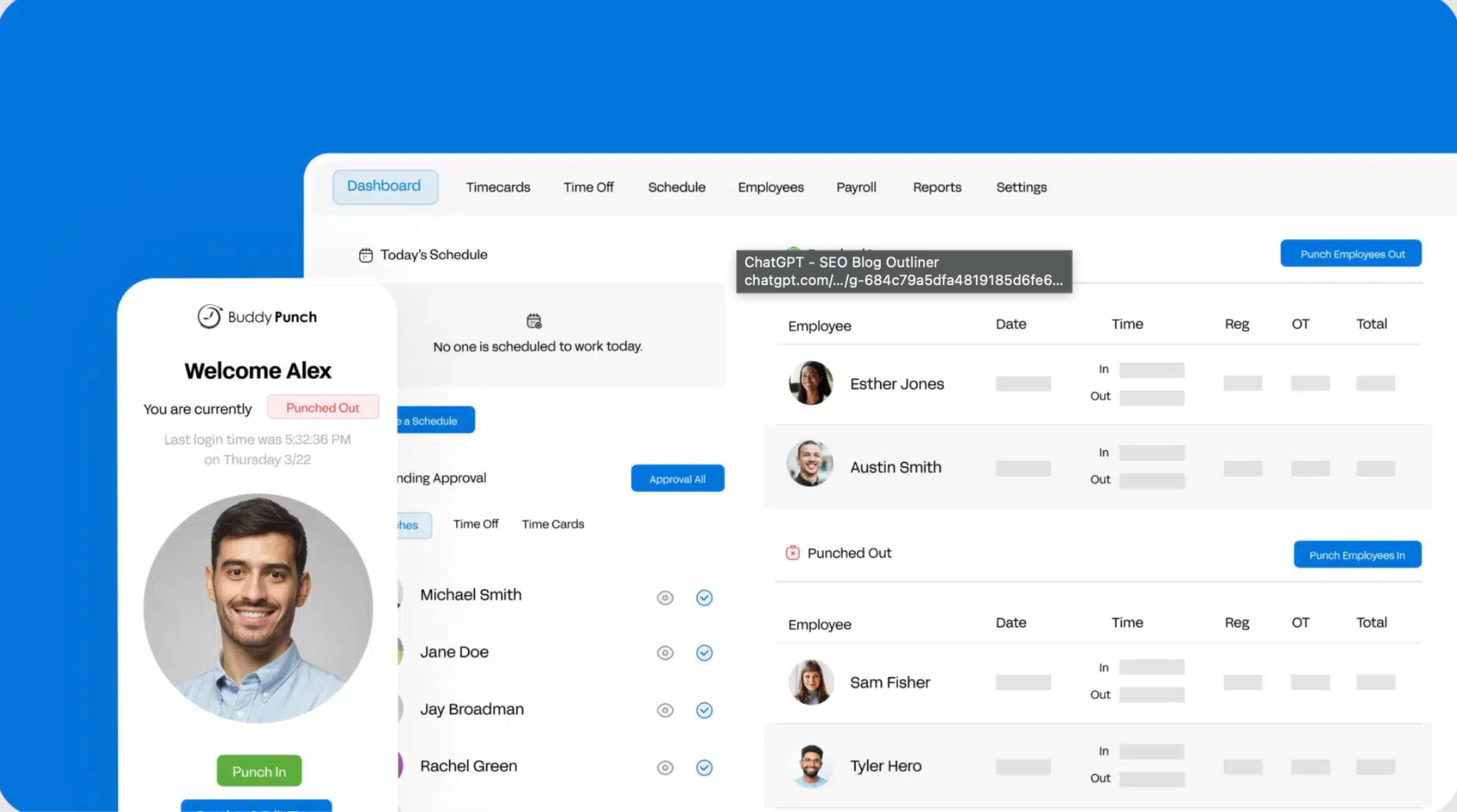
Buddy Punch is a time and attendance app that emphasizes identity and location controls designed to reduce buddy punching and off-site clock-ins. It combines Face ID verification, photo-on-punch, and geofencing to make timecards harder to falsify.
Key features:
- Face ID verification available as a punch method on supported Apple devices
- Photo on punch: managers can require a photo at clock-in and clock-out
- Geofence lockouts that can block clock-ins from outside the approved location
- PTO and time-off tracking with manager approval workflows
- Payroll integrations with QuickBooks, ADP, Gusto, Paychex, SurePayroll, and others
Pricing: Starter plan is $4.49 per user per month with annual billing ($5.49 monthly), plus a $19 monthly base fee. Scheduling is a $1 per user per month add-on on Starter. Geofencing and real-time GPS each require paid add-ons at that tier. See Buddy Punch pricing for the full plan matrix.
What users like: Users consistently praise straightforward clock-ins, quick implementation, PTO administration, and GPS controls (Capterra).
What users criticize: Some users report that geofence rules can be too rigid for teams whose workday ends away from the original clock-in site. Technical delays also come up in reviews.
Our take: If buddy punching and time theft are the problems you're solving, Buddy Punch is one of the strongest options on this list for businesses prioritizing time theft prevention. If scheduling flexibility or payroll coverage is the bigger gap, a different tool will serve you better.
5. OnTheClock
Best for: Small teams that want scheduling, time tracking, and payroll without stitching together multiple apps
Rating: Capterra: 4.7/5
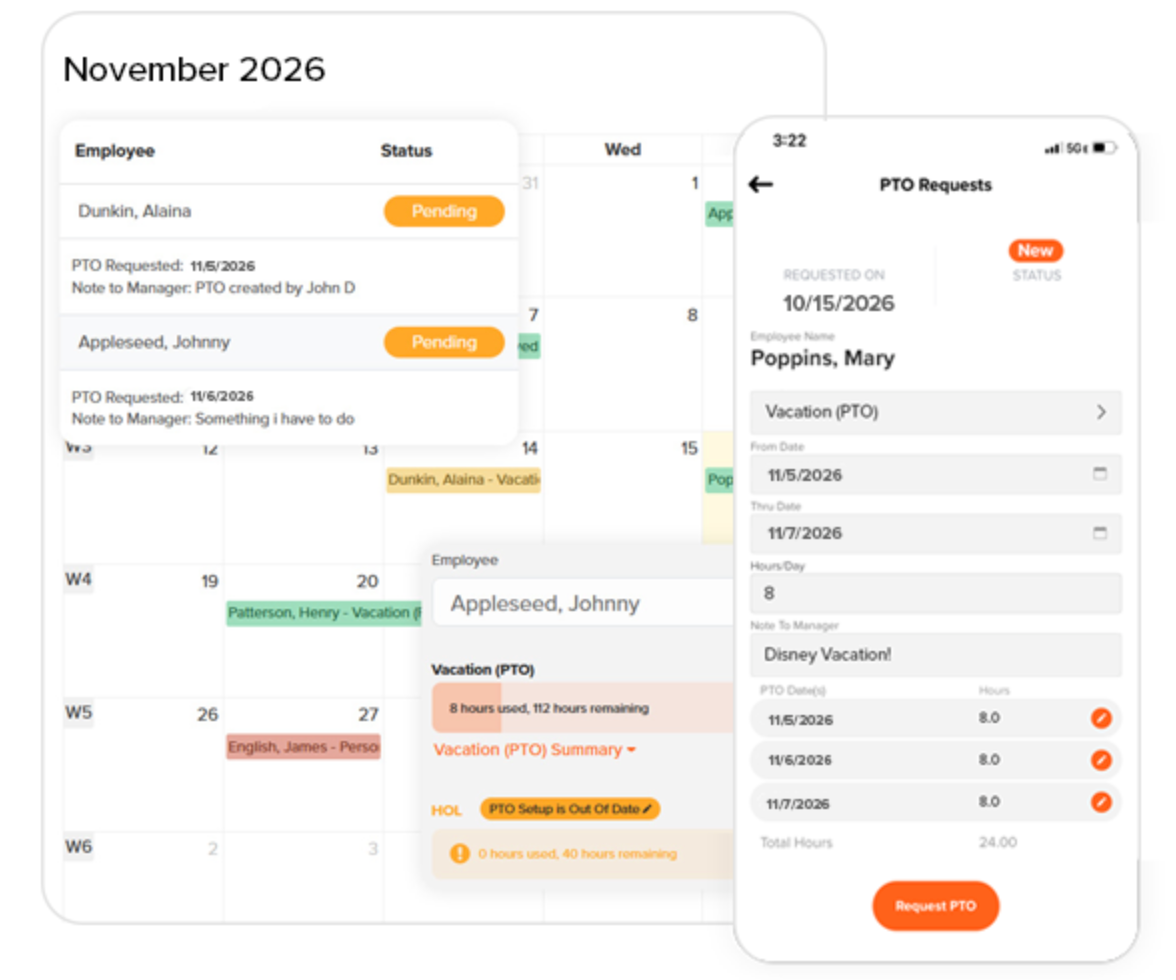
OnTheClock is a time tracking and scheduling app built for small businesses that want a straightforward system: one that covers hours, schedules, PTO, and payroll without adding complexity. Its pricing page advertises phone, text, email, and chat support, and many reviewers cite support positively, which matters when you're a small team without a dedicated IT person to troubleshoot problems.
Key features:
- Mobile clock-in and out with GPS and geofencing
- Scheduling with shift assignments and PTO tracking
- Overtime calculations and time-off accruals
- Payroll integrations with ADP, QuickBooks, Gusto, and Square
- Native payroll add-on available at an additional monthly cost. See OnTheClock pricing.
Pricing: $5 per month base fee plus $4 per active employee per month for time tracking, scheduling, and PTO. Payroll costs an additional $40 per month plus $6 per employee paid that month, along with a documented one-time $250 payroll-migration fee. See OnTheClock pricing for details, and employee time clock options if you're evaluating time tracking separately.
What users like: Reviewers frequently praise simple time tracking, responsive support, easy payroll preparation, and strong value for small teams (Capterra).
What users criticize: Some users mention bugs, punch corrections, and fewer customization options than more complex tools. Scheduling depth is lighter than When I Work or 7shifts.
Our take: OnTheClock is worth considering for smaller teams that want time tracking, scheduling, and payroll in one place. Factor the $40 + $6-per-employee payroll pricing and the one-time $250 migration fee into the total cost comparison before signing up.
6. Jibble
Best for: Budget-constrained businesses that need a free plan that does more than basics
Rating: Capterra: 4.8/5 (1,829 reviews)
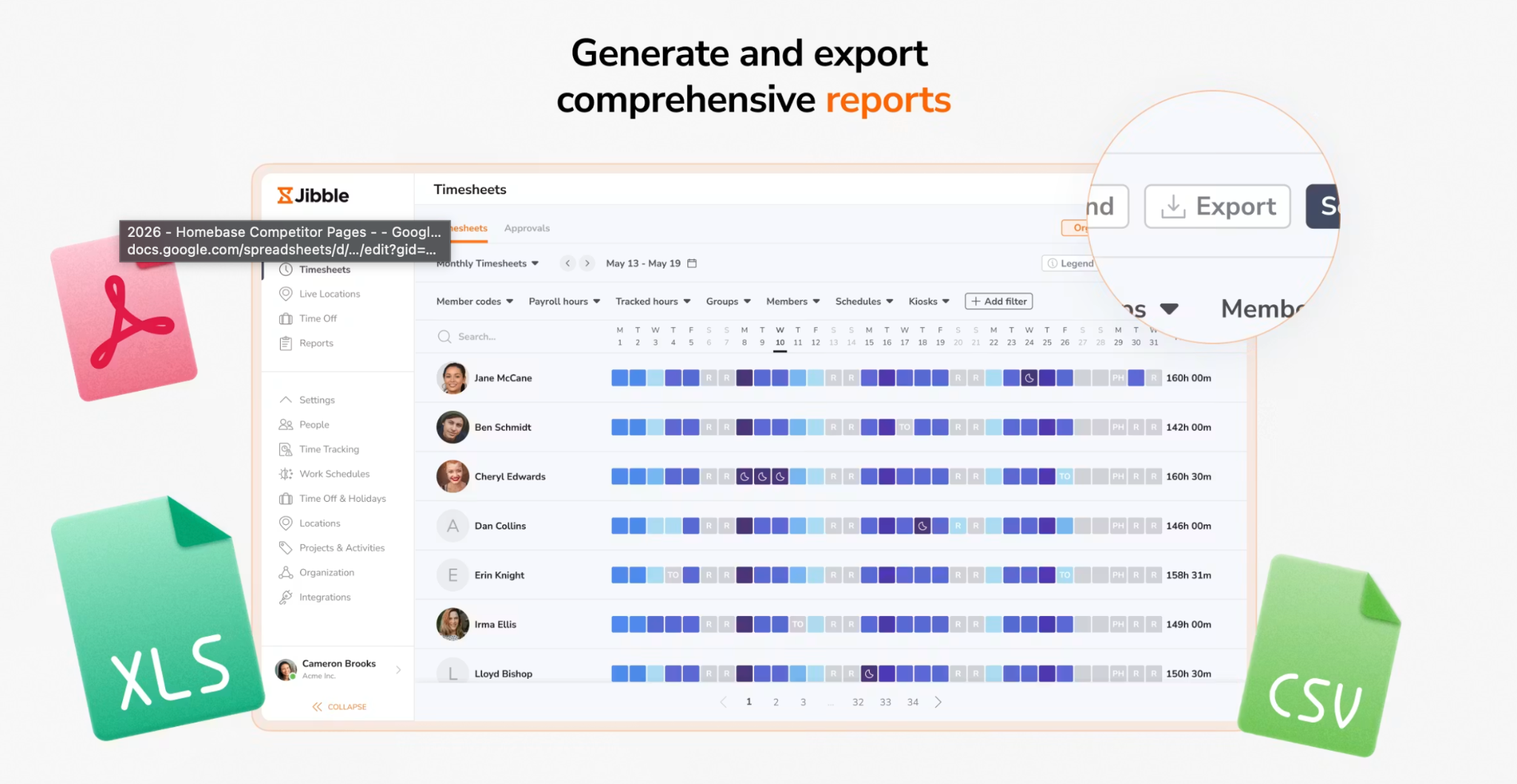
Jibble is a time tracking app with a free-forever plan for unlimited users. Facial recognition and GPS are included in its free offering, which is uncommon among the products in this comparison. That makes it a real option for new businesses or cost-sensitive teams that need solid accountability tools without a monthly subscription.
Key features:
- Facial recognition clock-in to prevent buddy punching
- GPS tracking to verify employee location at clock-in
- Kiosk mode for shared tablet clock-ins
- Leave requests and time-off management
- Payroll integrations with QuickBooks, Xero, and others
Pricing: Free forever for unlimited users. Paid plans are available for advanced controls and reporting. Check Jibble's pricing page for current rates and plan details.
What users like: One Capterra reviewer noted: "Even the free plan has lots of perks." Users frequently praise simple time entry, facial recognition, GPS controls, and ease of onboarding (Capterra).
What users criticize: Another Capterra reviewer observed: "Occasionally, I'd like more detailed reporting and customization options for timesheets." (Capterra) More advanced users ask for deeper reports and broader administrative controls.
Our take: Our top free time-tracking pick because it supports unlimited users and includes facial recognition and GPS at no cost. It's lighter on scheduling depth, so teams that need deeper shift management will likely hit its limits.
7. Sling
Best for: Teams where seeing labor costs update in real time during scheduling is the priority
Rating: Capterra: 4.6/5 (211 reviews)
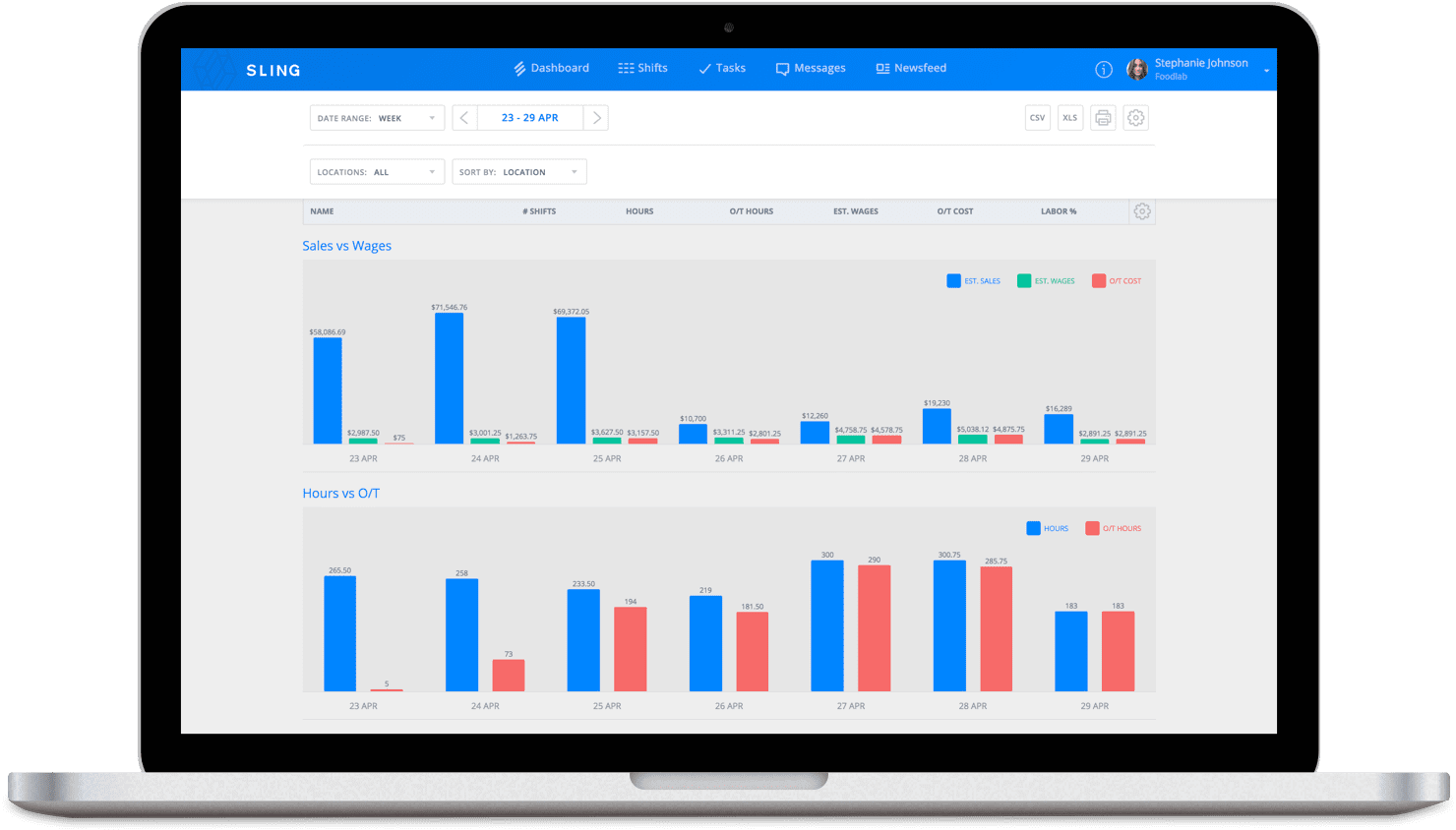
Sling is a scheduling app that keeps labor cost visibility at the center of the experience. As you build a schedule, a live tracker shows you what the week will cost before you publish it, so overtime and budget overruns surface before they happen, not after payroll closes. For owners watching margins closely, that visibility changes how scheduling decisions get made.
Key features:
- Real-time labor cost tracker updates as the schedule is built
- Schedule builder by role or location
- Team messaging with group chats, announcements, and private messages
- Time tracking with clock-in verification and overtime alerts (paid tiers)
- Task management lets managers assign work by shift or employee
Pricing: Free plan available for scheduling and messaging. Premium: $2 per user per month. Business: $4 per user per month. Time tracking and labor-cost controls are in paid tiers. See Sling pricing for details.
What users like: Users regularly praise schedule visibility, employee access, shift management, and the free scheduling plan (Capterra).
What users criticize: Recurring tradeoffs include limited customization, and time clock, PTO, and reporting tools divided across paid tiers.
Our take: Sling is a strong option for owners who want to see the dollar impact of scheduling decisions before they commit. It's still per-user like Deputy on paid plans, and Sling does not advertise native payroll processing, so if the goal is fewer subscriptions overall, it solves half the problem.
How to Choose a Deputy Alternative for Your Business
Not every team is leaving Deputy for the same reason. The right replacement depends on which problem you're trying to fix.
What's Driving You Away From Deputy?
The three most common reasons break down by type of replacement needed. Because Deputy charges per user, its monthly cost increases as headcount grows. If pricing is the issue, look at tools like Connecteam, which starts with flat monthly pricing for up to 30 users within each purchased hub, or per-location tools like 7shifts, where the core plan cost doesn't change as you add employees (subject to plan limits). If the problem is that Deputy doesn't include payroll, your shortlist should focus on tools that either have native payroll (7shifts, OnTheClock) or are built to connect to yours cleanly. If Deputy just feels like too much for a small team, When I Work or Jibble are lighter-weight options that get out of your way.
Does Your Team Work in One Place or the Field?
For field teams (construction crews, cleaning services, delivery drivers) you need GPS tracking that goes deeper than a basic location pin at clock-in. Connecteam's Breadcrumbs GPS location history and job-based tracking are built for that. Single-location retail, restaurants, and service businesses don't need that layer, and adding it means paying for features that don't match how your team works.
Do You Need Payroll, or Just Scheduling?
This is a real cost question. Most alternatives export hours to a third-party payroll provider, which means you're still paying for and managing that separate subscription. Only a few tools in this category include payroll natively: 7shifts offers US restaurant payroll as a paid add-on, and OnTheClock also offers payroll as a paid add-on. If consolidating to one tool matters, confirm whether payroll is included before signing up.
What Does "Free" Mean for Your Team?
Free plans all have different limits, and they change. As of July 2026: Connecteam is free for up to 10 users. Jibble offers a free-forever plan for unlimited users. 7shifts has a free Comp plan with basic scheduling and communication. Sling offers free scheduling and messaging. When I Work no longer offers a permanent free plan.
If keeping scheduling and payroll in two different apps is the thing costing you time, there's a case for bringing them together. Try Homebase free and see if one app covers what you need.
Frequently Asked Questions About Deputy Alternatives
What is the Best Free Alternative to Deputy?
Jibble is our top free time-tracking pick: it supports unlimited users and includes facial recognition and GPS at no cost, which is uncommon in this category. For scheduling, Sling offers a free scheduling and messaging plan. Connecteam is free for up to 10 users across scheduling, time tracking, and communication. 7shifts has a free Comp plan for restaurant teams. Free-tier limits change, so check each vendor's pricing page before committing.
Which Deputy Alternative Includes Payroll?
Several tools now include payroll, not simply integrations. 7shifts offers US restaurant payroll as a paid add-on (7shifts.com). OnTheClock offers payroll as a paid add-on at $40 per month plus $6 per employee paid, with a one-time $250 migration fee (OnTheClock pricing). Deputy offers a Paycor-enabled payroll add-on for eligible US businesses on annual Core and Pro plans at an advertised $49 per month plus $8 per user (rates may vary by business size). When I Work and Connecteam primarily offer payroll integrations rather than their own payroll processing.
Is Deputy Still Worth It in 2026?
Deputy is a strong tool for businesses that need scheduling, time tracking, labor compliance support, and a wide range of payroll and POS integrations. For multi-location businesses with complex scheduling and compliance needs, its depth is worth paying for. The case against it is structural: because Deputy charges per user ($5 Lite, $6.50 Core, $9 Pro per month), its monthly cost grows with every new hire. For small teams on thin margins, that model can become expensive before the feature depth becomes useful.
What Should I Look for When Switching From Deputy?
Check whether your payroll provider integrates with the new app, or whether it has native payroll. Confirm the free-tier limits match your actual team size. Before fully switching, test the mobile experience with a few real employees. A tool your team won't adopt won't solve anything. Pricing on third-party aggregator sites can lag behind vendor pages, so go to each vendor's pricing page directly for current figures.
How Long Does It Take to Switch From Deputy to Another Scheduling App?
Timing depends on your team size, pay rules, number of locations, integrations, and how much historical data you need to move. A basic scheduling setup may go quickly. Adding payroll configuration, PTO rules, permissions, and compliance rules requires additional testing before going live. Give yourself more runway than you think you need before cutting over completely.
Finding the Right Fit for Your Team
The right Deputy alternative depends on what broke first: pricing that scales too fast, a missing payroll connection, or features that feel heavier than your team needs. No single tool wins for everyone. But the options above cover the full range of what small businesses look for when they start shopping around.
If managing two or three separate tools (scheduling here, time tracking there, payroll somewhere else) is what's slowing you down, that's a solvable problem. Homebase brings scheduling, time tracking, payroll, and team communication into one place, and it's free to start.

Carissa is the SEO + GEO Managing Editor at Homebase, with 13 years of experience in content marketing and SEO strategy. She’s created foundational guides on starting a business, navigating payroll, and managing teams, and helped solo lawyers, artists, and creative entrepreneurs grow their web presence and organic traffic.

.webp)
Carissa is the SEO + GEO Managing Editor at Homebase, with 13 years of experience in content marketing and SEO strategy. She’s created foundational guides on starting a business, navigating payroll, and managing teams, and helped solo lawyers, artists, and creative entrepreneurs grow their web presence and organic traffic.
