

Tracking employee hours in a spreadsheet feels fine until it isn't. Five people losing five minutes a day to missed clock-outs and manual math adds up fast, and none of that lost time shows up anywhere you can point to. The right free timesheet software makes it visible before it becomes a payroll problem.
There's also the "free" problem. A lot of free timesheet software is free for two weeks, or free for five users, or free until you want to export anything useful. This guide covers the best free timesheet software that small businesses can run long-term: what each tool's free plan includes, where it draws the line, and who it's built for.
The best free timesheet software at a glance
The best free timesheet software for hourly teams lets employees clock in from any device, auto-calculates breaks and overtime, and exports hours in a format payroll can use. Here's who wins for what.
- Clockify: Best for unlimited project tracking on a free plan for small teams
- Toggl Track: Best for freelancers tracking billable hours
- Jibble: Best free timesheet app for GPS-verified clock-ins
- Connecteam: Best free time card app for frontline teams (up to 10 users)
- My Hours: Best for project-based time tracking with clean exports
How we chose the best free timesheet software
Every piece of free timesheet software below went through the same five criteria. We also pulled user sentiment from G2 and Capterra to surface what real users praise and what frustrates them after several months of actual use, not just first impressions.
- Genuinely free tier. Permanent free plan, not a trial. Tools with time-limited access were excluded.
- User limit. How many people can use the free plan, and does it cover a typical small team?
- Payroll-readiness. Does the free plan export hours in a format payroll can use, whether that's a CSV, a direct integration, or a clean report?
- Mobile capability. Can employees clock in from a phone? Can managers approve from anywhere?
- Feature fit for hourly teams. Time and attendance tracking, break management, and overtime visibility, not just a start/stop timer.
For the full methodology behind how we evaluate tools, see our methodology page.
Why Trust Homebase? Here's Why We Reviewed These Free Timesheet Tools
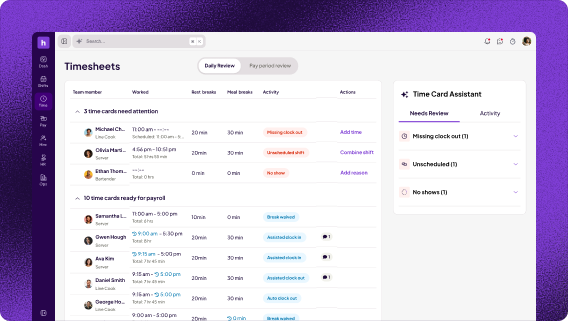
We're Homebase. Our app tracks hours, breaks, and overtime for hourly teams at restaurants, retail shops, salons, and local service businesses. We run payroll on those hours. We know where free timesheet software earns its keep and where the free tier quietly stops working.
That gives us a specific vantage point on which free-plan limits actually hurt for time tracking for small business teams and which ones most never hit. Every tool below was evaluated on its own merits, with no payment accepted for a mention. You'll find us in the "How Homebase Compares" section below.
Comparison table: top 3 free online timesheet tools
| Clockify | Jibble | Connecteam | |
|---|---|---|---|
| Free user limit | 5 users | Unlimited | Up to 10 |
| GPS clock-in | Paid only | Free | Free |
| Timesheet approvals | Paid only | Free | Free |
| Payroll export | CSV (free) | CSV (free) | CSV (free) |
| Paid starts at | $3.99 per user/mo | $4.49 per user/mo | $35 per mo (hub) |
| Best for | Project teams | Field teams | Deskless teams |
How Homebase Compares to the Top Free Timesheet Tools
Our free plan covers scheduling, time tracking, team messaging, and timesheets for up to 10 employees at one location. Clock-in is by PIN from any phone or tablet. GPS and photo verification are on paid plans, with a path into Homebase payroll when you're ready.
Homebase is a good fit if:
- You run a shift-based hourly team at a single location (restaurant, retail, salon, service business)
- You want scheduling and timesheets connected in one app, not two separate tools
- You have 10 or fewer people and need a free plan with no per-user limit
Homebase isn't the right fit if:
- Your team is fully remote and tracking billable project hours (Toggl Track is stronger there)
- You need GPS clock-in on a free plan (Jibble covers that at no cost)
- You have more than 10 people and need GPS included free (Jibble handles both, with unlimited users)
If you want employee scheduling software and time tracking in one free time clock app built for hourly shift work, that's the difference we offer.
{{banner-cta}}
The 5 best free timesheet software options for small businesses
No single free timesheet software wins for every team. Here's what each of these five tools does best, and where each one falls short.
1. Clockify — Best free timesheet software for small teams tracking unlimited projects.
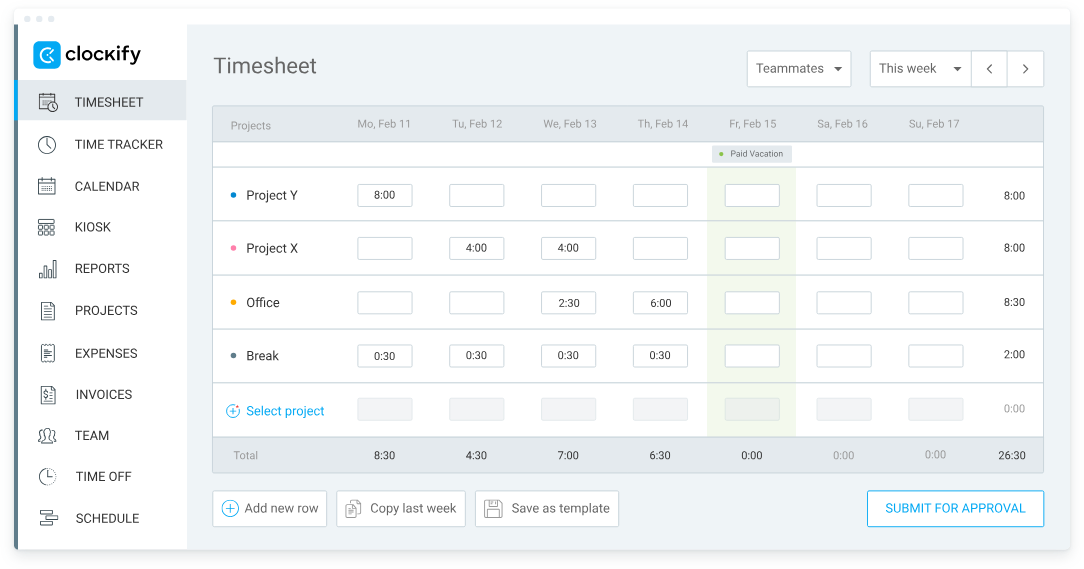
Best for: Small teams of up to 5 people who need unlimited project and client tracking at no cost
Clockify earns 4.5/5 on G2 (190+ reviews) and 4.8/5 on Capterra (9,234+ reviews).
Free plan: Up to 5 users (owner + 4 invitees), unlimited projects and clients, timer and manual entry, basic reports, PDF exports, free forever. Note: Clockify restructured its free plan in April 2026, moving the user cap to five and shifting kiosk, billable rates, and private projects to paid tiers.
Paid starts at: $3.99/user/month (Basic, annual billing). Unlocks kiosk mode and CSV exports. Timesheet approvals require Standard at $5.49/user/month.
What users say:
G2 reviewers praise Clockify's unlimited project and client tracking on the free tier, noting entries come through without surprise upgrade prompts. The critical note is the April 2026 restructure: the user cap dropped to five and kiosk, billable rates, and private projects moved to paid tiers. Long-time users logged that in their reviews.
Our take:
Clockify offers strong project and client tracking on its free timesheet software plan, with unlimited projects, clients, and time entries for teams of up to five. The ceiling shows up quickly: timesheet approvals require Standard tier, CSV exports require Basic, GPS clock-in and billable rates both require upgrading. For a team that just needs to track project hours and hand a PDF to an accountant, it works. Know the limits going in.
Limitation: Timesheet approvals and CSV exports are paid-only. GPS clock-in is not available on any plan without upgrading.
2. Toggl Track — Best free time tracking software for billable hours
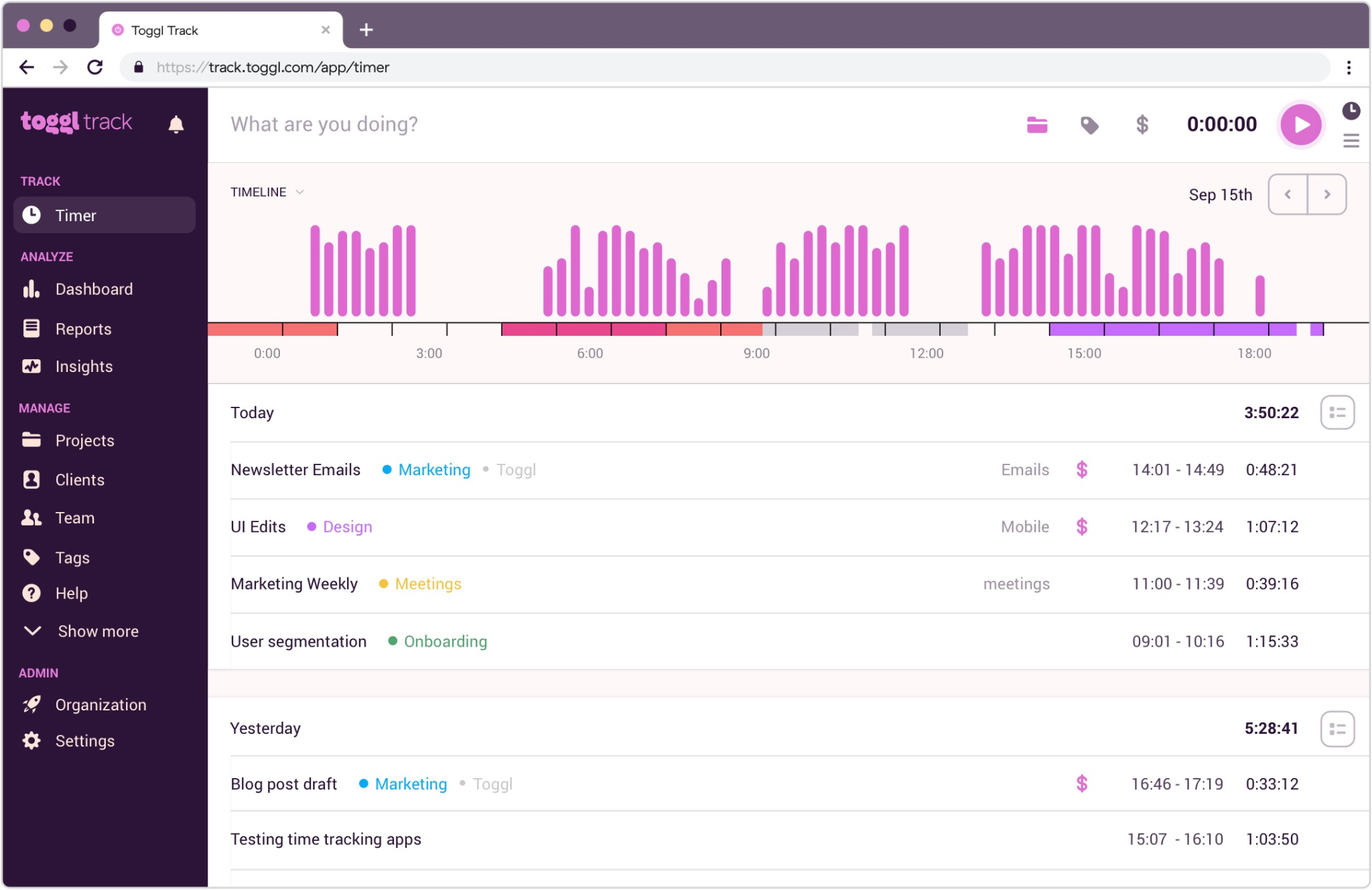
Best for: Freelancers, agencies, and small consultancies tracking billable hours by client and project
Toggl Track earns 4.6/5 on G2 (1,589+ reviews) and 4.7/5 on Capterra (2,400+ reviews).
Free plan: Up to 5 users, unlimited time tracking, basic reporting, calendar integrations, desktop, mobile, and web apps, free forever.
Paid starts at: $9/user/month (Starter, annual billing). Unlocks billable rates, rounding, and scheduled reports. Timesheet approvals require Premium at $18/user/month.
What users say:
G2 reviewers describe Toggl Track as close to frictionless: tracking takes seconds, and the calendar integration converts meeting blocks directly into time entries. The most common criticism is that billable rates require the $9/user/month Starter plan, a notable jump if billing clients is your main reason for picking the tool.
Our take:
Toggl Track's design is built for speed. Start a timer, tag a project, move on. For freelancers or small agencies looking for the best timesheet software for billing clients, it's a strong fit. The 5-user cap limits it to very small partnerships, and billable rates aren't included on the free plan, so budget for the paid upgrade if that's your main goal.
Limitation: 5-user cap on free plan. Billable rates require a paid upgrade.
3. Jibble — Best free timesheet app for GPS-verified clock-ins
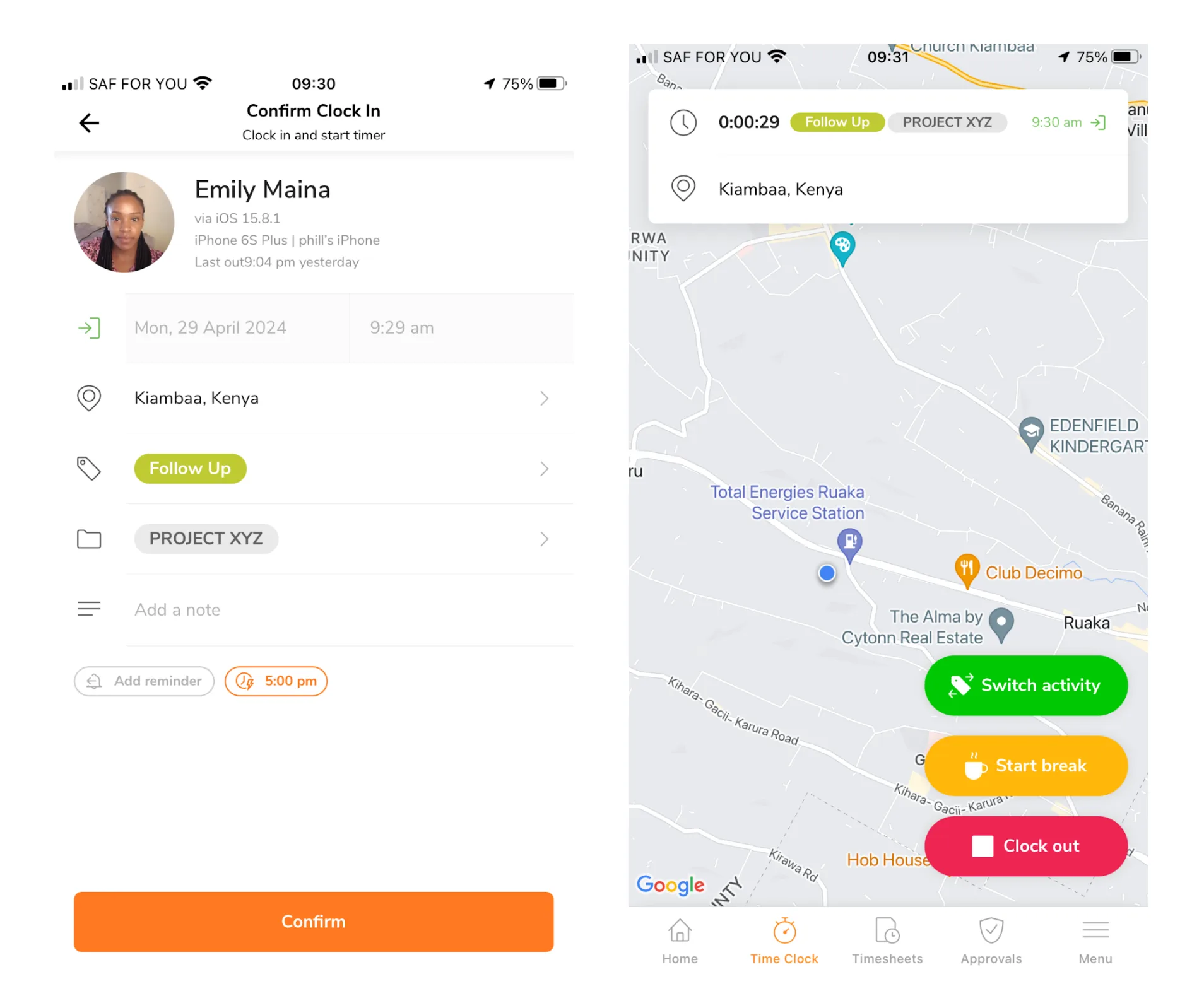
Best for: Field teams, construction crews, and any business that needs GPS-verified clock-ins at no cost
Jibble earns 4.7/5 on G2 (246+ reviews) and 4.8/5 on Capterra (1,632+ reviews).
Free plan: Unlimited users, GPS clock-in, facial recognition, automated timesheets, attendance tracking, free forever.
Paid starts at: $4.49/user/month (Premium, annual billing).
What users say:
G2 reviewers highlight Jibble's ease of setup, noting it's ready to use without tutorials, and confirm payroll-to-timesheet conversion is included free. The consistent criticism is connectivity: offline time entry limitations come up in multiple Capterra reviews, a real risk for field teams in low-signal areas.
Our take:
Jibble offers the most generous free timesheet software plan on this list for teams that need location verification. Unlimited users, GPS-stamped clock-ins, and facial recognition are all included at no cost, a combination most tools put behind a paywall.
The tradeoff is offline reliability: field teams on job sites with spotty signal have reported syncing issues, and there's no native shift scheduling on any plan. For verified, location-stamped clock-ins at no cost, Jibble is the strongest free option in the category.
Limitation: No shift-scheduling feature on any plan. Offline clock-in can be unreliable in low-connectivity areas.
4. Connecteam — Best free time card app for frontline teams
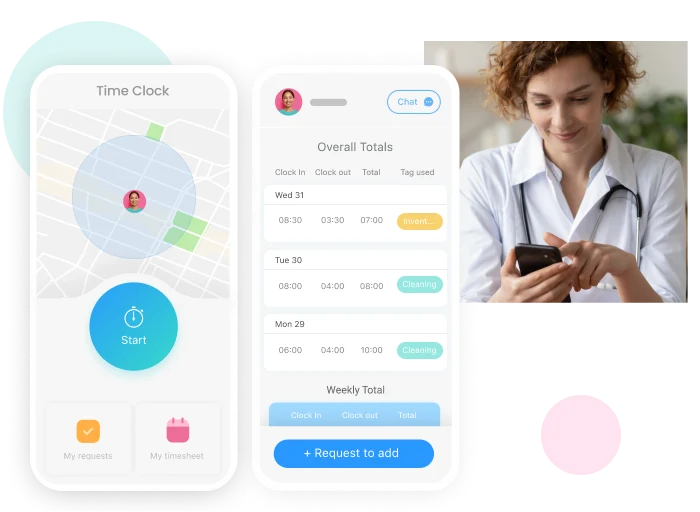
Best for: Field-based teams of up to 10 people who need GPS clock-in, scheduling, and team messaging in one free app
Connecteam earns 4.6/5 on G2 (3,498+ reviews) and 4.8/5 on Capterra (9,000+ reviews).
Free plan: Up to 10 users (hard cap), GPS clock-in, scheduling, timesheets, team messaging, and task management, free forever on the Small Business plan.
Paid starts at: $35/month per hub (Basic tier, month-to-month; $29/month billed annually). Covers the first 30 users.
What users say:
Capterra reviewers consistently mention how fast the free plan is to set up, with minimal training needed to get an entire crew clocking in on day one. The main critical note is around GPS precision: the free plan verifies location at clock-in and clock-out but doesn't track movement between multiple job sites during a shift.
Our take:
Connecteam packs more into its free timesheet software plan than almost any other tool here: GPS clock-in, schedule building, timesheets, and team messaging in one app, for up to 10 people, free. For a small landscaping company, cleaning team, or construction outfit, that's useful from day one.
Once you cross 10, you're looking at the per-hub pricing structure starting at $35/month for up to 30 users. Factor that in before you grow past the ceiling.
Limitation: Hard cap at 10 users on the free plan. Mid-shift GPS tracking between multiple job sites is not available on the free tier.
5. My Hours — Best free employee time tracking for project-based teams.
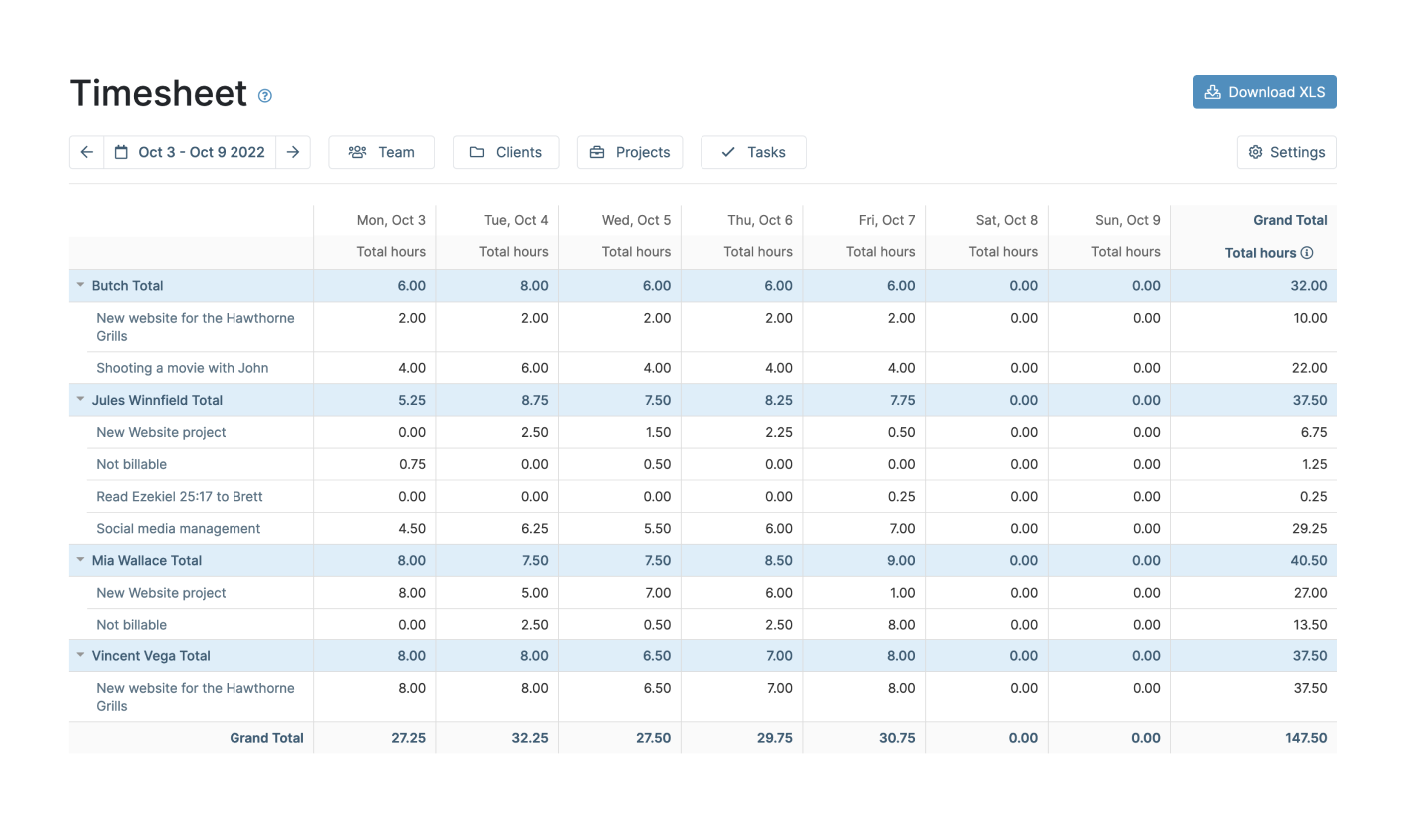
Best for: Small project-based teams and freelancers who need clean CSV and Excel exports with up to five free users
My Hours earns 4.6/5 on G2 (180+ reviews) and 4.8/5 on Capterra (880+ reviews).
Free plan: Up to 5 users, project and task tracking, timer, manual entry, time reports, and PDF/CSV export, free forever.
Paid starts at: $4/user/month (Basic, annual billing). Pro plan is $8/user/month (annual) and unlocks invoicing, approvals, custom fields, and scheduled reports.
What users say:
G2 reviewers highlight My Hours as a standout for clean exports: project and client reports come out ready for invoicing without extra manipulation. The consistent criticism is the same as the limitation: no GPS, no scheduling, no shift management. It tracks time by project, not by shift.
Our take:
My Hours is a quiet overachiever in the free timesheet software category. The interface is clean, project-level tracking does what it promises, and the free plan includes CSV and PDF exports.
That puts it ahead of Clockify's free tier for teams handing hours to a client or accountant. The 5-user cap keeps it for very small teams, and the lack of GPS or scheduling means it's not the right fit for shift-based work. Approval workflows require a paid upgrade.
Limitation: 5-user limit on the free plan. No GPS, scheduling, or shift management on any plan.
What to Look for in Free Timesheet Software
Not all free timesheet software is equally free. Before you commit to any tool, run it against this checklist.
- Permanent free plan vs. free trial. The best free timesheet software offers a permanent free plan, not a trial. Tools like Clockify, Jibble, and Connecteam are free forever. Others offer a 14-day trial and then require a paid plan. Know which one you're signing up for before you roll it out to your team.
- User limits. Jibble allows unlimited users on its free plan. Connecteam caps at 10. Clockify, Toggl Track, and My Hours cap at five. If your team is bigger, plan accordingly before launch day.
- GPS and photo verification. Single-location teams can manage with a PIN kiosk. Field teams need GPS to confirm workers are on site, and that's a paid feature on most tools. If you need a free work hours tracker with an employee time clock app and location stamps, Jibble is the only real free option.
- Payroll-ready exports. A timesheet that doesn't connect to payroll just moves the manual work downstream. Look for CSV exports or a direct payroll integration. This is where a work log pays for itself.
- Overtime and break tracking. Catching overtime before the pay period closes costs far less than paying it out. The DOL's recordkeeping requirements require employers to keep payroll records for at least three years, and the underlying time records for at least two. Free time and attendance software that flags overtime in real time is worth prioritizing.
When overtime slips through, it shows up in payroll rather than in the free online timesheet software that was supposed to catch it. Homebase timesheets flag overtime automatically with Homebase time tracking, free for one location with no user cap.
Free timesheet software vs. spreadsheets: when to make the switch
Spreadsheets work for a team of two. They stop working reliably around five people, the first missed punch, or the first payroll dispute. Here's how to know you've hit the ceiling.
The triggers: team bigger than five, multiple locations, a clock-in dispute with no edit record, or a manager spending 20+ minutes on timesheets before every pay run. When any of those happen more than once, the employee time tracking spreadsheet has earned its retirement.
What free timesheet software adds that a spreadsheet can't: automatic overtime calculation, a full edit history, GPS verification, mobile clock-in, and payroll-ready exports. These aren't conveniences. They're the difference between knowing your labor costs and guessing at them.
The FLSA requires accurate records of hours worked for all non-exempt employees. Free timesheet software with edit logs makes compliance documentation far simpler than a shared spreadsheet, and holds up under audit in a way spreadsheets rarely do.
If you have hourly workers still on a spreadsheet, the employee time clock software conversation is worth having now, whether you start with free time clock software or a full employee time tracking software tool.
Ready to Move Off Spreadsheets? Find the Right Free Timesheet Software.
The right free timesheet software depends on what your team actually needs. For shift-based teams who want free timesheet software right now, Homebase is free for one location, up to 10 people. No credit card required.
"Before Homebase I was manually tallying up my team's work hours and entering them into payroll, crossing my fingers I hadn't made any mistakes. Now our entire team logs in and out quickly and easily with the Homebase app, and all I have to do is send their hours to my payroll program with the click of a button." — Kathleen Smith, Founder, Smiling Tree Toys
If GPS on the free plan is the priority, Jibble covers that with unlimited users. If you need project tracking for up to five people, Clockify works. For a full field ops kit at no cost, Connecteam's 10-person plan covers it.
Pick the tool that fits the team you have today. Upgrading later is easier than fixing bad data from a tool that didn't quite fit from the start.
Frequently asked questions about free timesheet software
What is the best free timesheet software for small businesses?
The best free timesheet software for small businesses depends on team size and how your crew clocks in. Clockify is free for up to five users with unlimited project tracking, making it a solid starting point for small teams. Jibble adds GPS verification and unlimited users for free, making it the better pick for field teams that need location-stamped clock-ins at no cost.
Is there truly free timesheet software with no hidden fees?
Yes, several tools offer free timesheet software with no trial limits or hidden fees. Whether you need a free online timesheet for solo use or a full team, Clockify, Jibble, Connecteam, Toggl Track, and My Hours all maintain permanent free plans. The limits are on capabilities: user caps, GPS availability, and payroll integrations typically require a paid upgrade, but core tracking stays free indefinitely.
What free timesheet software works best for hourly employees?
Free timesheet software built for hourly employees needs to handle shift-based clock-ins, break tracking, and overtime calculations, not just a project timer. Connecteam (up to 10 users) and Jibble (unlimited users) both cover these on permanent free plans with GPS clock-in included. Clockify is another free timesheet software option, though GPS and timesheet approvals require a paid plan.
Can free timesheet software export to payroll?
Most free timesheet software supports payroll exports, but the format varies. Clockify, Jibble, My Hours, and Connecteam all allow CSV exports on free plans, which most payroll providers can import directly. Direct payroll integrations, like a native QuickBooks or Gusto sync, typically require a paid plan. Confirm the export format your payroll provider accepts before committing to any free timesheet software.
How many employees can use free timesheet software?
User limits on free timesheet software vary widely. Jibble allows unlimited users on its free plan. Connecteam caps at 10. Clockify, Toggl Track, and My Hours cap at five. If your team is larger than five, Jibble's unlimited free timesheet software plan is the most scalable option without paying, though GPS reliability in low-signal areas is worth testing before a full rollout.
Does free time tracking software track overtime?
Some free time tracking software tracks overtime automatically, and some does not. Connecteam's free timesheet software plan includes overtime rules and threshold alerts. Jibble tracks total hours and flags breaches on the free tier. Clockify calculates total hours but overtime alerts require a paid plan. Confirm overtime handling against your state's requirements, as California and several other states have daily overtime rules requiring manual configuration.

Kerry McCreadie is the Senior Manager of Organic Growth at Homebase, leading SEO and content strategy for small businesses with hourly teams. With over 10 years of experience, Kerry has developed hundreds of templates and resources for business owners. They've run an arts and culture nonprofit for over a decade and operated their own photography business, bringing hands-on small business understanding to everything they create.

.webp)
Kerry McCreadie is the Senior Manager of Organic Growth at Homebase, leading SEO and content strategy for small businesses with hourly teams. With over 10 years of experience, Kerry has developed hundreds of templates and resources for business owners. They've run an arts and culture nonprofit for over a decade and operated their own photography business, bringing hands-on small business understanding to everything they create.
