

The IRS notice arrives on a Thursday. You owe a failure-to-deposit penalty, and the clock started on the day you missed the deposit, not the day you found out. Somewhere in your payroll spreadsheet, a filing deadline slipped. Miss a federal payroll-tax deposit and the IRS penalty starts at 2%, and goes up to 15% the longer it sits.
This guide compares the six best payroll providers for small business in 2026, with published list prices where available, honest tradeoffs, and clear picks. ADP RUN and Rippling require custom quotes, we flag that clearly.
Our Top Picks for Small Business Payroll Providers
Six providers made this list of the best payroll software and service options for small business. Here's who each one is built for.
- Gusto: Best for teams that want polished, full-service payroll with built-in HR tools.
- OnPay: Best transparent core payroll plan with multi-state filing included; optional HR and compliance add-ons available.
- QuickBooks Payroll: Best if you already run your books in QuickBooks Online.
- ADP RUN: Best for businesses with 1–49 employees that want extensive payroll and HR support.
- Patriot Software: Best budget pick for simple payroll with no immediate HR plans.
- Rippling: Best modular workforce platform for teams that want HR, IT, finance, and payroll products within one system.
Why Trust Homebase to Review Payroll Providers for Small Business?
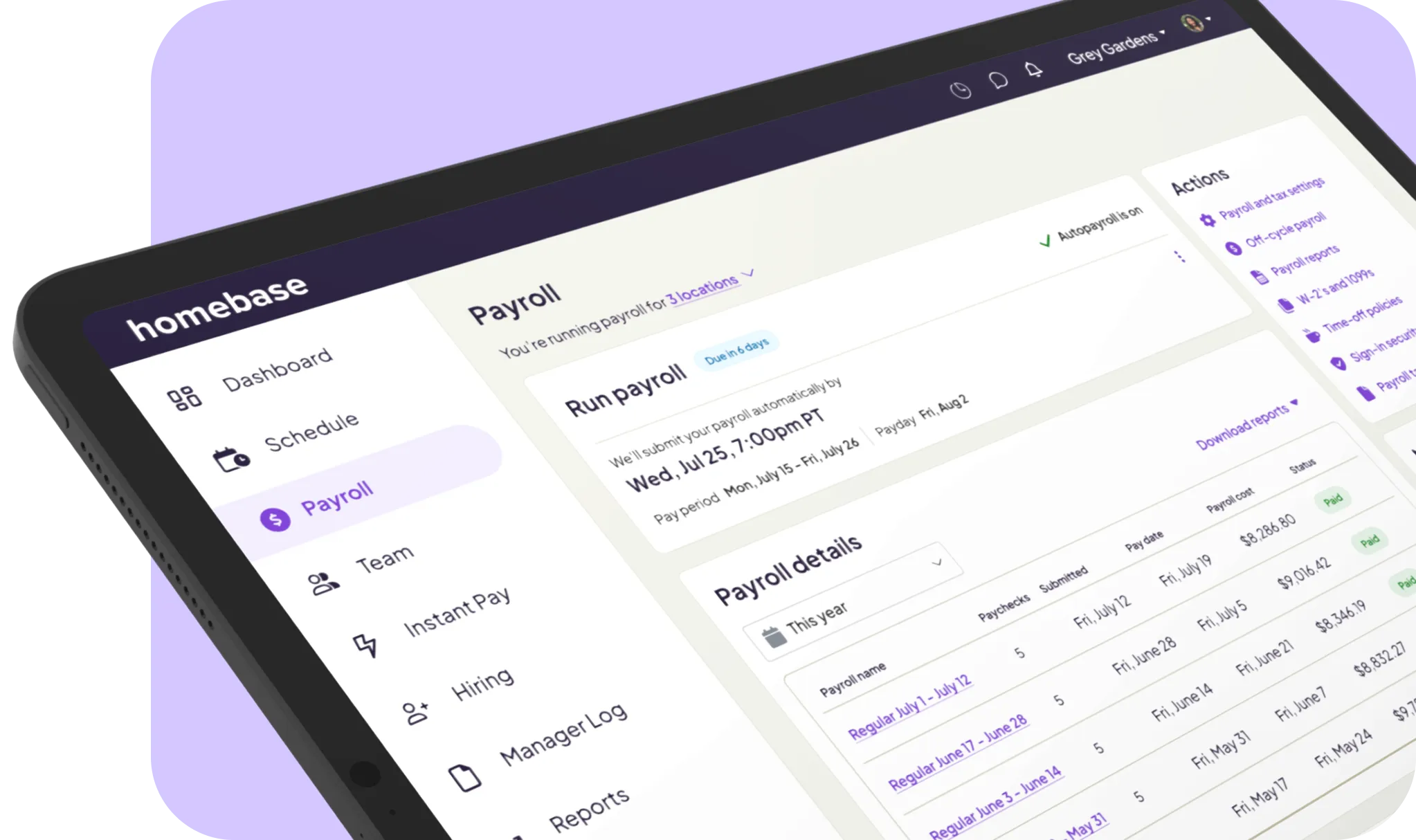
We're Homebase, and we run payroll for thousands of small businesses with hourly teams. That means we have a front-row seat to how payroll actually breaks: overtime calculations that miss split shifts, tip income that never makes it into the payroll run, and direct deposit timing that catches owners off guard on Monday holidays.
These aren't edge cases to us. They're the support tickets that come in every week.
We also build our own payroll software, which means we have a direct stake in this topic. So let's be upfront: Homebase is not among the payroll service providers for small business ranked below. Every provider was evaluated on its own merits. We do not accept payment for inclusion or placement in our rankings.
How We Chose the Best Small Business Payroll Providers
We looked at the small business payroll software and service providers that come up most often when owners are shopping, checked their pricing against live product pages, pulled ratings from G2 and Capterra, and had Scott Leitner review the findings for accuracy. Six made the cut.
Pricing transparency. Is pricing published, or do you have to call sales? Are per-employee fees and add-on costs disclosed upfront?
Tax filing. Does the provider file federal, state, and local taxes automatically, and at which plan tier?
Ease of use. How quickly can a non-expert set up and run a pay cycle?
Multi-state support. Is it included in the base plan or charged per state?
Time tracking integration. Is it native, or a paid add-on?
Customer support. Phone, chat, and email availability, plus escalation options at payroll deadlines.
For full methodology details, visit joinhomebase.com/methodology.
Top 3 Small Business Payroll Providers at a Glance
If you're comparing Gusto, OnPay, and ADP RUN, the biggest differences come down to pricing structure and multi-state support.
- Gusto, $49/mo + $6/employee. Multi-state filing requires an upgrade to Plus ($80/mo + $12/employee). Tax filing included on every plan. You can cancel anytime.
- OnPay, $49/mo + $6/employee. Multi-state filing included on every plan, no upgrade needed. Tax filing included. First month free. Check the service term when you sign up.
- ADP RUN, no published pricing. You'll need to request a quote, and when you do, ask for the contract term, setup charges, renewal pricing, and cancellation conditions in writing. Multi-state pricing is also quote-based. Tax filing is included. ADP currently advertises three months free for eligible new customers, though promotional terms can change.
Your decision will likely come down to whether you need multi-state coverage and whether you want pricing you can actually see upfront.
How Homebase Payroll Compares to Other Small Business Payroll Providers
Homebase is not in the ranked list below. But if you're evaluating payroll software for small business with hourly employees in a restaurant, retail shop, or service business, our payroll is worth knowing about. Hours from Homebase time tracking flow directly into payroll, with no manual re-entry.
Pricing is $39/mo base + $6/employee, month-to-month. Included:
- Automated payroll tax filing and direct deposit
- W-2s and 1099s (including 1099 contractors)
- Overtime calculation and mobile app
- Scheduling and time tracking free for up to 10 employees
Automated tip pooling and distribution through Tip Manager is a separate paid add-on.
Homebase is built for U.S. hourly teams. If you're running complex enterprise HR, international payroll, or a mostly salaried workforce, it's worth comparing your requirements against the plans before committing.
When your scheduling, timekeeping, and payroll systems don't talk to each other, you're the one reconciling hours manually before every pay run, and that's exactly where errors creep in. When they're connected, hours flow straight into payroll with nothing to re-enter, and Homebase is built to close that gap for hourly teams.
{{banner-cta}}
The 6 Best Payroll Providers for Small Business in 2026
These six providers cover the range of small business payroll services most owners actually need, from budget-first options to full workforce platforms. Each entry below reflects real user ratings, current pricing, and honest tradeoffs.
Gusto

Best for: Small teams that want full-service payroll with a polished interface and built-in HR tools.
Ratings: G2 4.6/5 (10,015 reviews) · Capterra 4.6/5 (4,167 reviews)
Gusto is a payroll and HR tool built for small and growing teams. It handles tax filing, benefits administration, and onboarding all in one place, and the interface is genuinely easy to use, even if you've never run payroll before.
Pricing: Starts at $49/mo + $6/employee (Simple). Multi-state requires the Plus plan at $80/mo + $12/employee.
After switching from ADP, one Capterra reviewer wrote that Gusto "makes life easy," praising its payroll processing, tax filing, and self-service portal as tools even small teams without a dedicated HR person can navigate without training.
The flip side: some G2 reviewers report difficulty obtaining timely support or escalation, although experiences vary. One reviewer described the experience as impossible to escalate, noting "you could only ever talk to a useless bot." Community feedback in the r/Payroll thread is mixed, with users praising the interface while flagging customer service gaps.
Our take: Gusto earns its reputation for ease of use, and there's a plan for most team sizes. The catch: if you need multi-state filing, you're looking at the Plus tier, which is a real jump in cost. And at that price point, the support quality is a legitimate question mark.
OnPay
Best for: Small businesses that want predictable monthly pricing with no hidden add-ons.
Ratings: G2 4.8/5 (408 reviews) · Capterra 4.8/5 (460 reviews)
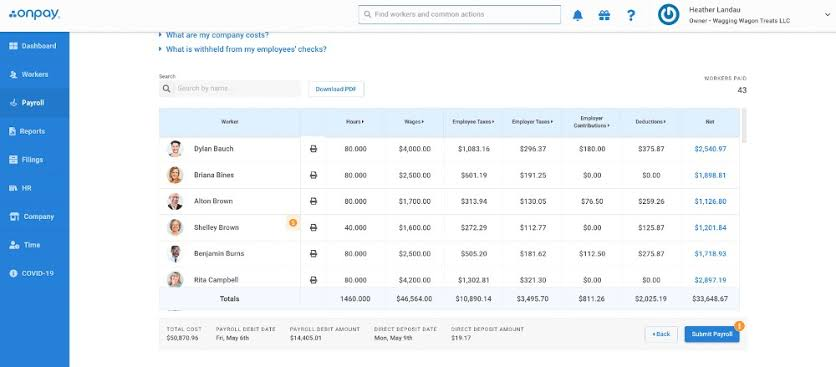
OnPay offers a single Payroll Essentials plan at a transparent price that includes multi-location payroll filing, unlimited payroll runs, contractor payments, year-end forms, and basic HR tools. Optional HR and compliance add-ons are available at extra cost.
Pricing: $49/mo + $6/employee. First month free. No setup fees. Confirm current service and cancellation terms during signup.
Reviewers consistently highlight the human onboarding experience. One G2 reviewer noted that "within minutes of signing up I heard from an onboarding consultant, a real person, not an automated sequence." Support quality is the most cited differentiator. OnPay advertises up to a four-day turnaround for direct deposit payments; businesses requiring a shorter processing window should confirm eligibility and timing before enrolling.
Our take: OnPay has the clearest value proposition in this list. Predictable pricing, all-in multi-state coverage, it's hard to beat at $49 a month. The interface gets the job done but isn't as polished as Gusto's, and the native time tracking is pretty limited.
QuickBooks Payroll
Best for: Small businesses already using QuickBooks Online for accounting.
Ratings: G2 4.4/5 (494 reviews) · Capterra 4.5/5 (963 reviews)
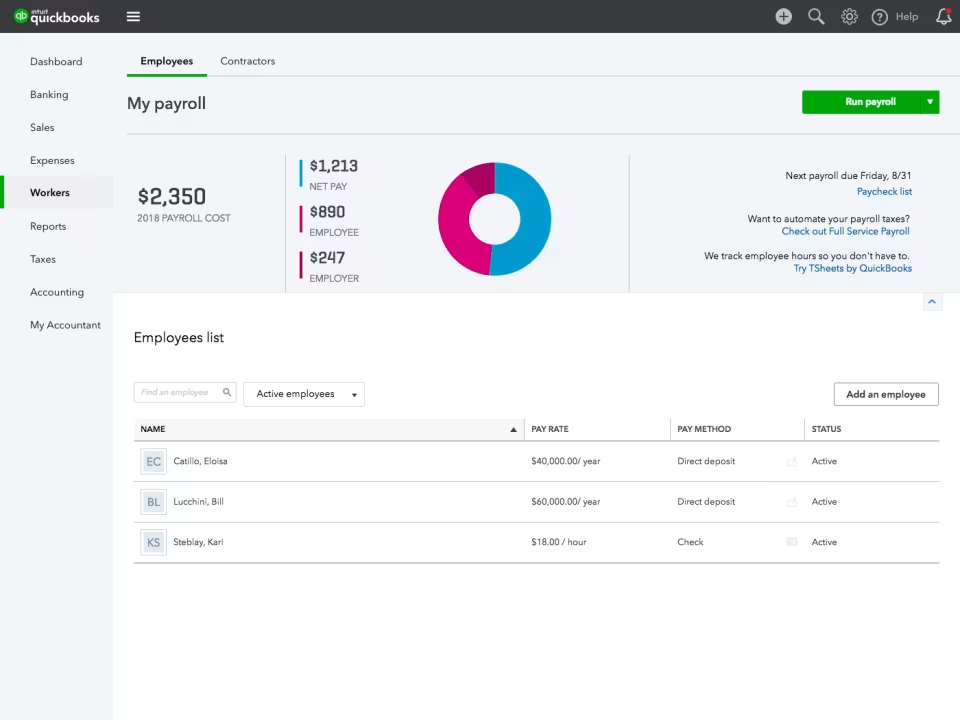
QuickBooks Payroll is the natural payroll extension for QuickBooks Online users. Payroll integrates with QuickBooks accounting, and the QuickBooks Time app is included with Workforce Premium and Elite tiers, meaning payroll and bookkeeping can live in the same dashboard.
Pricing: Workforce Payroll: $50/mo + $7/employee. Workforce Premium: $88/mo + $13/employee. Workforce Elite: $134/mo + $17/employee. Elite includes tax-penalty protection of up to $25,000 per year, subject to eligibility and program terms.
One Capterra reviewer called the integration the deciding factor: "it works seamlessly with QuickBooks accounting software, making it easier to manage both payroll and finances in one place." Eliminating double-entry is the top reason users choose it.
On the downside, one Capterra reviewer flagged a cash flow concern: "my client has had to turn off automatic payroll features because he can't afford to give Intuit his money for 6 weeks at a time." This represents one reviewer's experience, not a platform-wide policy.
Our take: If you're already in QuickBooks, this is a natural fit. The integration is genuinely tight. If you're not, the combined cost of QuickBooks Online plus payroll makes it harder to justify over OnPay or Gusto at similar price points.
ADP RUN
Best for: Businesses with 1–49 employees that want extensive payroll and HR support; companies nearing 50 employees should also evaluate ADP's midsize products.
Ratings: G2 4.7/5 (5,951 reviews) · Capterra 4.6/5 (1,456 reviews) (per ADP's RUN page, July 15, 2026)
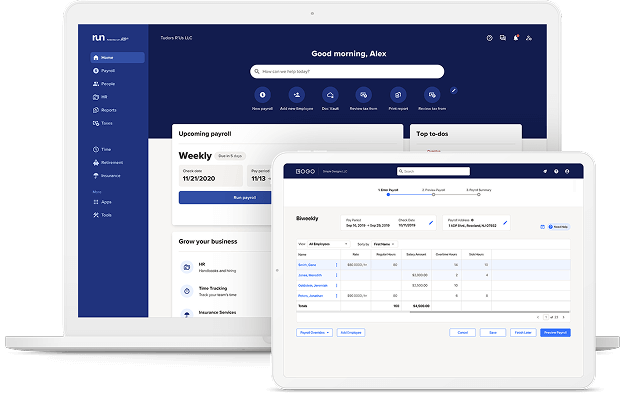
ADP RUN is ADP's small-business product, and ADP is one of the largest payroll processors in the country. There are four tiers to choose from, Essential, Enhanced, Complete, and HR Pro, ranging from basic payroll up to full HR services. ADP advertises 24/7 support from payroll experts, but confirm the specifics when you get your quote.
Pricing: Custom quote required. ADP does not publish RUN list pricing. Ask ADP to disclose the contract term, implementation charges, renewal pricing, and cancellation conditions in writing.
One Capterra reviewer described the interface as "the most intuitive I have experienced" and praised the dedicated support team for being responsive at deadline. Opinions in the r/Payroll community run the full spectrum, from "no complaints" to "I cannot wait until we get rid of it." On Capterra, navigation issues during date selection are the most cited frustration.
Our take: ADP is the safest choice for compliance-heavy businesses and teams that are scaling. But "safest" has a price, both literally and in setup complexity. It's more than most teams with under 20 employees need.
Patriot Software
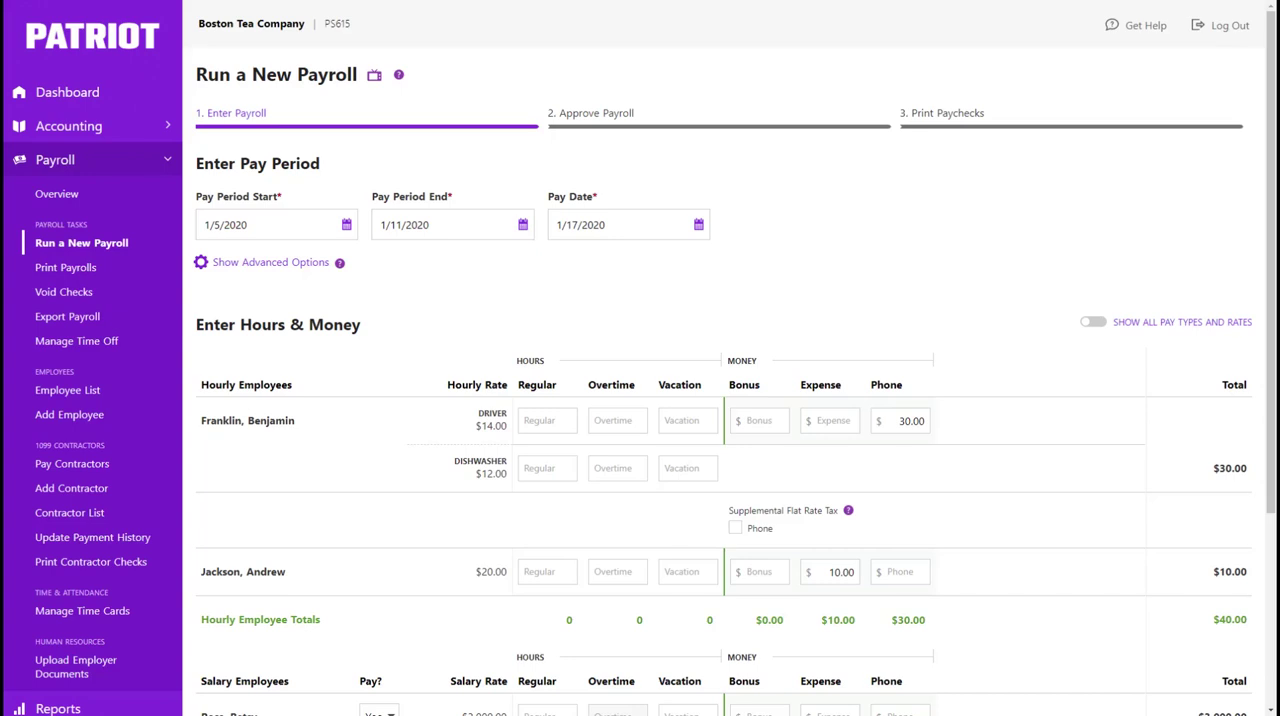
Best for: Budget-conscious small businesses with simple payroll needs and no immediate HR plans.
Ratings: G2 4.8/5 (616 reviews) · Capterra 4.8/5 (3,565 reviews) (captured July 20, 2026)
Patriot Software is the most affordable credible payroll option in this guide. The Basic plan handles unlimited small business payroll runs but leaves tax filing to you. Full Service adds federal, state, and local tax filing for $20 more per month.
Pricing: Basic: $17/mo + $4/employee. Full Service: $37/mo + $5/employee. Current offer: 30 days free, then 50% off for six months; promotional terms may change.
Reviewers consistently highlight U.S.-based phone support as a differentiator, described as "responsive and knowledgeable," with setup help that walks first-time payroll users through the process. Patriot's standard direct deposit timeline is four days, with two-day direct deposit available to qualifying customers.
Our take: Patriot earns its reputation for value. The catch is the Basic plan's DIY tax filing requirement: manageable with experience, but a real risk without it. Full Service adds $20 to the base and $1 per worker, and is generally worth it for anyone who doesn't want to manage their own filings.
Rippling
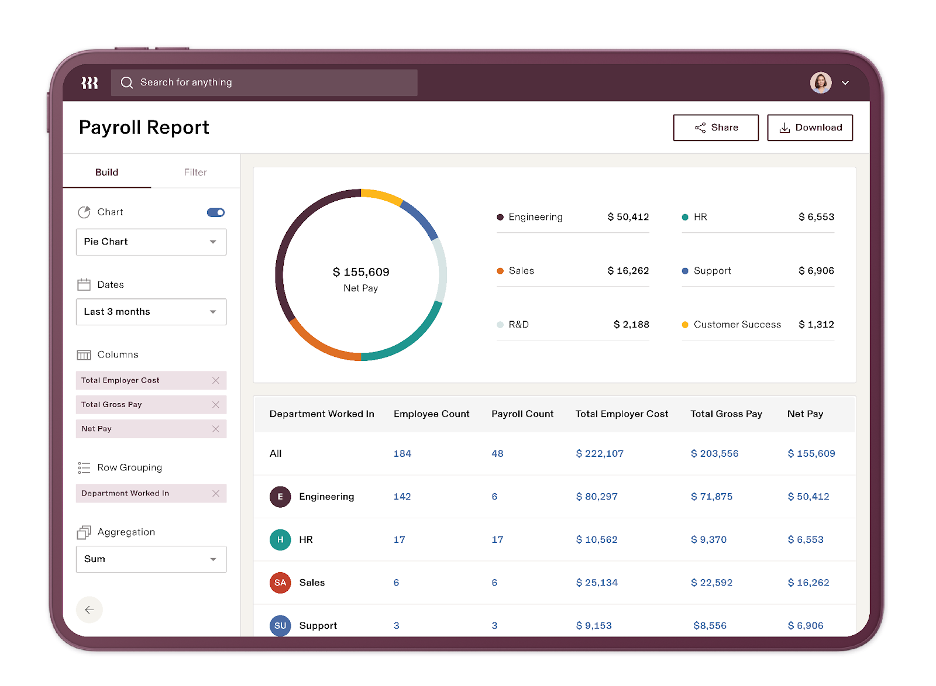
Best for: Tech-forward teams that want HR, IT, and payroll in one system and have the budget to support it.
Ratings: G2 4.8/5 (12,465 reviews) · Capterra 4.9/5 (4,506 reviews) (captured July 20, 2026)
Rippling is a modular workforce tool combining HR, payroll, IT device management, and finance in one system. It's built for businesses that want to consolidate tools, not just add another subscription.
Pricing: Custom quote required. Rippling does not publish list pricing. Individual HR, finance, and IT products are purchased alongside the required Rippling Platform core; most are billed per employee per month, and some include a monthly base fee.
r/Payroll users recommend Rippling for auto-compliance across state and federal rules, noting "you don't have to worry about manually ensuring compliance for local/state/federal rules." Capterra reviewers praise the centralized system for reducing onboarding friction.
The most cited frustration is navigation. Some users find it "confusing when trying to access specific features," and the learning curve is real for teams that only need payroll.
Our take: Rippling is genuinely impressive, but if your team just needs payroll, it can feel like a lot of infrastructure for a simple job. It starts making sense when you're actually using several of its modules, HR, IT, finance. When you get to that point, ask for a full quote based on the specific products you need.
How to Choose the Right Payroll Provider for Your Small Business
No single approach to payroll for small business fits every team. These questions will help narrow it down.
What's your team shape? Hourly vs. salaried vs. a mix matters more than most owners expect. Hourly teams often benefit from integrated time tracking because it reduces manual data transfer and the risk of payroll errors. Salaried-only teams have more flexibility and can often prioritize price over integration.
Do you operate in multiple states? Multi-state filing is where pricing surprises hide. OnPay includes it flat; Gusto requires Plus; ADP's multi-state pricing is quote-based, so request any state-specific charges in writing. Among payroll companies for small business, multi-state pricing varies more than almost any other variable, check it explicitly before signing, especially for multi-location payroll.
How much HR do you actually need? Most payroll management software bundles HR modules you may not need for years. Compare what you need now with what could be added later, rather than paying for unused functionality from day one.
What will it actually cost? The advertised base fee is rarely the whole number. To get the real figure: multiply your total monthly cost (base fee + headcount × per-worker fee + any add-ons) by 12, then add any one-time setup charges. And know how to switch payroll providers before you sign, not after you're locked in.
What happens when something goes wrong? Before choosing a provider, confirm whether phone support is included in your plan and what escalation options exist at payroll deadlines. Local firms may offer personalized knowledge and direct contact; national software providers offer broader automation. Service quality varies either way.
Also worth knowing: federal employment-tax deposit schedules are generally monthly or semiweekly based on lookback-period tax liability, not how often employees are paid. Confirm your provider handles your payroll compliance requirements before committing.
Picking the Right Payroll Provider
The best payroll providers for small business aren't always the most familiar names. The right one is the one that actually fits your team size, pay structure, and budget. The payroll services for small business in this guide are the strongest options we found in 2026, and we think at least one of them fits what you're looking for.
Three things worth keeping:
- Build a real 12-month cost estimate before signing. The base fee is rarely the whole story.
- Full-service tax filing is almost always worth the extra cost. IRS failure-to-deposit penalty rates increase the longer the deposit is late.
- If you run hourly workers, the gap between your time tracking data and your payroll run is where errors live.
Choosing the right provider gets you halfway there. The other half is making sure your time data actually reaches payroll without anyone manually moving it. For hourly teams that are still reconciling time cards by hand before every pay run, Homebase handles that automatically.
“With Homebase and Clover, running payroll takes five minutes. I log in, check the time cards, hit submit, and it's done.” — Tiana Post, Owner, Awaken Bakery
Payroll Providers for Small Business: Frequently Asked Questions
What is the best payroll provider for a small business?
The best payroll provider for a small business depends on team size, pay structure, and budget. Gusto and OnPay are the strongest all-around picks, Gusto for its interface and HR tools, OnPay for transparent flat pricing with multi-state filing included.
How much do payroll services cost for small businesses?
The cost of payroll providers for small business ranges from $17 to $180 per month in base fees, plus $4 to $22 per worker depending on the plan. ADP and Rippling require custom quotes. For a 10-person team, you're looking at roughly $57 to $400 per month on published pricing, with full-service entry-level plans landing around $87 to $120 before add-ons.
Can payroll software handle taxes and compliance?
Payroll software can handle taxes and compliance automatically: full-service plans calculate, deposit, and file federal and state payroll taxes, with local-tax coverage varying by provider and jurisdiction. The IRS failure-to-deposit penalty starts at 2% for deposits one to five days late, with the clock running from the original due date, not when the IRS contacts you.
Is switching payroll providers mid-year risky?
Switching payroll providers mid-year is manageable: several providers, including Patriot and Rippling, support year-to-date data migration. According to the r/Payroll community, the main risk is a gap in tax filing continuity, so confirm who will file quarterly returns and year-end W-2s for each portion of the year before you sign.

Cambria Wallace is a Project Lead III on the Homebase Payroll Implementation team, helping small businesses navigate payroll onboarding and compliance. With four years at Homebase and over 15 years of experience, she's a certified payroll professional (FPC) who leads clients through tax configuration, employee onboarding, and first-payroll execution. Cambria combines deep payroll expertise with exceptional customer service to help business owners feel confident in their payroll journey.

Cambria Wallace is a Project Lead III on the Homebase Payroll Implementation team, helping small businesses navigate payroll onboarding and compliance. With four years at Homebase and over 15 years of experience, she's a certified payroll professional (FPC) who leads clients through tax configuration, employee onboarding, and first-payroll execution. Cambria combines deep payroll expertise with exceptional customer service to help business owners feel confident in their payroll journey.
