You're locking up after a long night when your phone buzzes. Someone's calling out for tomorrow's shift, again. Now you're spending the next hour juggling texts and trying to reach your most reliable people to cover it.
That's the problem restaurant employee scheduling software is built to solve. The right tool keeps your team in sync, puts shift coverage on autopilot, and takes the panic out of last-minute changes. But there are a lot of options out there, and not all of them are built for the realities of a working restaurant.
We reviewed the most-used restaurant employee scheduling apps across independent spots, growing chains, and quick-service operators to find which ones actually hold up. Below: honest pricing, real user reviews, and a clear-eyed look at what each tool does well and where it falls short.
The Best Restaurant Scheduling Apps at a Glance
- 7shifts: Best for full-service restaurants with POS integration and labor cost tracking
- Schedulefly: Best for independent restaurants that want simple scheduling, nothing else
- Connecteam: Best for small teams that want scheduling and task management in one app
- When I Work: Best for budget-conscious, mobile-first teams
- Deputy: Best for AI-powered scheduling with demand forecasting
- Sling: Best free option for small restaurants watching every dollar
Why Trust Homebase? Why We Built This Guide
We're Homebase. We make restaurant employee scheduling, time tracking, payroll, and HR tools for small businesses with hourly teams.
We have a stake in this topic, so we want to be upfront: Homebase isn't in the ranked list below. Every tool here was evaluated on its own merits. We don't accept payment or backlinks for inclusion. We tested tools directly, pulled patterns from verified G2 and Capterra reviews, and checked live pricing pages. For our full criteria, see our methodology page.
How We Chose the Best Restaurant Employee Scheduling Software
We evaluated each tool on restaurant employee scheduling core (build a weekly schedule quickly, with availability, swaps, and time-off handled), restaurant fit (FOH/BOH coordination, POS integrations, real-time labor cost visibility), ease of use for hourly teams, and pricing transparency.
We also pulled patterns from G2 and Capterra reviews: not individual star ratings, but recurring themes. A single complaint is noise; fifteen reviews saying the same thing is a pattern. For our full methodology, the criteria are all there.
How Homebase Compares
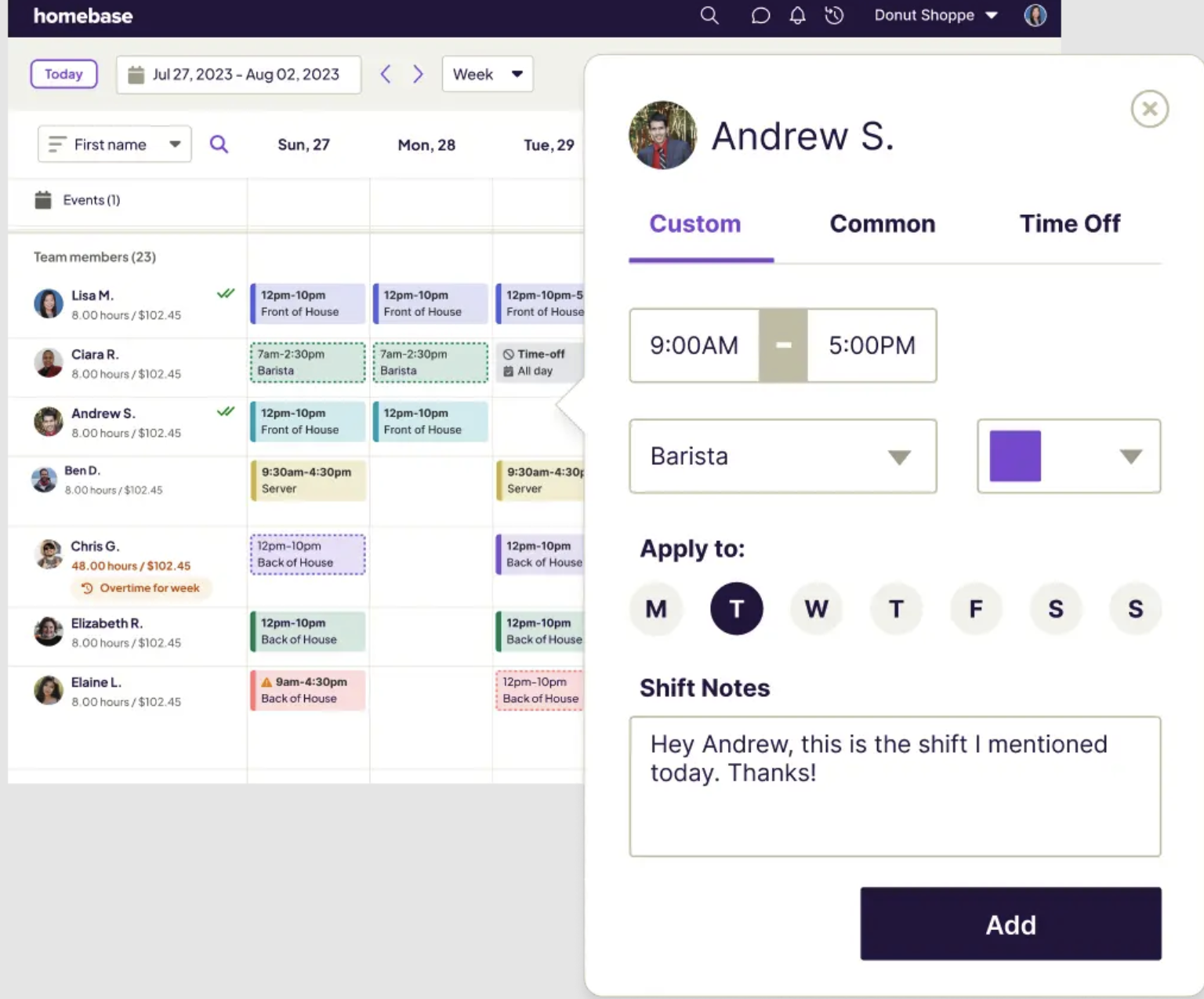
Starting price: Free (up to 10 employees, 1 location); paid from $24/month (annual) or $30/month (monthly)
Free tier: Yes (scheduling, time clock, and team messaging)
Best for: Small restaurants (1 to 3 locations) that want restaurant employee scheduling, time tracking, and payroll in one place
POS integration: Yes | Mobile app: Yes | Labor cost tracking: Yes
Homebase is the publisher of this guide. We make scheduling, time tracking, payroll, and HR tools for small businesses with hourly teams. If you're also considering us, we're happy to be evaluated alongside the tools above.
Try Homebase free and see why 150,000+ small businesses run their teams with us.
Best Restaurant Employee Scheduling Software for 2026
Quick tip: Most tools offer free trials or free plans. Test one during a slower week with a few trusted team members before you commit.
1. 7shifts
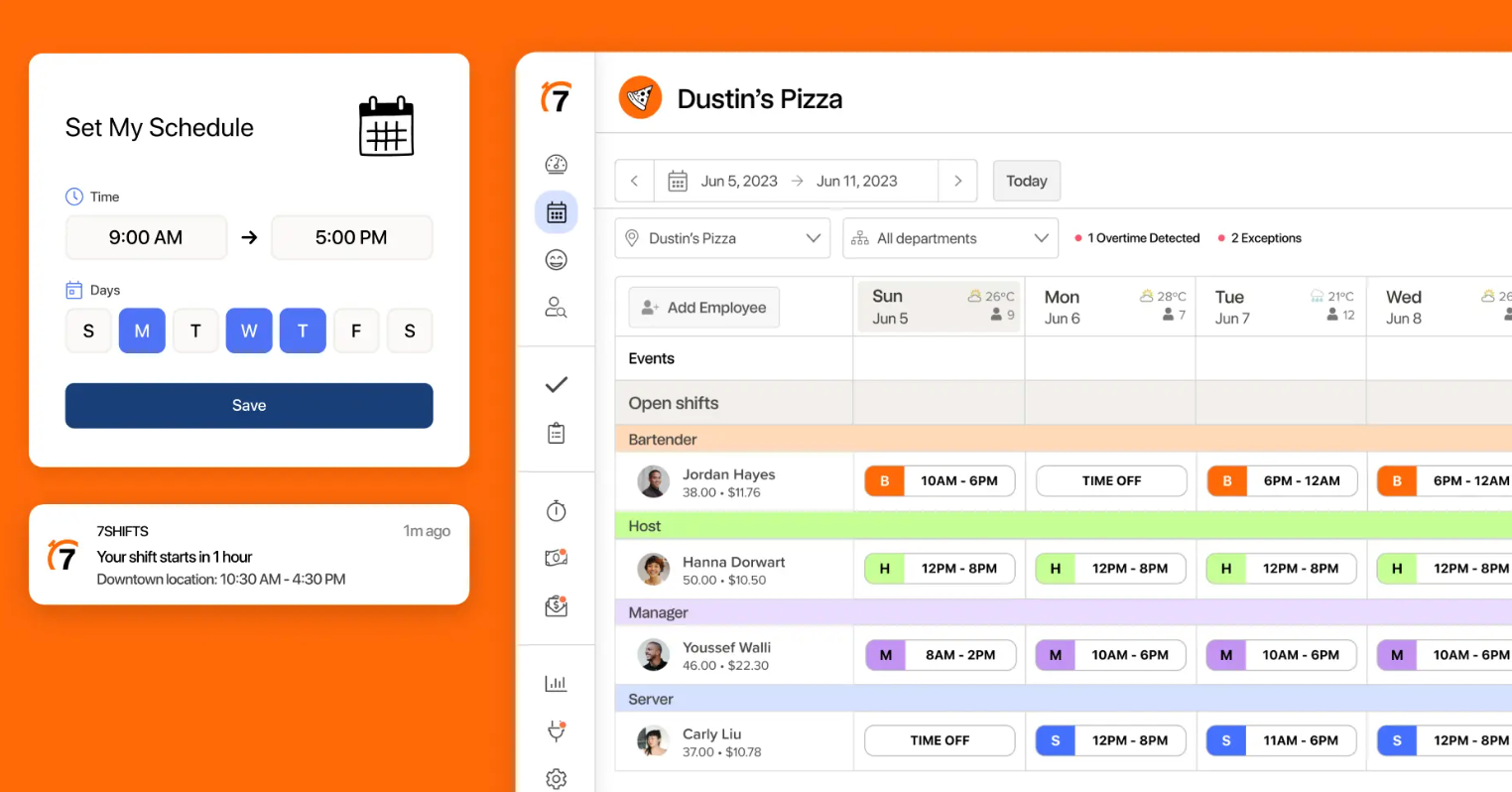
Best for: Full-service restaurants doing $500K+ in annual sales that need real-time labor cost visibility and already use a major POS system.
Rating: G2 4.5/5 · Capterra 4.7/5
What it is: 7shifts is a restaurant-specific scheduling app that connects directly to your POS. It pulls in real-time sales data so you can see projected labor cost as you build the schedule, before a shift goes live.
Key features:
- POS integration with 50+ systems including Toast, Square, and Lightspeed
- Labor forecasting that flags overstaffed or understaffed shifts
- Built-in tip pooling and daily tip payout to employee bank accounts
- Free employee app for shift swaps, time-off requests, and messaging
Pricing: Free plan for one location (up to 20 employees). Paid from $34.99/month per location.
What users like: "It makes communication with the team easy — everyone knows what assignments they have, and there are many tools to trade, ask for time off, and review shifts." (G2)
What users criticize: Employees need two separate apps (7shifts for scheduling, 7punches for time tracking). Live support is limited to chat and email on lower-tier plans.
Our take: The strongest restaurant employee scheduling pick here, especially if labor cost control is the priority. POS-linked forecasting pays off. For a single-location café that just needs shifts covered, it's more tool than you need. See also: our 7shifts alternatives guide.
2. Schedulefly
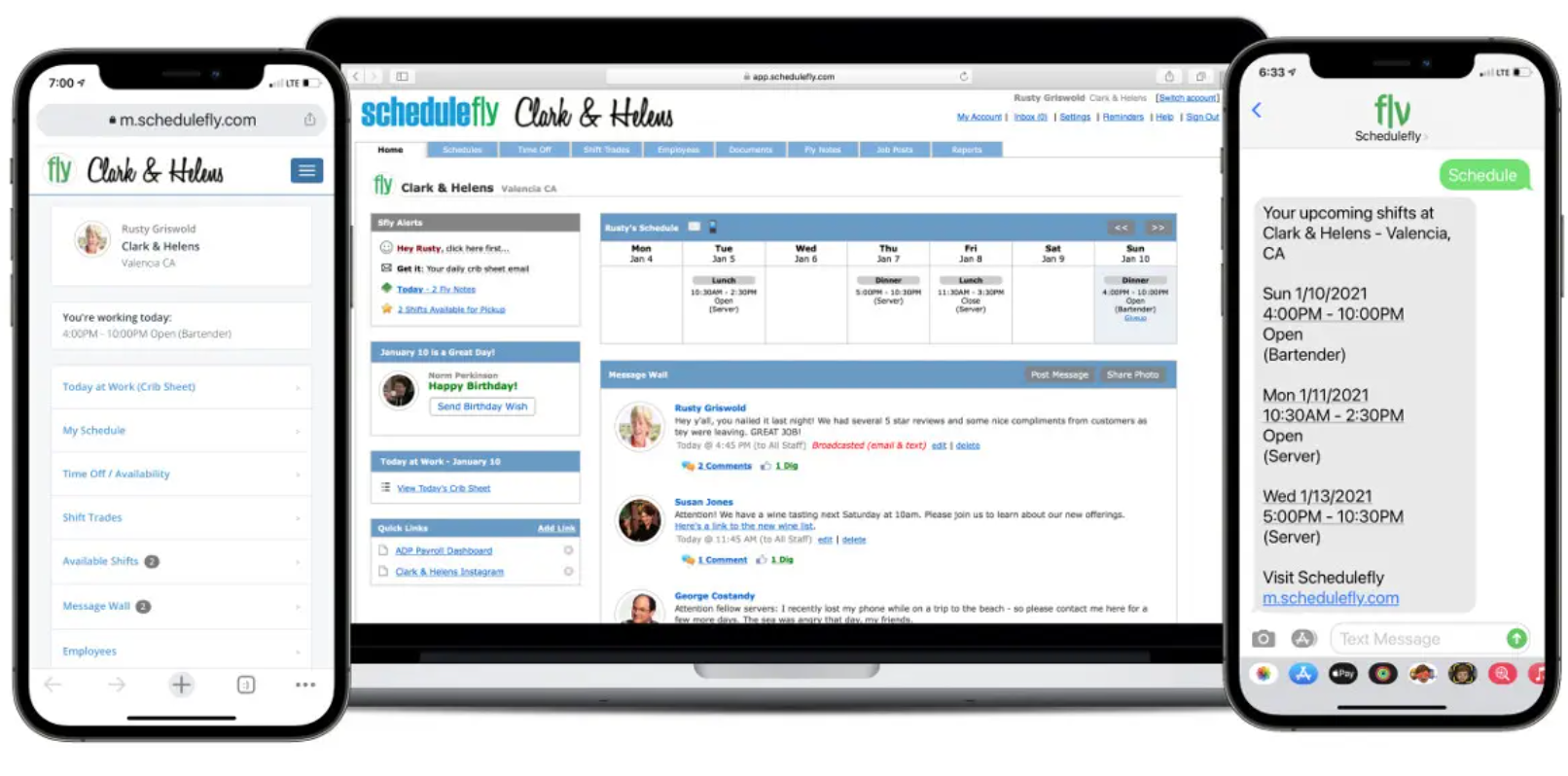
Best for: Independent restaurants that want restaurant employee scheduling and team messaging, and nothing else.
Rating: G2 4.5/5 · Capterra 4.7/5
What it is: Schedulefly is a web-based scheduling tool built by restaurant people. It covers the basics: schedule building, shift swaps, time-off requests, and team messaging, without extras you may never use: no AI forecasting, no POS integration, no time tracking.
Key features:
- Web-based schedule builder with one-click publishing and instant notifications
- Employee-initiated shift swaps and time-off requests
- Team messaging and document storage for menus and HR docs
Pricing: $30/month for up to 19 employees. 30-day free trial, no credit card required.
What users like: "Schedulefly is incredibly user-friendly and readable. For employees, looking at schedules is a breeze, and for managers, creating and editing schedules is incredibly quick and easy." (G2)
What users criticize: No native mobile app: employees use a mobile browser. No time tracking or payroll integration.
Our take: Schedulefly's limitations are, for its target user, features rather than bugs. If you want clean, focused scheduling with great customer service and no learning curve, it delivers. Need compliance tools, time tracking, or POS sync? This isn't the right fit.
3. Connecteam
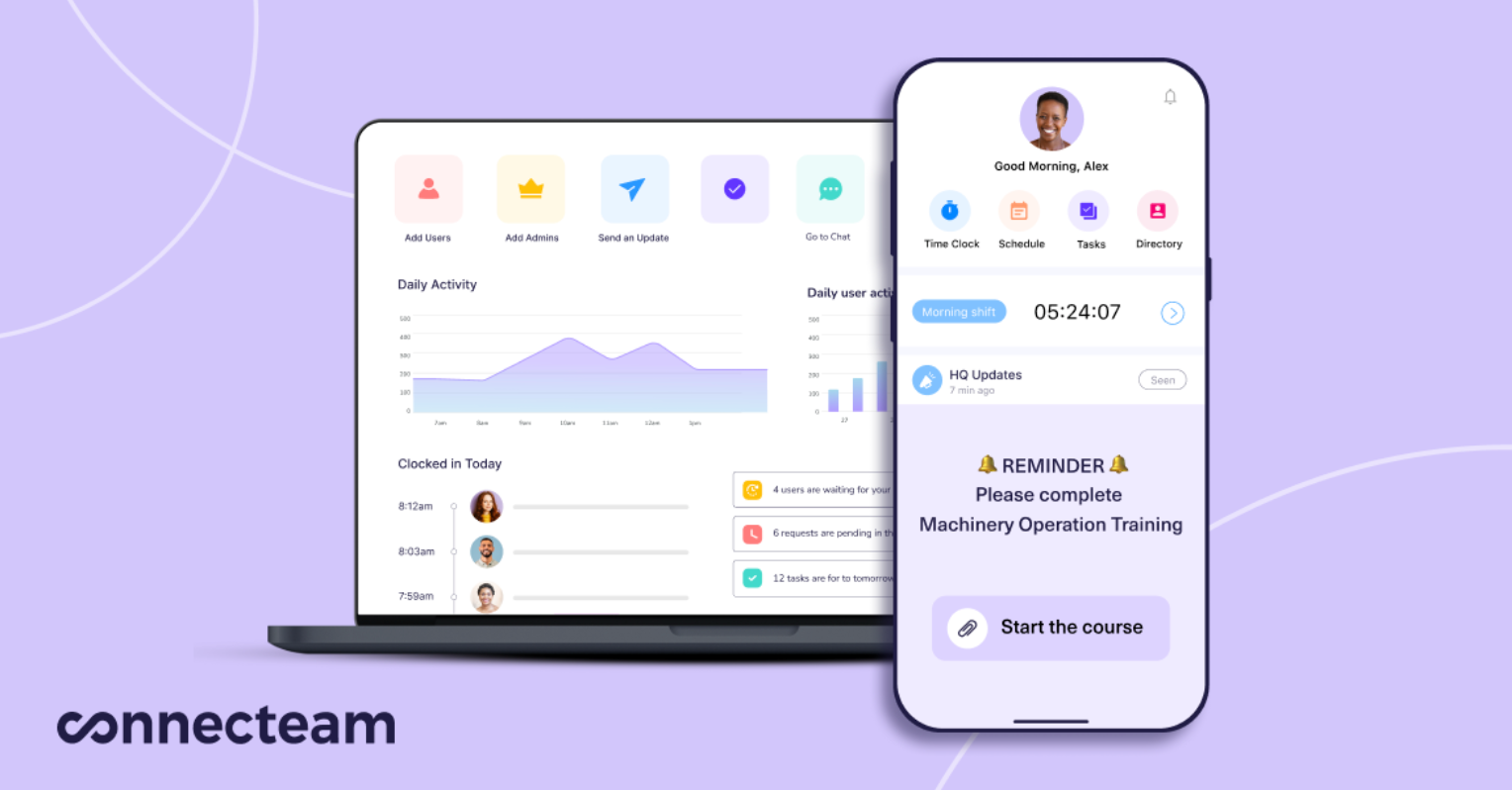
Best for: Small restaurants (under 30 team members) that want scheduling, task checklists, and internal chat in one app.
Rating: G2 4.6/5 · Capterra 4.8/5
What it is: Connecteam is a mobile-first app that goes beyond employee scheduling. Task checklists, digital forms, training content, and internal chat make it a lightweight operations hub for smaller teams.
Key features:
- Drag-and-drop scheduling with shift templates and open shift claiming
- Task checklists and digital forms for shift-specific duties
- Time clock with GPS and geofencing; free for up to 10 users
Pricing: Free for up to 10 users. Paid from $35/month for up to 30 users.
What users like: "It's very simple to schedule jobs and either appoint team members to shifts or allow them to put their names forward for open shifts. It's also very easy to clock in and out." (G2)
What users criticize: Occasional app crashes and limited offline functionality are the most consistent patterns across reviews. GPS features are locked to higher-tier plans.
Our take: Connecteam bundles scheduling, time tracking, task management, and messaging at a price that makes sense for a small team. The trade-off: POS integrations are limited, and if you need multi-location scheduling, you'll hit its ceiling quickly.
4. When I Work
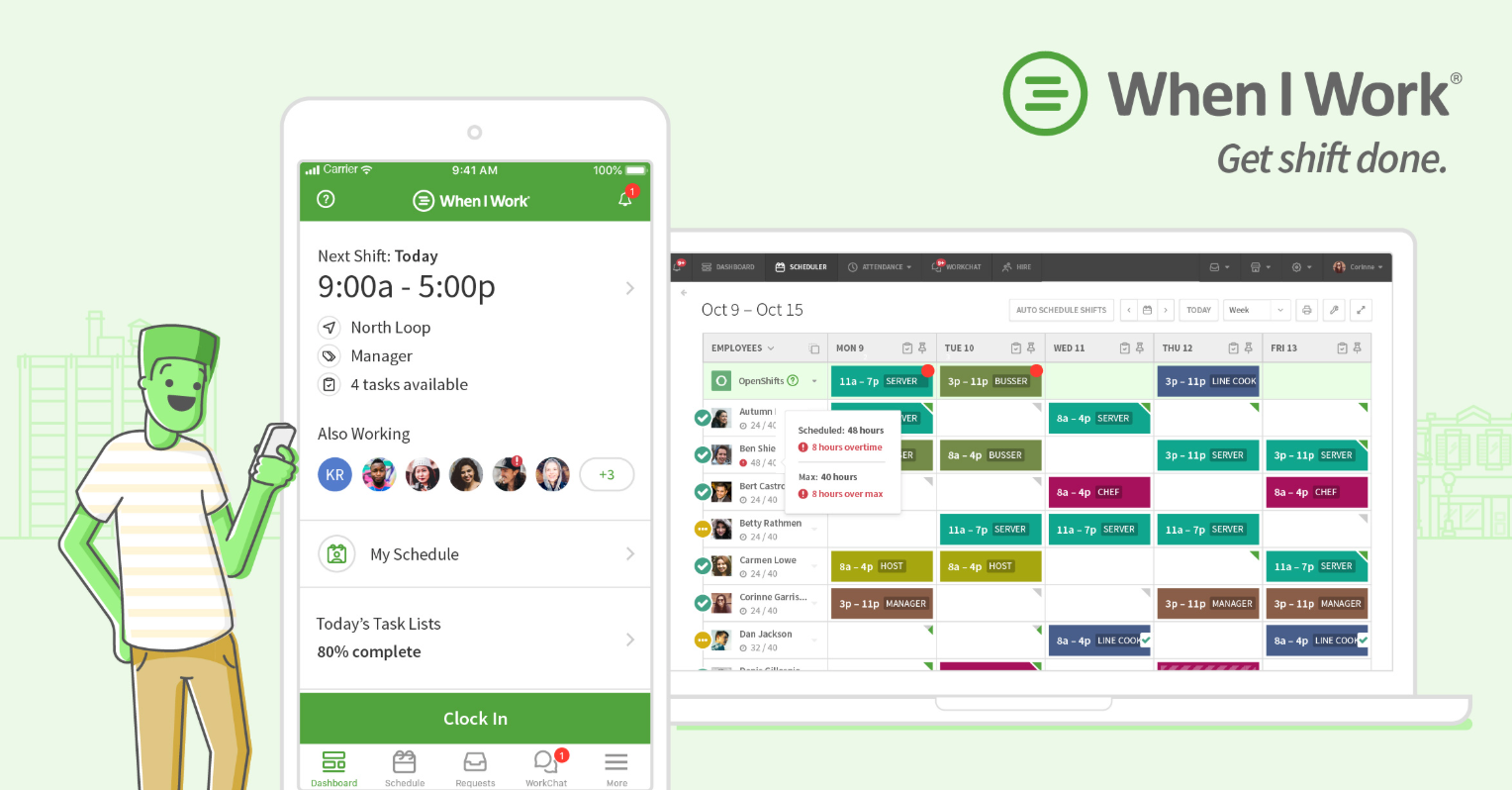
Best for: Restaurants on a budget that need mobile-first scheduling with clean shift swaps and time tracking.
Rating: G2 4.3/5 · Capterra 4.5/5
What it is: When I Work keeps things focused: shift scheduling, time tracking, time-off requests, and team messaging. Clean interface, easy mobile app.
Key features:
- Schedule builder with templates and auto-scheduling
- Employee-managed availability and shift swap requests
- Mobile time clock with GPS; integrations with ADP, Gusto, and QuickBooks
Pricing: $2.50/user/month (Essentials). Pro at $5/user/month. (Confirm free-tier status at wheniwork.com/pricing — this has changed previously.)
What users like: "When I Work has made every aspect of our scheduling process easier — building the schedule, communicating it, dropping, picking up, and covering shifts." (G2)
What users criticize: Per-user pricing gets expensive at 20+ employees. The QuickBooks integration has had sync issues. No labor forecasting or compliance tools.
Our take: A solid starting point for a restaurant under 15 employees. The per-user model will push you toward other options as you grow.
5. Deputy
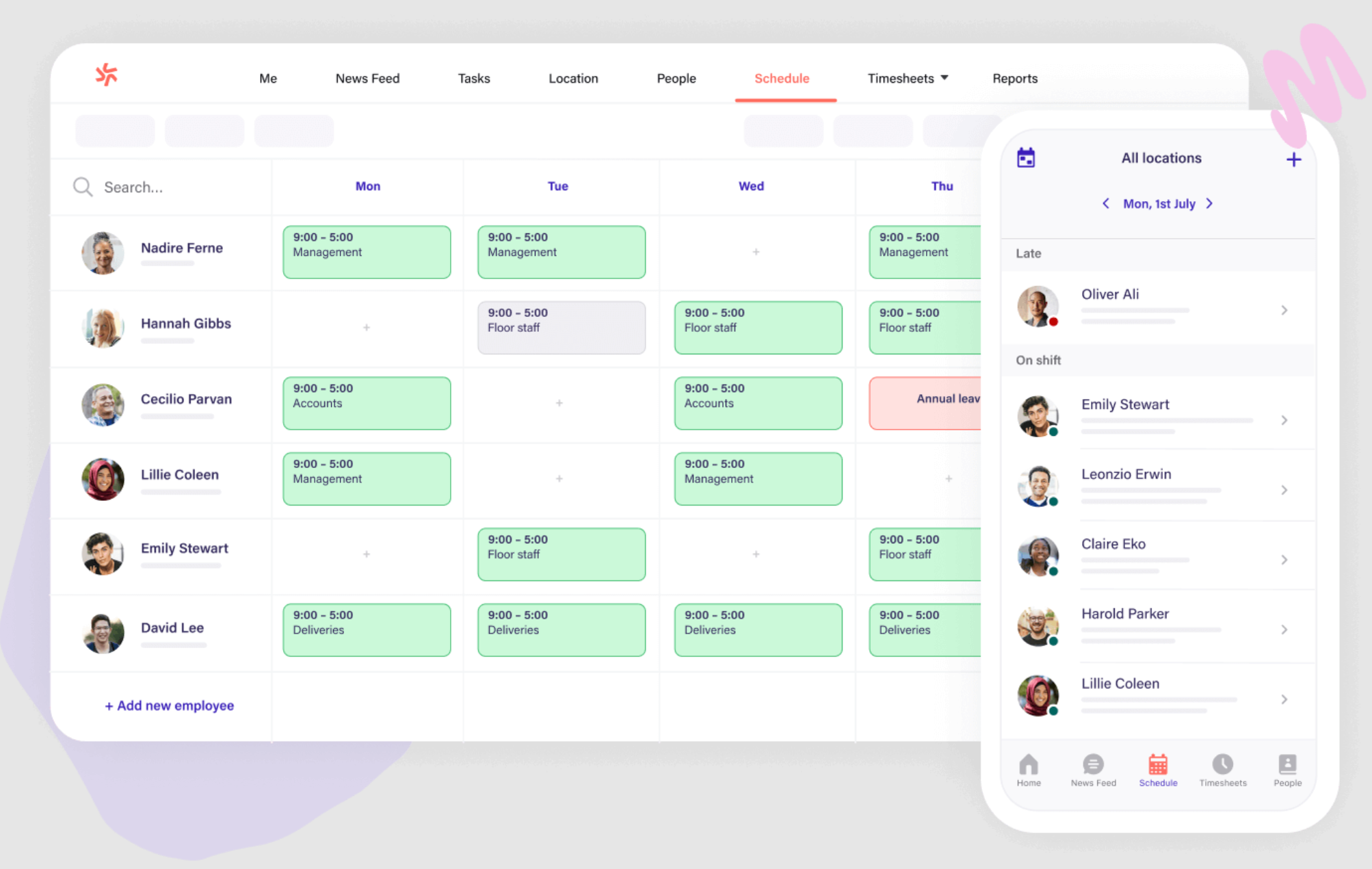
Best for: Mid-sized restaurants (20–100 employees) that want AI-powered scheduling with demand forecasting and compliance tools.
Rating: G2 4.6/5 · Capterra 4.7/5
What it is: Deputy uses AI to auto-build schedules based on availability, skills, and demand patterns. It's particularly useful when scheduling complexity or compliance exposure is high.
Key features:
- AI-powered schedule builder that auto-fills based on demand and availability
- Fair Workweek, FLSA, and minor labor rule compliance checks
- Demand forecasting using historical sales and foot traffic data
Pricing: Free starter (100 shifts/month). Premium at $6/user/month ($5 annual).
What users like: "It has all the functionality you'd expect at a reasonable price. As an admin, I can see who's out on leave, pending time-off requests, and who's running late at a glance." (G2 reviewer, Employ HR Pro)
What users criticize: BambooHR integration has persistent sync issues across multiple reviews. Reporting is limited on lower-tier plans. Published schedules can't be directly edited in some tiers.
Our take: Worth a look for larger teams with compliance complexity. For a smaller independent restaurant, the AI features may be more than you need.
6. Sling
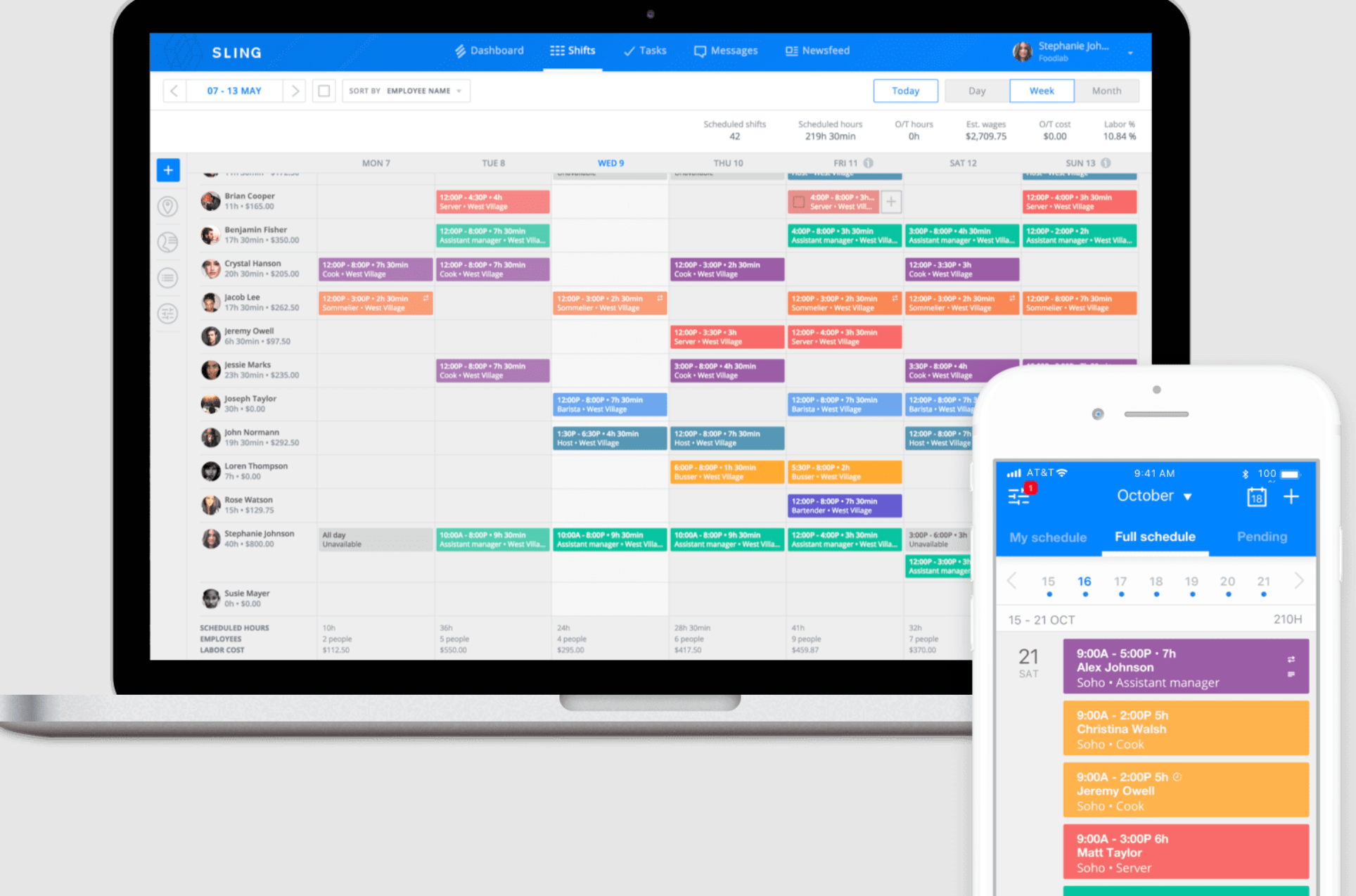
Best for: Small restaurants on a tight budget that want free scheduling with built-in messaging.
Rating: G2 4.4/5 · Capterra 4.6/5
What it is: Sling (now part of Toast) offers free scheduling for unlimited users. Premium tiers add labor cost controls, Toast POS integration, and time tracking.
Key features:
- Free scheduling for unlimited users, including team messaging
- Toast POS integration for real-time labor and sales visibility
- Overtime alerts and labor budget notifications (paid tiers)
Pricing: Free for basic scheduling. Premium at $2/user/month. Business at $4/user/month.
What users like: "Sling integrates with our POS system, making team member management more seamless. It allows managers to monitor daily labor costs and make real-time adjustments." (G2 reviewer, Primeaux Restaurant Group)
What users criticize: Mobile push notifications don't come through reliably, a significant issue when your team depends on schedule alerts. The time clock can't be customized by role.
Our take: Sling's free plan works well for a restaurant under 20 employees. If you're already on Toast POS, the native integration is a real advantage. Test notification reliability with your team before fully committing.
7 Features to Look for in Restaurant Employee Scheduling Software
1. Availability management that actually works.
In restaurant employee scheduling, availability management is where chaos usually starts. A solid employee leave management setup lets your team manage their own availability. Look for employee-managed updates, digital time-off requests, blackout date settings, and automatic conflict alerts before you publish.
2. Smarter shift management tools.
Good restaurant employee scheduling tools use templates and auto-scheduling to catch mistakes (like scheduling someone for a split shift or clopen) before they become your Friday night problem. Look for one-click schedule duplication, role-based scheduling for FOH and BOH, and shift notes.
3. Time tracking that syncs with your schedule.
When your time clock and scheduling live in the same tool, early clock-ins and overtime gaps surface before they hit your labor budget. Look for mobile time clocks with PIN verification, automatic break tracking, and one-click payroll syncing.
4. Mobile access your team will actually use.
When everyone has the schedule in their pocket, the "I didn't know I was working" excuse disappears. Look for an app with schedule notifications, shift swap requests with manager approval, and in-app messaging.
5. Compliance tools that catch problems early.
One of the biggest risks in restaurant employee scheduling is compliance. The right tool warns you before you miss a required break or violate a predictive scheduling law. Look for automated break enforcement, overtime warnings before publishing, and audit-ready digital records.
6. Open shifts and coverage without the group text chaos.
Open shift broadcasting lets your team self-organize coverage while you keep final approval. Look for role-based eligibility checks so the wrong person can't accidentally claim a shift.
7. Built-in messaging that keeps everyone aligned.
Built-in team communication keeps shift updates out of personal text threads. Look for group and private messaging, real-time shift alerts, and read receipts.
When labor is 30% of your revenue, your schedule is a financial decision. Homebase shows you what a shift costs before you publish it. Get started free.
Tips for Better Restaurant Employee Scheduling
1. Schedule ahead. Strong restaurant employee scheduling starts with posting schedules 2–3 weeks out. In cities like San Francisco, Chicago, and New York, advance notice of 7–14 days is legally required under predictive scheduling laws.
2. Build from a template. Our schedule maker guide has templates. Start with servers, cooks, and hosts, then fill in.
3. Keep a buffer. Add 5–10% extra coverage. One unexpected no-show on a Friday night costs more than a slightly over-scheduled Tuesday.
4. Cross-train your team. Cross-trained team members cover multiple roles. The hospitality quit rate hit 4.3% in March 2026 (per the Bureau of Labor Statistics), the highest of any industry. Keeping people engaged with variety helps retention.
5. Set clear time-off rules. Cover deadlines, blackout periods, and approval timelines upfront. A little grace when something unexpected comes up earns a lot of goodwill.
6. Use your POS data. Look at 8–12 weeks of historical sales to spot your real busy periods. Most scheduling waste comes from staffing by habit.
7. Track your labor cost weekly. The National Restaurant Association's 2024 Restaurant Operations Report shows profitable full-service operators average 34.2% labor vs. 42.9% for unprofitable ones, an 8.7-point gap that often decides survival. See our guide on how to reduce labor costs in a restaurant.
Frequently Asked Questions About Restaurant Employee Scheduling
What is the best scheduling software for restaurant employees?
7shifts is the strongest restaurant-specific pick for full-service operations needing POS integration and labor cost tracking. For small restaurants wanting free scheduling plus time tracking, Homebase's free plan covers up to 10 team members. The right restaurant employee scheduling choice depends on team size, POS system, and whether you need labor forecasting or compliance tools. (Note: Homebase is the publisher of this guide.)
What is the 30/30/30 rule for restaurants?
The 30/30/30 rule splits restaurant revenue into 30% food costs, 30% labor, and 30% overhead, leaving 10% profit. In practice, the NRA's 2024 data shows profitable full-service operators average 34.2% labor, not 30%. It's a useful benchmark, not a hard rule. Good restaurant employee scheduling software helps you track labor against actual sales in real time.
Is 7shifts only for restaurants?
Yes. 7shifts is built specifically for the restaurant and hospitality industry. Its features, including tip pooling, POS integrations with Toast and Square, FOH/BOH shift planning and sales-linked labor forecasting, are designed for food service.
What is the best free scheduling app for restaurants?
Sling's free plan covers basic scheduling with no user cap. Connecteam and Homebase both offer free plans for up to 10 users. Free plans vary, so check whether time tracking, shift swap tools, and mobile notifications are included.
How far in advance should restaurants post schedules?
At least 7 days out as a baseline. In cities with predictive scheduling laws (San Francisco, Chicago, New York, Seattle), 7–14 days of advance notice is legally required, with premium pay penalties for late changes.
How do restaurants handle last-minute call-outs?
The fastest fix is an open shift broadcast: a notification to all eligible team members who can claim the shift. Having a cross-trained team and a written swap policy (who can swap with whom, how much notice is required, who approves) prevents individual call-outs from becoming a manager crisis.
Spend Less Time on the Schedule, More Time on the Floor
The best restaurant employee scheduling software connects to your POS, handles shift swaps in the app, and shows labor costs before you publish. For a deeper comparison, see our guide to the best restaurant scheduling software.
We handle scheduling, shift swaps, time tracking, and payroll in one place. Over 150,000 small businesses run their teams with us.
"Our employees often use Homebase to communicate with each other and with us. They get reminders of upcoming shifts. And since our employees also use Homebase on their phones to clock in no matter where they are working, doing payroll is so much easier!" — Theresa Fouquette, owner, Bliss Small Batch Creamery
Try Homebase free and see why restaurants trust us to keep their teams running.

Kerry McCreadie is the Senior Manager of Organic Growth at Homebase, leading SEO and content strategy for small businesses with hourly teams. With over 10 years of experience, Kerry has developed hundreds of templates and resources for business owners. They've run an arts and culture nonprofit for over a decade and operated their own photography business, bringing hands-on small business understanding to everything they create.

.webp)
Kerry McCreadie is the Senior Manager of Organic Growth at Homebase, leading SEO and content strategy for small businesses with hourly teams. With over 10 years of experience, Kerry has developed hundreds of templates and resources for business owners. They've run an arts and culture nonprofit for over a decade and operated their own photography business, bringing hands-on small business understanding to everything they create.
