
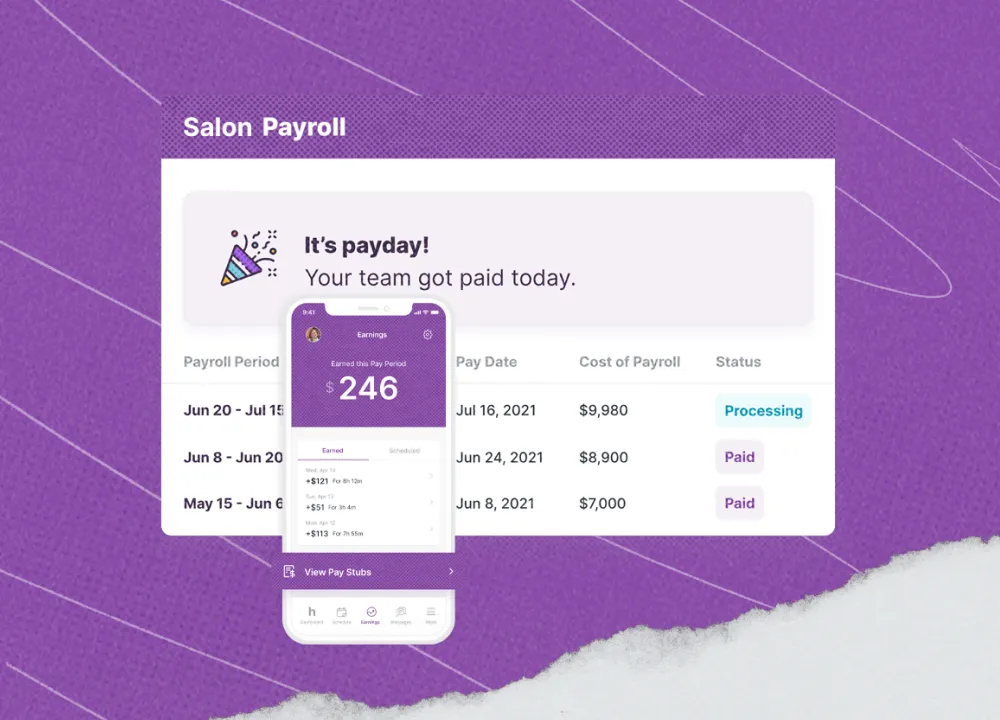
Retail payroll software comes with a few distinct challenges that general-purpose tools don't always handle well. Variable hours, high turnover, tip and commission tracking, and POS systems that live in a completely different world from your payroll tool. Most generic options treat those as edge cases. For retail, they're the whole job.
Retail employers face persistent employee churn: the Bureau of Labor Statistics reported a 2.6% annual-average quits rate for retail trade in 2025. That constant cycle of onboarding and offboarding means every payroll error shows up in someone's paycheck. The best retail payroll software options are built for exactly this.
TL;DR: Best Retail Payroll Software Picks at a Glance
The best retail payroll software for your store depends on your POS setup, your team size, and whether you operate in one state or several. Here are the top picks for 2026.
- Gusto: best overall for mixed hourly/salaried retail teams; $49/month + $6/employee
- Square Payroll: best for Square POS users; $35/month + $6/employee
- OnPay: best flat-rate pick with no per-state fees; $49/month + $6/employee
- QuickBooks Payroll: best for teams already running QuickBooks; $50/month + $7/employee
- Patriot Payroll: best budget option; from $17/month + $4/employee
Why Trust Our Retail Payroll Software Reviews
We're Homebase, and we make a scheduling, time tracking, HR, and payroll app for small businesses with hourly teams. We serve more than 150,000 hourly teams across industries including retail.
Scheduling and time tracking are free for one location with up to 10 employees; payroll is a paid add-on. We built our retail payroll software specifically to connect employee time records with payroll for hourly teams, which means we know exactly where those gaps are.
That stake in the topic is also why we're being upfront about it: Homebase doesn't appear in the ranked list below. Every tool was evaluated on its own merits, and no company can pay for placement or a higher ranking in our guides.
For our full evaluation criteria, see our methodology page.
How Homebase Compares to Retail Payroll Software
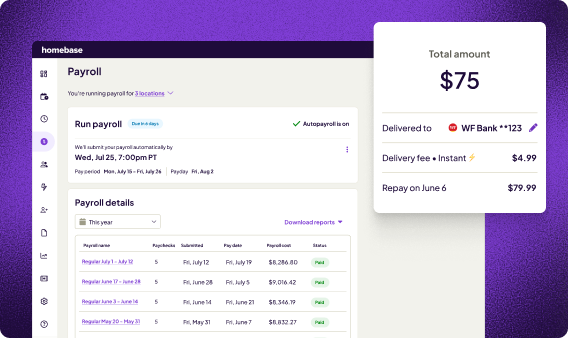
We publish this retail payroll software guide, and Homebase doesn't appear in the ranked list, so if you're considering us alongside the tools above, here's an honest look at how we compare.
The main difference is scope. Our app brings scheduling, time tracking, HR tools, and payroll into one place for hourly teams, so hours move from clock-out to payroll without any re-entry. Here's a quick look at what's included:
- Scheduling and time tracking: free for one location with up to 10 employees
- Full-service payroll: $39/month + $6/active employee
- Overtime alerts and break tools: available within the same workforce workflow; exact capabilities depend on your plan and jurisdiction
- POS and accounting integrations: Square, Clover, Shopify, Lightspeed, and QuickBooks
Kathleen Smith, Founder of Smiling Tree Toys, put the before-and-after clearly:
"Before Homebase I was manually tallying up my team's work hours and entering them into payroll, crossing my fingers I hadn't made any mistakes. All I have to do is send their hours to my payroll program with the click of a button."
Running three separate subscriptions for scheduling, time tracking, and payroll adds up fast. When those tools connect, hours flow straight to payroll without the re-entry, and Homebase does that in one place, or see how Tetta's Market runs payroll in five minutes.
{{banner-cta}}
The 5 Best Retail Payroll Software Options in 2026
Whether you're running a single boutique or managing a handful of locations, these five retail payroll software picks cover what small retail teams actually need, from POS sync and tip handling to budget-friendly pricing and flat-rate multi-state coverage.
1. Gusto: best overall retail payroll software for hourly and salaried teams.

Best for: Retail teams with a mix of hourly and salaried employees who want full-service payroll plus HR depth.
Rating: G2: 4.6/5 · Capterra: 4.6/5. Review totals change frequently; see linked profiles for current counts.
- Automated federal, state, and local tax filings
- Digital onboarding: employees complete their tax and payment info through Gusto's self-onboarding workflow before their first shift
- Benefits and 401(k) administration available through Gusto and its partners; premiums and eligibility vary
- Multi-state payroll on the Plus tier (no extra per-state fee within Plus)
- Gusto Plus includes next-day direct deposit, subject to eligibility and payroll submission deadlines
Pricing:
- Simple plan: $49/month + $6/employee
- Plus: $80/month + $12/employee
- No free tier
- Confirm current pricing at gusto.com/product/pricing before committing
What users like: Capterra and G2 reviewers consistently praise Gusto's ease of setup, payroll automation, onboarding workflow, and clean interface.
According to G2's 2026 payroll software analysis, aggregated reviewer data puts direct-deposit satisfaction at 97% and payroll-entry satisfaction at 95% for Gusto, strong numbers that reflect how reliably it performs day to day.
What users criticize: Some G2 and Capterra reviewers flag a few recurring frustrations worth knowing:
- The price climbs quickly as your headcount grows
- Customer support can be inconsistent
- Time tracking and advanced HR tools require a higher tier or a separate add-on
Our take: Gusto is the strongest all-rounder retail payroll software option for small operations.
Single-state retailers on Simple are well served at $49/month for retail payroll software, but the jump to Plus ($80/month + $12/employee) stings for a shop running 15 to 20 part-timers across two states. If you're in one state with a team under 10, Simple is hard to beat.
2. Square Payroll: best retail payroll software for Square POS users.
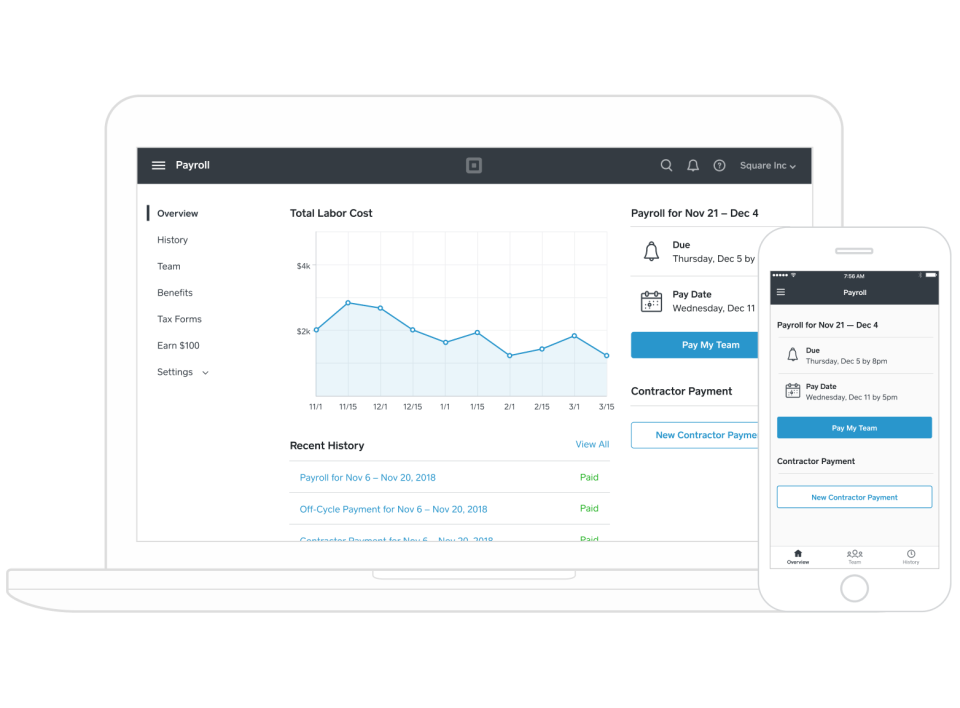
Best for: Retailers already using Square POS who want payroll that syncs without any manual export.
Rating: Capterra: 4.7/5 (621 reviews)
- Square can import timecards and eligible tip data directly; commission tracking must be configured and may require an eligible Square plan
- Automated federal, state, and local tax filing; W-2 and 1099-NEC generation included
- Employee self-service: pay stubs, W-2s, and time-off balances via mobile app
- Seasonal pause: accounts can be paused without penalty, useful for holiday-model retailers
- QuickBooks Online integration for bookkeeping sync
Pricing: Full-service: $35/month + $6/person paid. Contractor-only: $6/contractor paid per month. Confirm any current trial offer at squareup.com.
What users like: On Capterra, retailers and apparel shop owners point to the Square POS connection as the main reason they chose it.
One apparel-industry owner cited seamless POS integration, easy setup, and transparent pricing with no hidden fees. Food-and-beverage and retail users make up 28% of Square Payroll's Capterra reviewers, and ease of use is the consistent theme.
What users criticize: On Capterra, the most common complaint is that the tool can feel limited as a business grows.
One retail owner who gave five stars still noted that some features feel constrained once you start scaling, and flagged slower support response times. Reviewers who outgrow the basic payroll workflow find there isn't much HR depth to grow into.
Our take: If Square is your POS, this retail payroll software option is the most frictionless in this list. The integration removes the biggest manual step in the retail payroll cycle, and the $35/month price point is among the lowest for full-service payroll.
The tradeoff is depth. As retail payroll software, Square Payroll is payroll-first and works with Square's team-management and partner-benefit tools, but if you need dedicated HR workflows like performance management, you'll likely need a separate product.
3. OnPay: best flat-rate retail payroll software with no per-state fees.
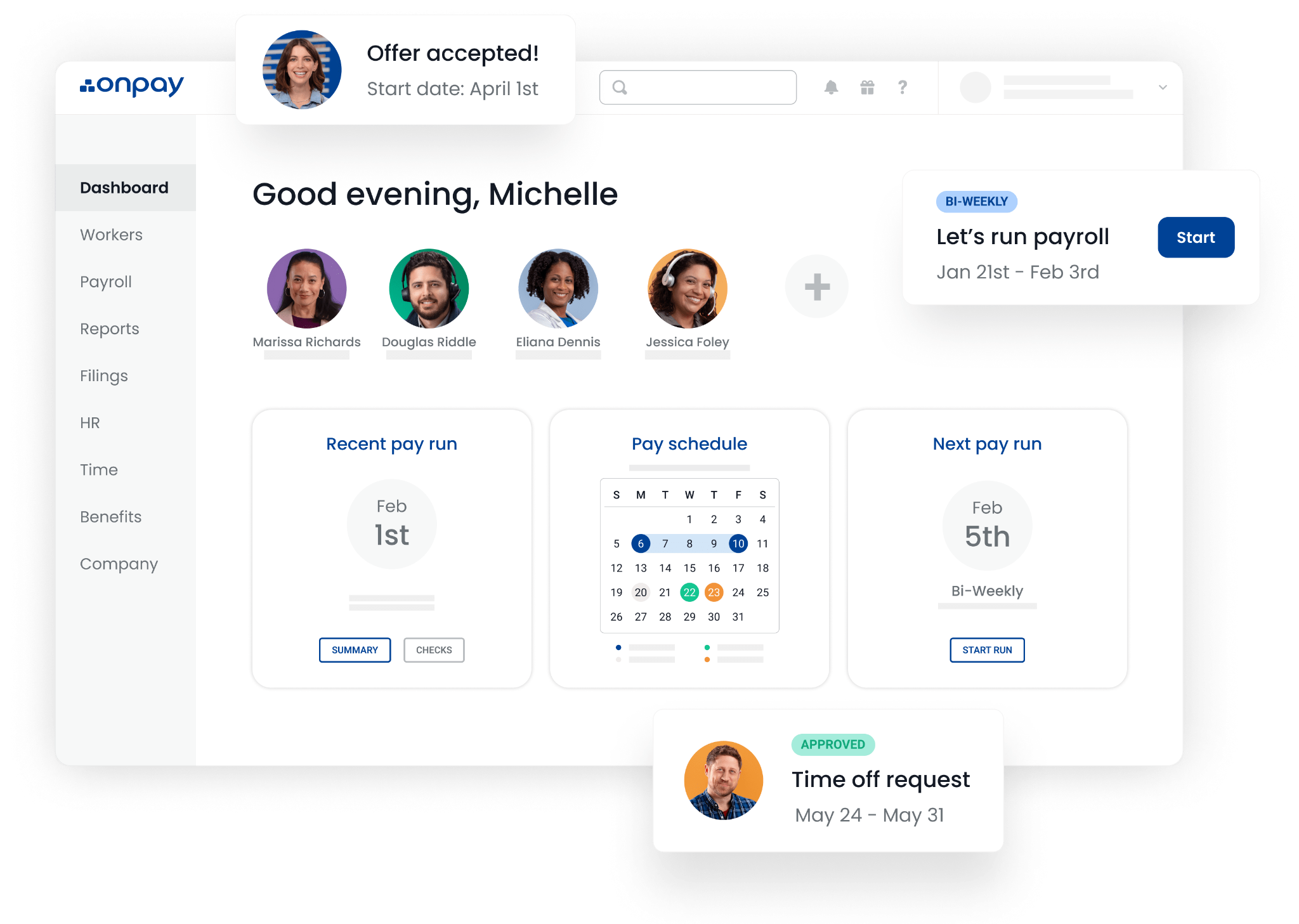
Best for: Multi-location retailers and stores operating in more than one state who want core payroll at a flat rate, without per-state fees.
Rating: G2: 4.8/5 · Capterra: 4.8/5 (468 reviews as of August 5, 2026). OnPay ranked first in G2's Summer 2026 Payroll Results Index. Review counts change frequently; see linked profiles for current totals.
- Multi-state payroll with no per-state fee: unusual at this price point
- Full-service tax filing in all 50 states
- Digital onboarding and employee self-service portal
- Benefits and 401(k) administration available through OnPay and its partners; premiums and third-party charges are separate
- QuickBooks and Xero integration; free data migration and setup support included
Pricing:
- $49/month + $6/worker paid
- Core payroll and hiring essentials included; enhanced HR features cost extra (starting at $15/month + $2/worker)
- No free tier; free setup and data migration included
- Confirm current pricing at onpay.com/payroll/software/costs-pricing
What users like: On Capterra and G2, the two things reviewers mention most are support quality and the flat-rate value.
One Capterra reviewer who had been using OnPay for six years said payroll takes less than five minutes to run, with no phone calls or support chat needed once the system is set up.
G2 reviewers consistently rate OnPay highly for ease of use and customer support; check the live G2 feature scores at publication, since the numbers shift as new reviews come in.
What users criticize: G2 reviewers commonly flag the absence of built-in time tracking as a limitation.
OnPay lists seven integrations on its G2 profile, so check that your preferred timekeeping and accounting tools are on the list before you commit.
Our take: OnPay is the overlooked retail payroll software pick in this category. A 4.8/5 across hundreds of reviews is genuinely hard to sustain, and the flat-rate model means opening a second location in a different state doesn't hit you with a pricing cliff.
The interface isn't as polished as Gusto's, but for retail payroll software, the support quality that keeps showing up in reviews is a real differentiator for a store owner who handles payroll solo.
4. QuickBooks Workforce Payroll: best payroll software for retail businesses already on QuickBooks.
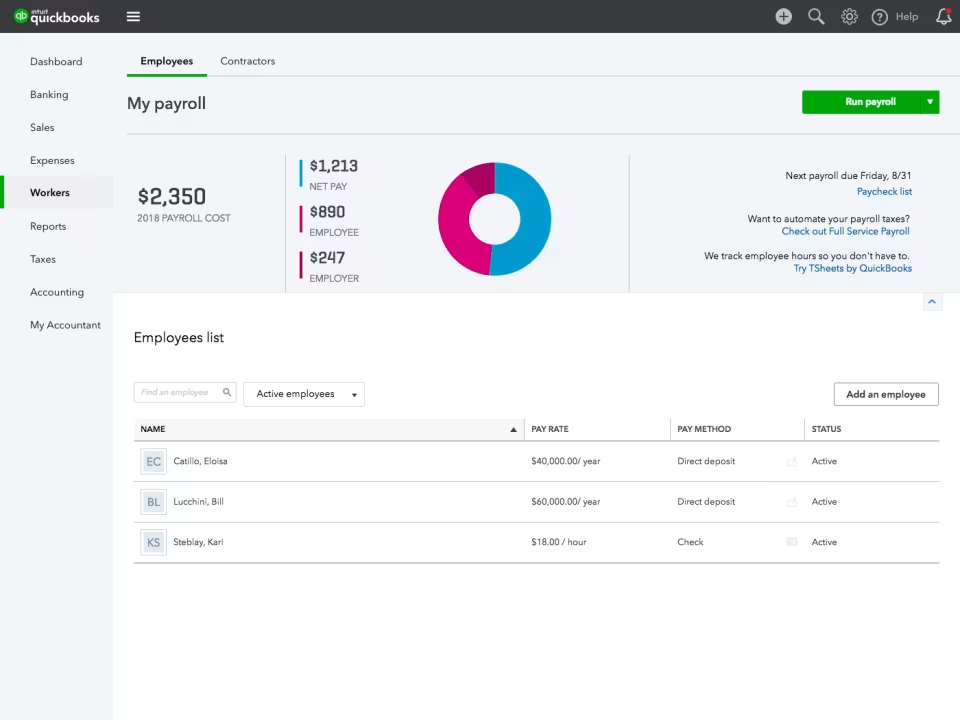
Best for: Retail owners already using QuickBooks accounting who want payroll within the same Intuit workflow.
Rating: G2: 4.4/5 (approx. 486 reviews) · Capterra: 4.5/5 (989 reviews). Checked August 5, 2026; confirm current counts at linked profiles.
- When you pair it with QuickBooks Online and run payroll, transactions sync to your books automatically, with no manual export needed
- Automated federal and state tax filing
- Next-day direct deposit included with the base plan; same-day direct deposit available on Premium and Elite, subject to eligibility
- Tax penalty protection up to $25,000 on the Elite tier
- Time tracking included with Premium and Elite plans; verify current mobile time and scheduling capabilities before purchase
Pricing: Workforce Payroll starts at $50/month + $7/employee. Each additional state costs $12/month on the base and Premium plans; Elite includes multi-state payroll. Confirm current pricing at quickbooks.intuit.com/payroll/core.
What users like: On Capterra and G2, reviewers consistently praise QuickBooks Payroll for keeping accounting and payroll data in the same workflow and cutting out the duplicate entry.
Several accountant and bookkeeper reviewers say the convenience of staying in one system for both payroll and books is what keeps them on it.
What users criticize: On Capterra, the two themes that come up most are high subscription costs and customer-service frustration.
One verified reviewer called it "extremely expensive, and the price changes without much explanation or added benefit." The $12 per-state surcharge on the base and Premium plans is a recurring sticking point for multi-location retailers.
Our take: QuickBooks Workforce Payroll earns its spot as retail payroll software for one reason: if your books are already in QuickBooks, the reconciliation time savings are real.
Outside of that context, it's one of the pricier retail payroll software options in this list, and the per-state fees add up quickly for any retailer running locations in more than one state.
5. Patriot Payroll: best budget retail payroll software for very small shops.
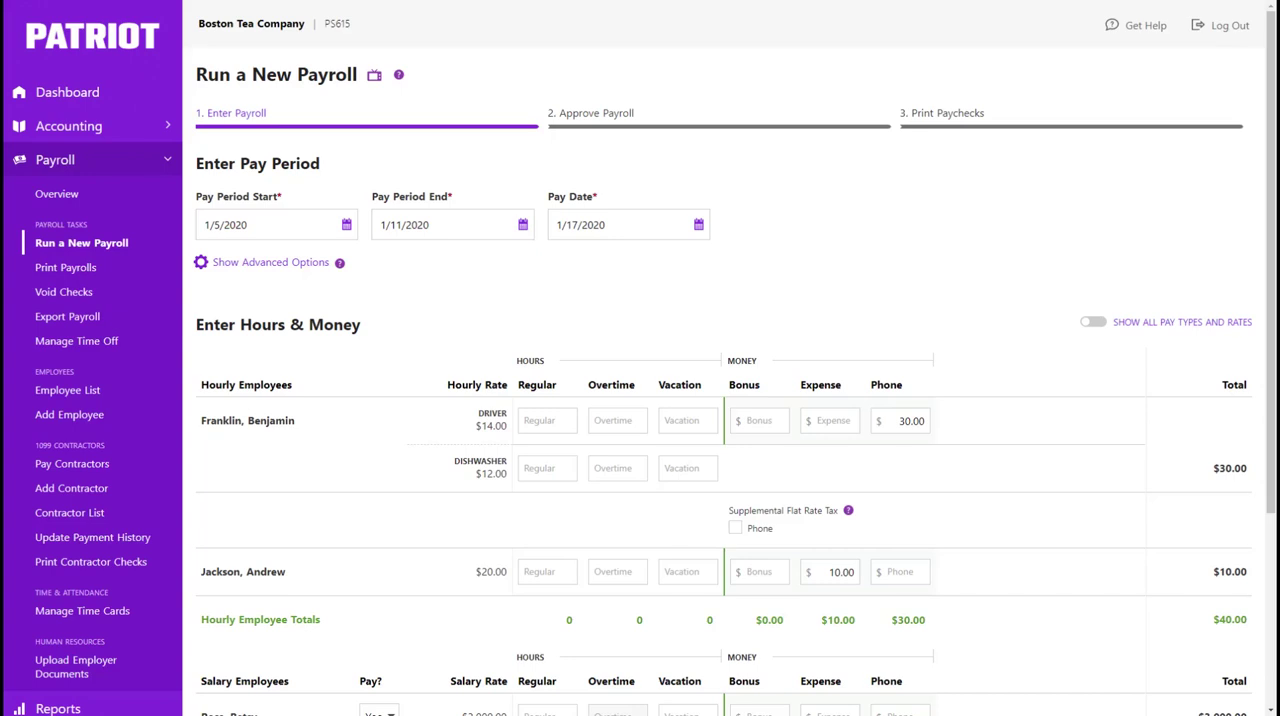
Best for: Very small retail shops (under 10 employees) that need reliable payroll at the lowest possible cost.
Rating: G2: 4.8/5 · Capterra: 4.8/5. Patriot was recognized as a 2026 FrontRunner by Software Advice and as its 2026 Best for Customer Satisfaction payroll product.
- Unlimited payroll runs with no per-run fees
- Direct deposit included; standard timeline is four business days, with two-day processing available to qualifying customers
- Employee self-service portal for pay stubs and W-2s
- Free 30-day trial; promotional discounts are available periodically; verify current offers at patriotsoftware.com/pricing
- Native Patriot Accounting integration for owners who want payroll and bookkeeping in one budget tool
Pricing:
- Basic: $17/month + $4/employee (owner files taxes)
- Full Service: $37/month + $5/employee (Patriot files taxes)
- Time & Attendance add-on: $6/month base + $2/employee
- Multi-state filing on Full Service: +$12/month per additional state
What users like: Capterra reviewers say Patriot's Full Service plan takes a real weight off: tax filings get handled automatically, and the help resources make getting started easier than expected.
What users criticize: On Capterra, the most common friction is that new users don't always realize the Basic plan requires them to file payroll taxes themselves.
One reviewer noted that picking the wrong plan level can make the first pay cycle an unpleasant surprise. Reviewers also flag the four-day direct deposit lead time before qualifying for two-day processing, and that support is only available during business hours.
Our take: Patriot makes the most sense for a small boutique or single-location shop where the owner is comfortable handling their own taxes or willing to pay up for Full Service.
It doesn't connect to a POS and doesn't include shift scheduling, but as retail payroll software it does support multiple work locations and businesses with up to 500 employees.
For a five-person shop that needs reliable retail payroll software at the lowest possible cost, Patriot is one of the cheapest payroll services on the market that still handles full-service tax filing.
What to Look For in Retail Payroll Software
Most payroll tools for small business will handle direct deposit and W-2s.
The best retail payroll software options do more than that: they connect the full workflow from when someone clocks in to when the money hits their account. Here's what to check before you commit to any cloud based payroll system.
- Time tracking integration: retail teams clock in and out across variable shifts, and automatic time import cuts out the re-entry that causes most payroll errors
- POS integration: tips, commissions, and hourly wages need to flow into payroll without manual entry; verify exactly which POS systems the tool supports before committing
- Tip and commission handling: especially relevant for commissioned sales floor workers; confirm how the tool records tips and commissions, and consult federal and state tipped-wage rules before finalizing your setup
- Digital onboarding: retail employers face high employee churn, and being able to onboard a new hire digitally (collecting their tax and payment information before their first shift) reduces errors and saves real time
- Multi-state support: relevant for retailers with locations across state lines; check whether per-state fees apply, since they vary significantly across these tools
- W-2 and 1099 support: retail teams often include seasonal and part-time workers alongside contractors, but worker classification depends on the actual employment relationship, not just seasonal or part-time status; confirm year-end form generation for both types
Choosing the Right Retail Payroll Software for Your Store
Most retail payroll software errors start before payroll even runs, in the gap between clock-out and when those hours actually reach your payroll tool. The tools in this list all solve the payroll side. Where they differ is how far upstream they reach: POS connection, automatic hour imports, digital onboarding, overtime flags.
More than 150,000 small businesses have closed that gap by choosing retail payroll software that connects scheduling, time tracking, and payroll in one place, and Homebase is built for exactly that. Free to start for scheduling and time tracking, with full-service payroll available when you're ready.
FAQs About Retail Payroll Software
What is the best payroll software for small retail businesses?
For most small retail businesses, Gusto is the strongest retail payroll software all-rounder: it covers mixed hourly and salaried retail teams, digital onboarding, and automated tax filing at a transparent price. Square Payroll wins for Square POS users, and OnPay is the better pick for multi-state retailers.
The best payroll system for small business retail depends on your POS setup, headcount, and whether you need multi-state coverage.
Can I pay both W-2 employees and 1099 contractors with retail payroll software?
All five retail payroll software tools above can support both W-2 employees and 1099 contractors, although filing inclusions and fees vary by plan. Keep in mind that seasonal or part-time status alone doesn't make a worker a contractor; classification depends on the actual employment relationship.
Once workers are correctly classified, each tool handles the respective tax withholding, year-end forms, and payment schedules.
How much do payroll programs for small business cost in retail?
Most retail payroll software tools charge a flat monthly base fee plus a per-worker fee. Entry plans currently run roughly $37 to $85 per month for five workers and $57 to $120 for ten, before add-ons or extra-state fees.
Among retail payroll software options, Patriot starts at $17/month + $4/worker; Gusto, OnPay, Square Payroll, and QuickBooks Workforce Payroll range from $35 to $50/month plus per-worker fees.
Does retail payroll software integrate with POS systems?
Among the retail payroll software options reviewed, Square Payroll has the most direct Square POS workflow: hours and tip data import automatically with no manual export. Gusto and OnPay don't currently list a confirmed Square POS connection on their official integration pages, so check with each vendor before assuming it's available.
For Clover, Shopify, or other POS systems, confirm integration depth with the payroll provider directly, as capabilities vary.

Cambria Wallace is a Project Lead III on the Homebase Payroll Implementation team, helping small businesses navigate payroll onboarding and compliance. With four years at Homebase and over 15 years of experience, she's a certified payroll professional (FPC) who leads clients through tax configuration, employee onboarding, and first-payroll execution. Cambria combines deep payroll expertise with exceptional customer service to help business owners feel confident in their payroll journey.

Cambria Wallace is a Project Lead III on the Homebase Payroll Implementation team, helping small businesses navigate payroll onboarding and compliance. With four years at Homebase and over 15 years of experience, she's a certified payroll professional (FPC) who leads clients through tax configuration, employee onboarding, and first-payroll execution. Cambria combines deep payroll expertise with exceptional customer service to help business owners feel confident in their payroll journey.
