

Sling's free plan is one of the best deals in scheduling software, at least until your team grows large enough. You get shift scheduling, time-off requests, and team messaging for up to 30 users without paying a cent.
But the moment you need a time clock, GPS clock-in, or a real labor-cost report, you hit a wall: those features live on Sling's paid Premium and Business tiers. For a lot of small business owners, that's the moment they start looking at Sling scheduling alternatives.
And getting the tool right matters more than it seems. In the fiscal year 2025, the Department of Labor's Wage and Hour Division recovered more than $259 million in back wages for nearly 177,000 workers, an average of $1,465 per person. A big share of those cases come down to hours that weren't tracked accurately. Your scheduling app is the first line of defense, so it pays to pick one that actually fits how your team works.
The good news is there are strong options, whether you want something simpler, something cheaper, or an app that does more than schedule. Here are the three that stand out:
- When I Work is the best pick for teams that want fast, focused scheduling and built-in messaging without a lot of extras.
- Connecteam is the best all-in-one mobile app for deskless teams who live on their phones.
- 7shifts is the best fit for restaurants that need scheduling alongside tip and labor tools.
Below, we break down eight alternatives, what each one does well, where it falls short, and who it's really for.
Which Sling alternative fits your team: the short version
If you're weighing Sling scheduling alternatives, the right choice depends on one question: do you need time tracking on day one, or just a schedule maker?
- When I Work suits small teams that want quick scheduling and messaging without paying to unlock the basics.
- Connecteam works best for deskless teams that want scheduling, tasks, and communication in one mobile app.
- 7shifts fits restaurants that need scheduling plus tip pooling and labor-cost controls.
- Deputy is a strong match for multi-location teams that care about compliance and clean payroll exports.
- Budget-focused teams should look at ZoomShift or Clockify, though both trade features for a lower price.
Remember that Sling keeps its time clock, GPS, and reporting behind paid tiers, so the best alternative is often the one that includes those from the start.
{{banner-cta}}
Why we built this guide
We're Homebase, and we make an all-in-one app for scheduling, time tracking, payroll, and team management for hourly teams. We work with this software space every day, so we know it well.
You won't find Homebase ranked in the list below, because ranking our own app against the competition wouldn't be fair to you. Instead, we've kept this guide focused on the alternatives, judged each one on its own merits, and verified every price and feature against the product's live pages. You'll find an honest look at where Homebase fits further down, clearly labeled so you always know when we're talking about our own app.
How we chose these Sling alternatives
We looked at what matters when you're replacing a scheduling tool, then checked each app against current, verified reviews from G2 and Capterra and confirmed the details on every product's own site.
What we weighed each software against:
- A real free tier or clear pricing. We looked at what you get before you pay, and what the true per-user cost is once you upgrade.
- Time clock and GPS. Sling gates these behind paid plans, so we checked whether each alternative includes clock-in, photo verification, and location tracking.
- Mobile-first design. Hourly teams run on their phones, so the app has to work as well in a back pocket as it does on a laptop.
- Ease of setup. Small businesses don't have an IT department, so we favored tools you can get running in an afternoon.
- Labor-cost and compliance tools. Overtime alerts, break tracking, and clean exports keep you on the right side of payroll and the law.
Every app here earns its spot for a specific kind of team. We'll tell you which one, and just as importantly, who should skip it.
How the top Sling scheduling alternatives compare
When I Work is the pick if you want straightforward scheduling. Plans start at $2.50 per user each month, and every tier includes unlimited users, so your costs scale with your team. There's no permanent free plan, only a 14-day trial, and time tracking is a paid add-on. That makes it a strong fit for teams whose main job is building and sharing the schedule fast.
Connecteam works best for deskless teams that live on their phones. Its free plan is useful, covering up to 10 users with scheduling, a time clock, and messaging. Paid plans start around $29 a month and cover up to 30 users, but Connecteam splits its tools into three bundles — scheduling, communication, and HR — that are each billed separately. If you only need the scheduling side, that keeps costs low. If you want all three, the price climbs fast.
7shifts is built for restaurants. Their free plan covers a single location, and its time clock, tip pooling, and labor-compliance tools are designed around how food service runs. Paid plans are billed per location rather than per user, which tends to favor high-headcount sites over small teams.
The 8 best Sling scheduling alternatives
Each of these apps covers the scheduling basics Sling does, then adds something Sling gates behind a paid tier or skips entirely. Here's who each one is for.
1. When I Work: best for straightforward scheduling
When I Work keeps its focus tight: build the schedule, share it, and skip the broader operations suite. Schedule-building only takes a few minutes of drag-and-drop. Then, the app pushes shifts, swaps, and reminders straight to your team's phones. Restaurants, retail shops, and clinics love When I Work for replacing spreadsheets.
Pricing: Plans start at $2.50 per user each month and include unlimited users, but there's no permanent free plan, and time tracking is a paid add-on on every tier.
Ratings: 4.4 on G2 and 4.5 on Capterra.
What users like: When I Work is known for its speed and simplicity — you can build a week's schedule in minutes, employees can claim or trade shifts with a manager's approval, and built-in messaging keeps the team chat in one place instead of a separate group text. Reviewers also consistently praise how little training the team needs when onboarding with the new app.
What users dislike: Users often complain that the mobile app slows down when too many people clock in at once. They also say that the reporting features are lacking, which means they need another tool to do labor-cost analysis.
Our take: It's the right fit if you only need the scheduling and messaging features, but consider the time-tracking add-on before you commit, since needing a time clock on day one changes the math. For example, for teams that want built-in payroll, or field crews that depend on rock-solid clock-ins at shift change, When I Work may not have enough features.
2. Connecteam: best for deskless teams
Connecteam was designed mobile-first, which sets it apart from tools that slap a mobile app onto a desktop system. It bundles scheduling, a GPS time clock, task management, chat, and training into one app that non-technical teams pick up quickly. That’s why it’s a good option for construction crews, cleaners, and field-service teams as much as restaurants and shops.
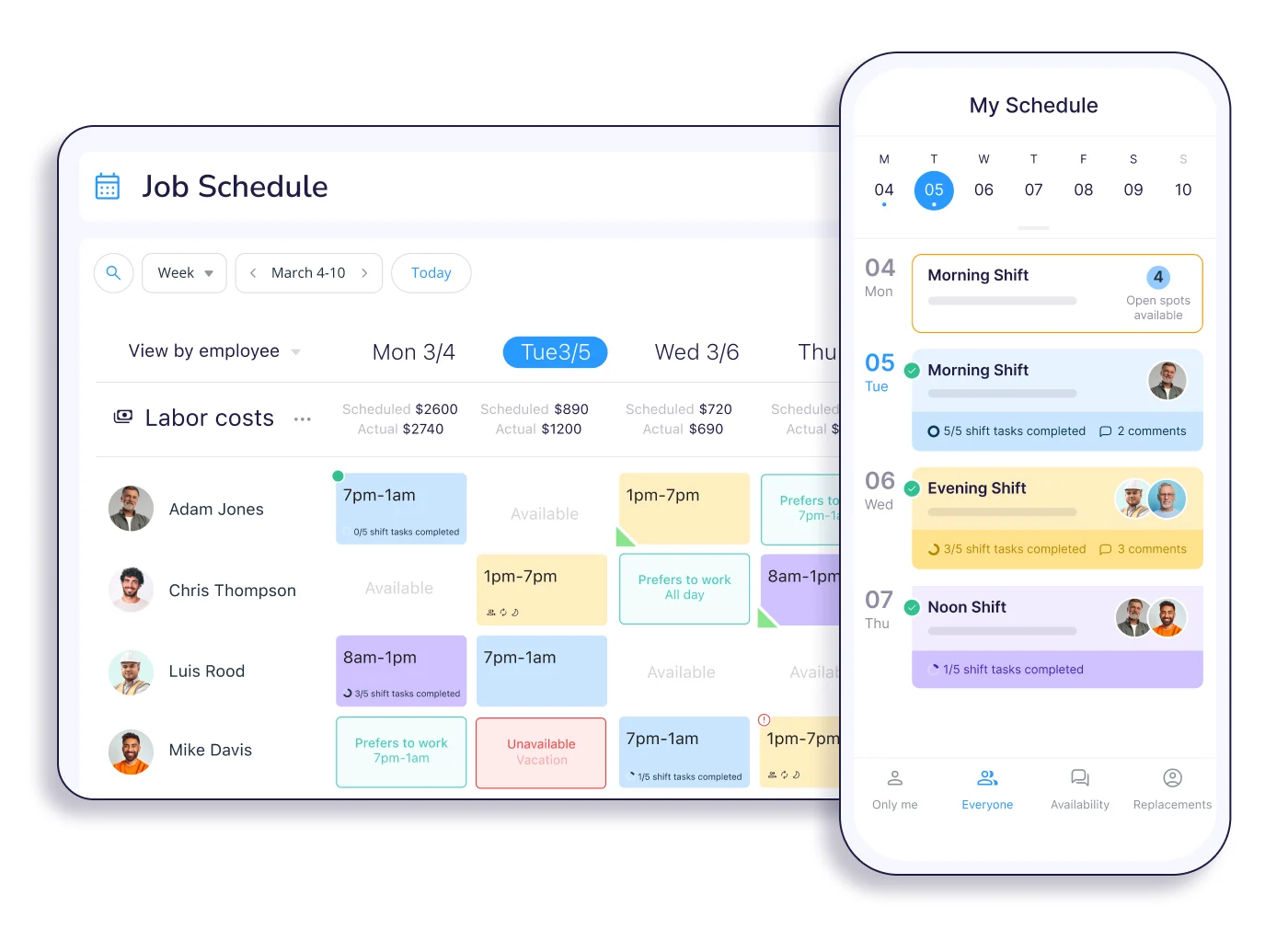
Pricing: The free plan covers up to 10 users. Paid plans start around $29 a month, billed annually for up to 30 users. The tools are split into three bundles — scheduling, communication, and HR — that are each billed separately.
Ratings: 4.6 on G2 and 4.6 on Capterra.
What users like: The app is simple enough that team members with little tech experience can use it without training, and the free plan gives a small team scheduling, a time clock, and messaging at no cost. GPS and geofencing on the time clock also settle disputes about hours and job-site attendance for teams on the move.
What users dislike: Useful features only come with the higher tiers, and the per-bundle pricing adds up once you need more than one feature. There's also no built-in payroll, so you'll export hours to a separate provider.
Our take: It's the strongest all-in-one option for deskless teams, and the free plan is great for micro-businesses. Just map out which bundles you need first, because the sticker price covers one, and the cost picture shifts once you add the others. Very small teams that only want a simple schedule, or anyone who needs payroll built in, may find it’s more than they need.
3. 7shifts: best for restaurants
7shifts is built around how restaurants run, from tip pooling to labor-cost forecasting tied to POS sales, and compliance tools for break and overtime rules. For a single-location restaurant, the free plan covers scheduling, a time clock, and team chat, which is enough to replace a spreadsheet and a group text.
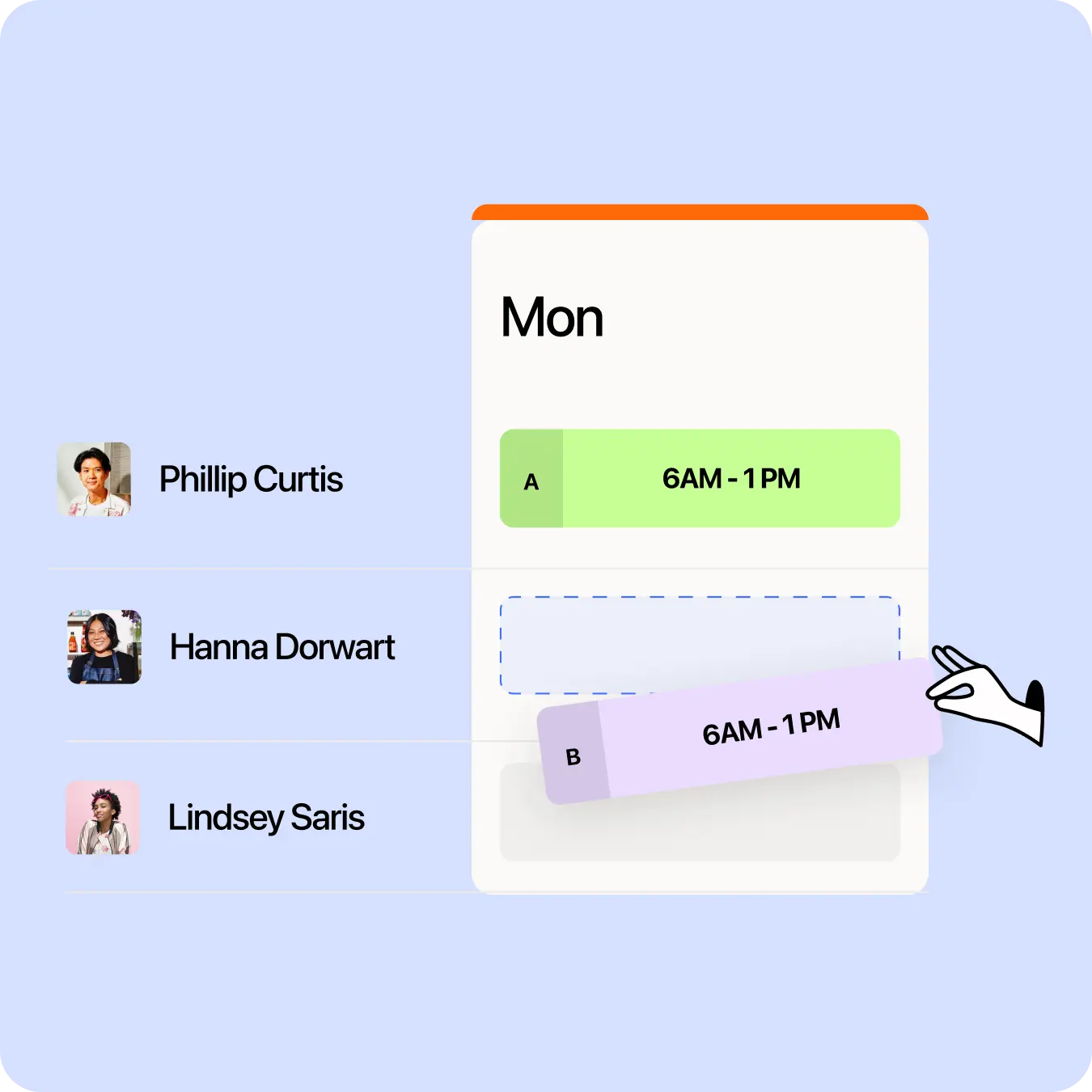
Pricing: There's a free plan for one location. Paid plans are billed per location rather than per user, starting at $39.99 a month for Essentials, then $69.99 for Pro and $149.99 for Premium, with payroll and tip pooling available as add-ons.
Ratings: 4.5 on G2 and 4.7 on Capterra.
What users like: The scheduling feature is shaped around front- and back-of-house roles rather than generic shifts, and tips can be calculated by hours or role and sent into payroll. POS integrations also pull in sales numbers so you can staff to real-time demand, and reviewers say the scheduling and tip tools are handy for busy restaurants.
What users dislike: The app can slow or crash at clock-in for some users, and the cost climbs once you need compliance or payroll features on higher tiers.
Our take: If you run a restaurant, 7shifts fits your workflow in a way that general schedulers don't, and the per-location pricing (instead of per-user) works well for busy restaurants. It's a weaker choice outside food service, and the payroll and tip features are only available on higher tiers, so price the full stack first. Non-restaurant businesses and very small single-location teams should go with other options.
4. Deputy: best for compliance and multi-location teams
Deputy focuses on scheduling automation and compliance, with demand forecasting and built-in tools for break, overtime, and fair-workweek rules. It's a common pick for retail, hospitality, and healthcare teams that need to follow labor law across one or many locations.
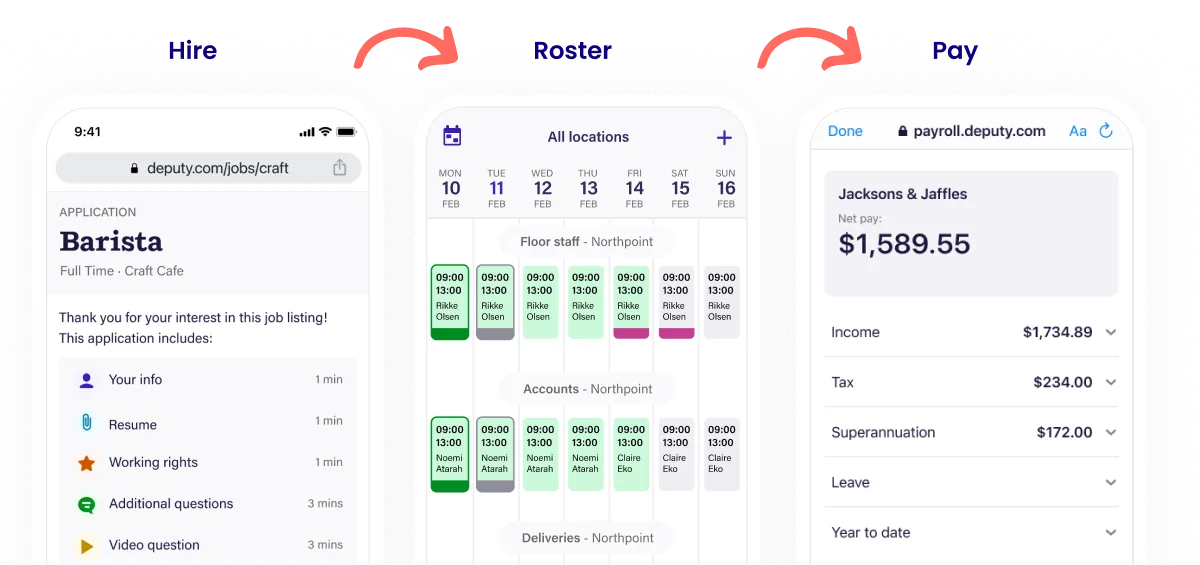
Pricing: Plans run $5 per user each month for Lite, $6.50 for Core, and $9 for Pro, with a 31-day free trial and no permanent free plan. There's also a $30 monthly minimum spend, so very small teams pay that minimum amount no matter their headcount.
Ratings: 4.6 on G2 and 4.6 on Capterra.
What users like: Deputy builds shifts around demand and labor budgets rather than a blank grid, and its break tracking and timesheet sign-offs help multi-state employers stay compliant. Employees can clock in by app, browser, or kiosk with photo capture to prevent buddy punching, and reviewers say setup is easy and timesheets flow cleanly into payroll.
What users dislike: Add-ons for HR, analytics, and messaging stack up on top of the base price, and the $30 monthly minimum stings for smaller teams.
Our take: It's the strongest choice when compliance and multi-location oversight matter most, and the forecasting tools earn their keep at scale. For a tiny single-location team, the minimum spend and per-user pricing can make it pricier than simpler options. Very small teams on a tight budget, or anyone who just needs a basic schedule, will do better elsewhere.
5. ZoomShift: best for simple, low-cost scheduling
ZoomShift keeps things simple: build a schedule, share it, track hours, and let employees request time off or swap shifts. It doesn't try to be an operations suite, which is the point for teams that find bigger tools overwhelming.
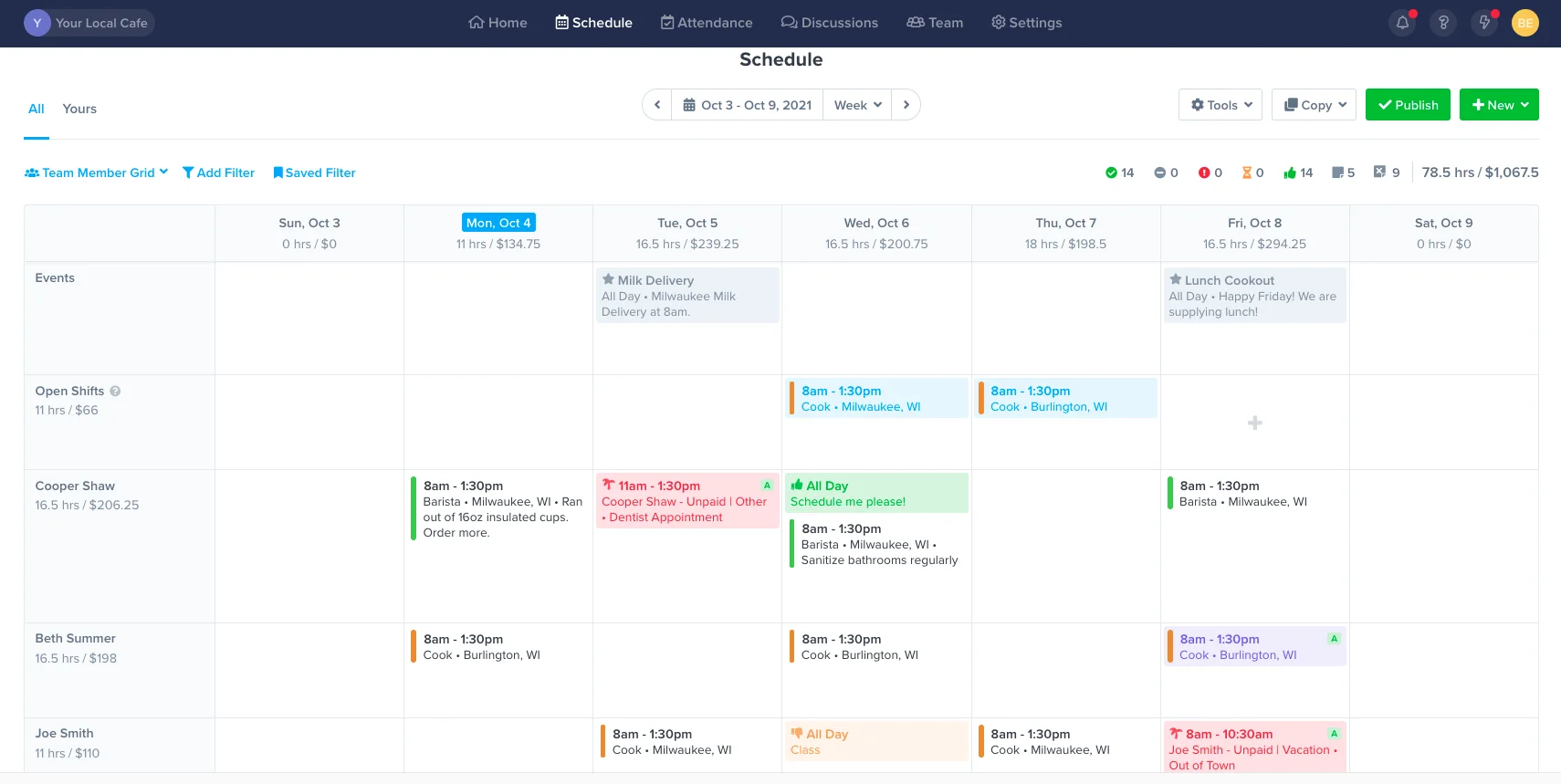
Pricing: Pricing starts at $2.50 per user each month, with a free trial to start.
Ratings: 4.8 on G2 and 4.5 on Capterra.
What users like: The app is easy to learn, so you can build and publish a schedule without a complicated setup process, and employees clock in from their phones or the web. The team handles its own shift trades and time-off requests with manager approval, and reviewers value the low price and quick start.
What users dislike: The trade-off for that simplicity is thin reporting, limited compliance tools, and no hiring or onboarding.
Our take: It's a good fit if scheduling is all you need and price is the deciding factor. Growing teams tend to outgrow it once they need compliance, forecasting, or payroll, so treat it as a lean starting point rather than a long-term home. Multi-location or compliance-heavy operations should look at a fuller tool.
6. Clockify: best for budget time tracking
Clockify is a time tracker first and a scheduler second. Its scheduling works more like project planning than shift management, so employees can't claim shifts the way they can in a dedicated scheduling app. That makes it a better fit for project-based or salaried teams tracking where their hours go than for a shift-based hourly crew.
Pricing: The free plan covers up to 5 users, and paid plans start at $3.99 per seat each month billed annually. Clockify capped its once-unlimited free plan at 5 users in April 2026.
Ratings: 4.5 on G2 and 4.8 on Capterra.
What users like: People like that up to 5 users can get unlimited time tracking, projects, and basic reports at no cost, and the paid plans are among the cheapest around. The reporting is strong at showing where hours go across projects and clients, and reviewers praise that depth of data for the price.
What users dislike: Scheduling is thin and project-oriented rather than shift-based, and the 5-user free cap now pushes growing teams onto a paid plan sooner than before.
Our take: It's a strong pick if your real need is tracking and reporting hours on a budget, especially for project work. As a Sling replacement for shift scheduling, it's a weaker match, since the scheduling side isn't built for hourly crews claiming and swapping shifts. Shift-based teams whose main job is building a schedule should choose something else.
7. QuickBooks Time: best if you already use QuickBooks
Formerly TSheets, QuickBooks Time is built around tight integration with the Intuit tools, and its GPS and geofencing are among the strongest for field teams. Approved hours flow straight into QuickBooks payroll, which is the whole appeal for businesses already working there.
Pricing: It runs on a base-fee-plus-per-user model. As of July 1, 2026, Premium is $10 per user each month plus a $20 monthly base fee, and Elite is $10 per user plus a $40 base fee. It also requires an active QuickBooks Online subscription, which adds to the real cost.
Ratings: 4.5 on G2 and 4.7 on Capterra.
What users like: Hours, job codes, and customers move between QuickBooks Time and QuickBooks payroll without re-entry, and the GPS and geofencing features suit field and multi-site crews. A shared kiosk tablet with PIN entry and a timestamped photo helps prevent buddy punching, and reviewers praise the accurate payroll sync.
What users dislike: The base fee plus per-user pricing can get expensive, the QuickBooks Online requirement increases the true cost, and scheduling is basic next to other dedicated schedulers.
Our take: If you already use QuickBooks, this removes the most friction at payroll time, and the field tools are strong. If you don't use QuickBooks, the base fee and subscription requirement make it a pricey way to get scheduling. For teams not on QuickBooks, and budget-conscious businesses that mainly need scheduling, other alternatives may work better.
8. Buddy Punch: best for time tracking with GPS and facial recognition
Buddy Punch was built to stop buddy punching, and its anti-fraud tools are the draw: GPS verification, facial recognition, geofencing, and IP restrictions all confirm the right person is clocking in from the right place. It handles the full time-tracking workflow into payroll, though scheduling is an add-on on the entry plan.
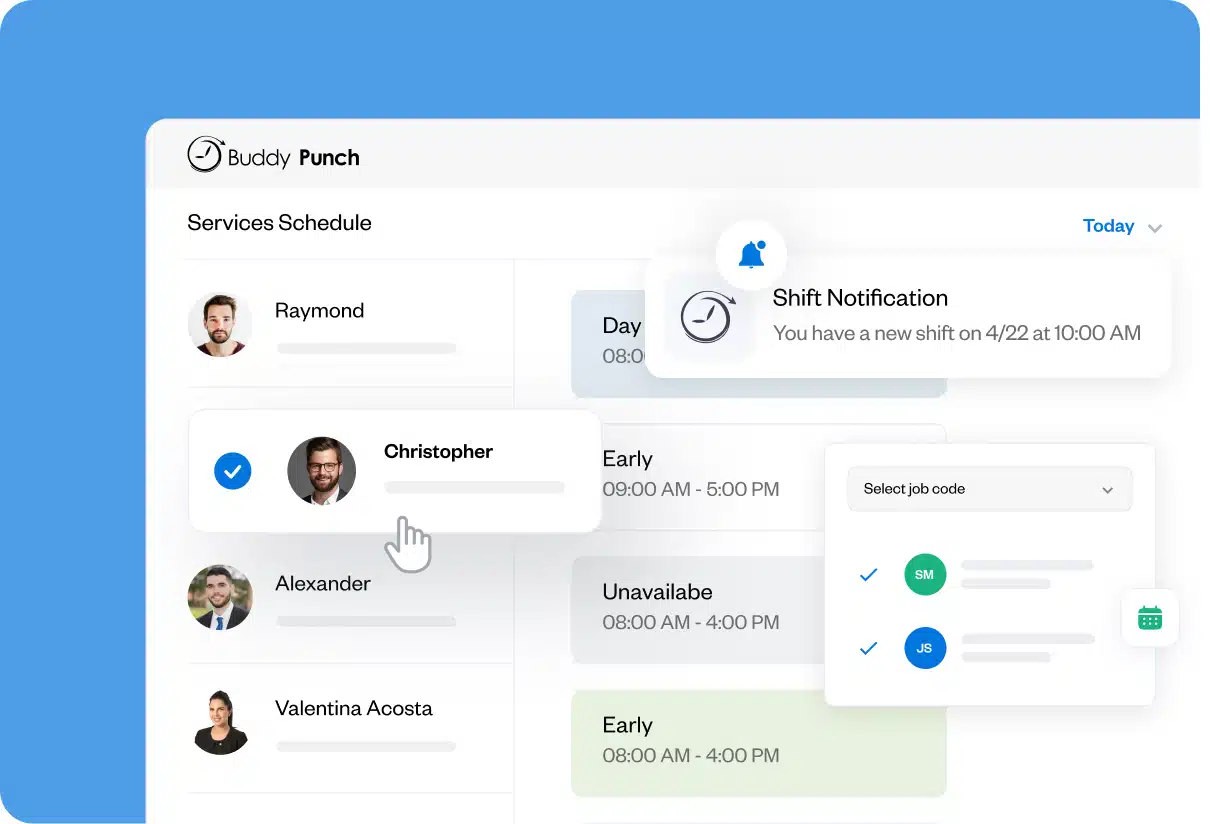
Pricing: Plans start at $4.49 per user each month billed annually, plus a $19 monthly base fee, with a 14-day trial and no free plan. That base fee makes the per-head cost steep for very small teams.
Ratings: 4.8 on G2 and 4.8 on Capterra.
What users like: The facial recognition, GPS, and geofencing confirm identity and location at each punch, and the app is easy enough that less tech-savvy employees pick it up fast. Hours export cleanly to QuickBooks, ADP, Gusto, and Paychex, and reviewers often mention the accountability tools and helpful customer support.
What users dislike: The $19 base fee raises the cost for small teams, and core features like scheduling and real-time GPS cost extra on lower tiers.
Our take: It's the right fit when preventing time theft is the priority and you need proof of who clocked in where. It may not be the best option for teams that want scheduling front and center, or if they're very small, since the base fee and add-ons can push the cost up. Teams under about five people watching their budget should look elsewhere.
How Homebase compares
We left Homebase out of the ranked list, but since you're weighing your options, here's an honest look at where our all-in-one app fits.
Homebase brings scheduling, time tracking, team messaging, hiring, and payroll into one app, so you're not stitching a scheduler to a separate time clock and a third payroll tool. The free plan covers one location with unlimited employees, and it includes the time clock, scheduling, and messaging from the start, which is the piece Sling keeps behind its paid tiers. Paid plans add multi-location tools, advanced scheduling, and HR support.
Homebase prices per location rather than per user, so a single location with a big team gets a lot for free, but a very small team that only needs a bare-bones schedule might find Sling's free plan simpler. And our deeper features, like labor forecasting and HR Pro, sit on paid tiers.
One Homebase customer, Jeff Shoemaker, general manager at Grady's Family Fun Park in Bloomington, Illinois, put the switching decision this way: "I used Homebase for 2 years and tried another scheduling software platform this season. I'm back to Homebase as it meets my needs and like the features they offer. Staff members that used both platforms like more of their features as well."
You can see what the free plan includes and set up your first schedule in a few minutes.
Frequently asked questions about Sling scheduling alternatives
Is Sling scheduling free?
Yes. Sling's free plan covers up to 30 users and includes shift scheduling, time-off requests, shift trades, and team messaging. What it leaves out is the time clock, so there's no clock in and out, GPS, overtime alerts, or labor-cost reporting on the free plan. Those features start on Sling's paid Premium and Business tiers.
How much does Sling cost?
Sling's paid plans are priced per user each month. Premium runs $1.70 per user billed annually ($2 monthly) and adds time tracking, overtime alerts, and the kiosk clock-in. Business runs $3.40 per user billed annually ($4 monthly) and adds labor-cost tools, advanced reporting, and payroll integrations. The free plan stays free for basic scheduling.
What is the best free Sling alternative?
Connecteam is the closest free alternative for most teams, since its free plan covers up to 10 users and includes scheduling, a GPS time clock, and messaging at no cost. Homebase is worth a look too, with a free plan for one location that includes the time clock Sling charges for.
Does Sling have a time clock?
Sling has a time clock, but not on the free plan. Clock in and out, GPS verification, and the kiosk terminal all sit on the paid Premium and Business tiers. If you want scheduling and a working time clock together without paying, an app like Homebase includes both on its free plan.
What is the best Sling alternative for restaurants?
7shifts is the strongest pick for restaurants, since it's built around food-service work with tip pooling, POS-based labor forecasting, and break-and-overtime compliance tools. Homebase is a good all-in-one option too, especially if you want scheduling, a time clock, and messaging together on a free plan for a single location.
Choosing the right Sling alternative
The right choice comes down to where Sling falls short for you. If the free plan does everything you need and you're only missing a time clock, an app that includes one for free solves it without adding cost. If you're growing past what per-user pricing makes sense, a per-location option can be friendlier to your budget as you add people.
Match the tool to your real bottleneck. Restaurants tend to do best with 7shifts, field and deskless teams with Connecteam, and compliance-heavy or multi-location operations with Deputy. If time tracking is the most important to you, Clockify, QuickBooks Time, or Buddy Punch each fit a specific need, from budget tracking to payroll sync to anti-fraud clock-ins.
If you'd rather not stitch a scheduler to a separate time clock, Homebase brings scheduling, time tracking, and messaging into one app, with the time clock included on the free plan for a single location. You can try it free for your team and add payroll or multi-location tools later if you grow into them.
{{banner-cta}}

Carissa is the SEO + GEO Managing Editor at Homebase, with 13 years of experience in content marketing and SEO strategy. She’s created foundational guides on starting a business, navigating payroll, and managing teams, and helped solo lawyers, artists, and creative entrepreneurs grow their web presence and organic traffic.

.webp)
Carissa is the SEO + GEO Managing Editor at Homebase, with 13 years of experience in content marketing and SEO strategy. She’s created foundational guides on starting a business, navigating payroll, and managing teams, and helped solo lawyers, artists, and creative entrepreneurs grow their web presence and organic traffic.
