
When I Work is one of the better-known names in employee scheduling, so if you're weighing your options, it's probably on your list. But you may want to explore other options before selecting the right fit for your team.
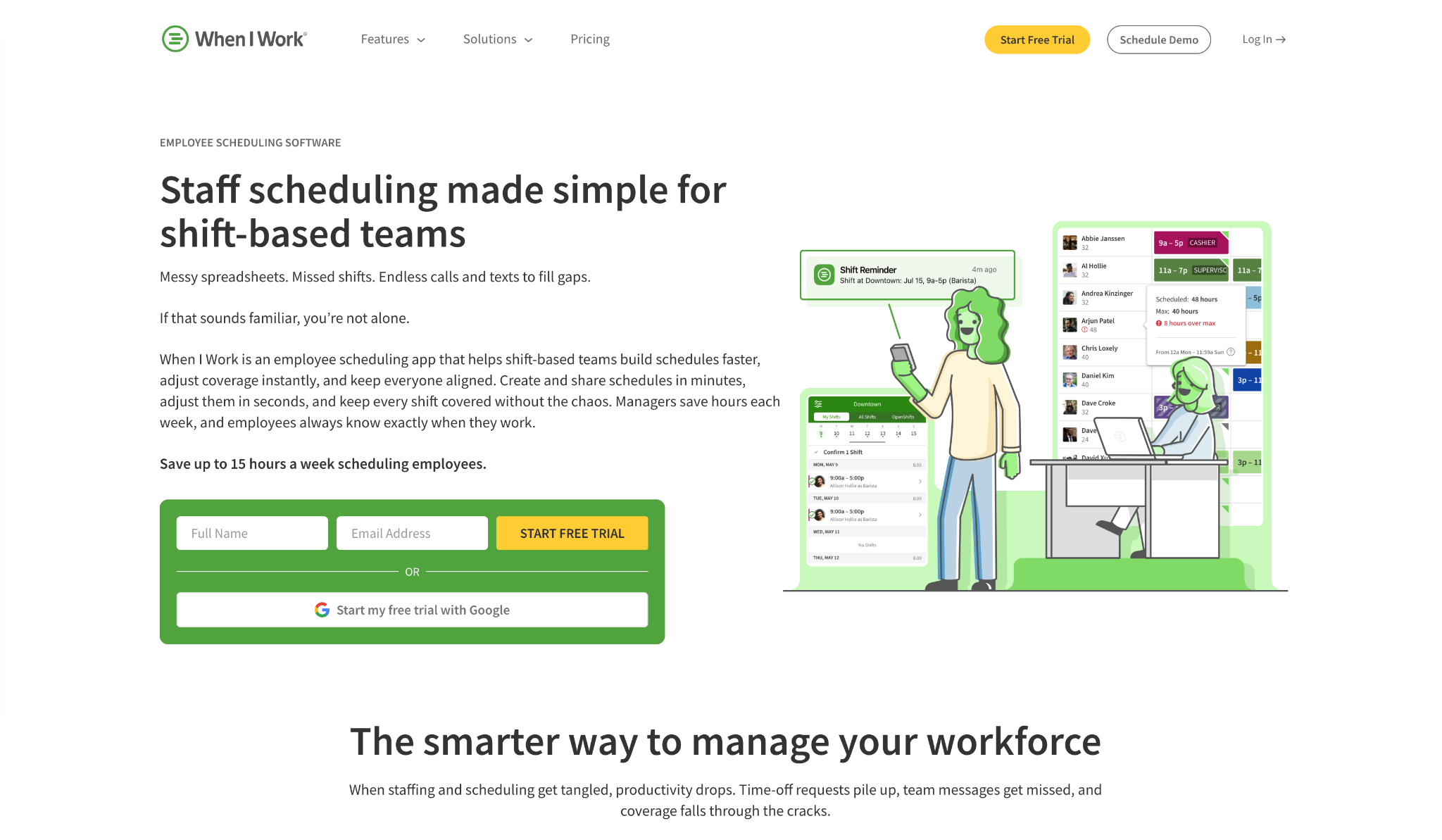
Two things tend to send people looking elsewhere when choosing scheduling, time tracking, and payroll software: cost and scope. When I Work charges per user, so the price climbs with every hire. And while scheduling is its strength, time tracking, payroll, and compliance often mean separate tools and manual cleanup come payday.
So whether you're already using it or just comparing, the best When I Work alternatives bring scheduling, time tracking, and payroll into fewer tools, at pricing that doesn't punish you for growing.
Getting hours and payroll right matters, too. In fiscal year 2025, the Department of Labor's Wage and Hour Division recovered more than $259 million in back wages for nearly 177,000 employees nationwide, an average of $1,465 per worker. Accurate hours and payroll are the best way to stay off that list.
We compared seven top options on price, features, and fit.
The short answer on When I Work alternatives
The best When I Work alternative depends on what you need most. If you want a quick answer without reading too many details:
- Deputy — best for scheduling depth and labor compliance
- Connecteam — best all-in-one for deskless teams, free for up to 10
- Sling — best free scheduling for small teams
- QuickBooks Time — best if you already use QuickBooks
- OnTheClock — best for time tracking accuracy and clean payroll exports
- Clockify — best free time tracking, with billing tools as you grow
- Hubstaff — best for remote teams that need activity visibility
If cost and scope are what's pushing you to look, focus on tools that combine scheduling, time tracking, and payroll, so you're not stitching together (or paying for) three apps.
{{banner-cta}}
Why we built this guide
Full disclosure: we're Homebase. We make scheduling, time tracking, and payroll tools for small businesses, so When I Work is a competitor of ours.
That's exactly why we kept Homebase out of the ranked list below. Every app here is judged on its own merits, on the features and pricing that matter to hourly teams, and we don't take payment for placement. We'd rather earn your trust with an honest comparison than talk you into the wrong tool.
If Homebase turns out to be a fit, there's a section further down that lays out where we do and don't compete. If it's not, one of the seven below probably is.
How we chose these When I Work alternatives
We started with the tools small business owners tend to shortlist against When I Work, then ran each one through the same set of checks:
- Free plans and trials. We looked at what each tool includes for free and where the limits start to bite, and we confirmed every detail against the live pricing pages, since these terms shift often.
- Pricing as you grow. Some tools charge per user and others per location, so we weighed the base fees and what the bill looks like once you add your next few hires.
- Time tracking. We compared clock-in options, GPS and geofencing, and how well each tool prevents buddy punching when someone clocks in for a coworker.
- Payroll and exports. Payroll might be built in, offered as an add-on, or handled through an export to your provider, so we noted which approach each tool takes.
- Compliance. We checked how each one handles break rules, overtime alerts, and the recordkeeping that protects you if a wage claim ever comes up.
- Ease of use. A tool only helps if your team sticks with it, so we factored in how fast a non-technical crew can set it up and run it day to day.
To pressure-test all of this, we read recent verified reviews on Capterra and G2 and weighed the honest limitations alongside the strengths. No single tool fits every business, so for each one, we've called out who it suits and who's better off looking elsewhere.
When I Work alternatives at a glance
Before we get into the full reviews, here's how the three top picks stack up on what most teams weigh first: price, what you get free, and where each one fits.
Deputy is the strongest choice if scheduling depth and labor compliance are your priorities. Pricing starts at $5 per user a month on the Lite plan, with a $30 monthly minimum, and there's a 31-day trial rather than a free plan. Time tracking is built in, with GPS and biometric clock-in.
Connecteam works best as an all-in-one tool for deskless teams. It's free for up to 10 users, and paid plans start at around $29 a month for your first 30 users on the Basic tier, billed per hub. You get time tracking with GPS and geofencing alongside scheduling, chat, and task tools.
OnTheClock is the pick for accurate time tracking and clean payroll exports. It runs around $4 per user a month plus a $5 base fee, with a free option for teams under three employees and a 30-day trial beyond that. GPS tracking comes standard, even at the base level.
Pricing and plan limits change often, so it's worth confirming the current details on each tool's site before you commit. We've covered all seven options in depth below, starting with these three.
The 7 best When I Work alternatives
Deputy
Deputy is the closest like-for-like swap for When I Work, with deeper scheduling and stronger compliance tools. If your week revolves around building rosters and keeping shifts covered, it's the most capable option here, though the bill can climb as you grow.
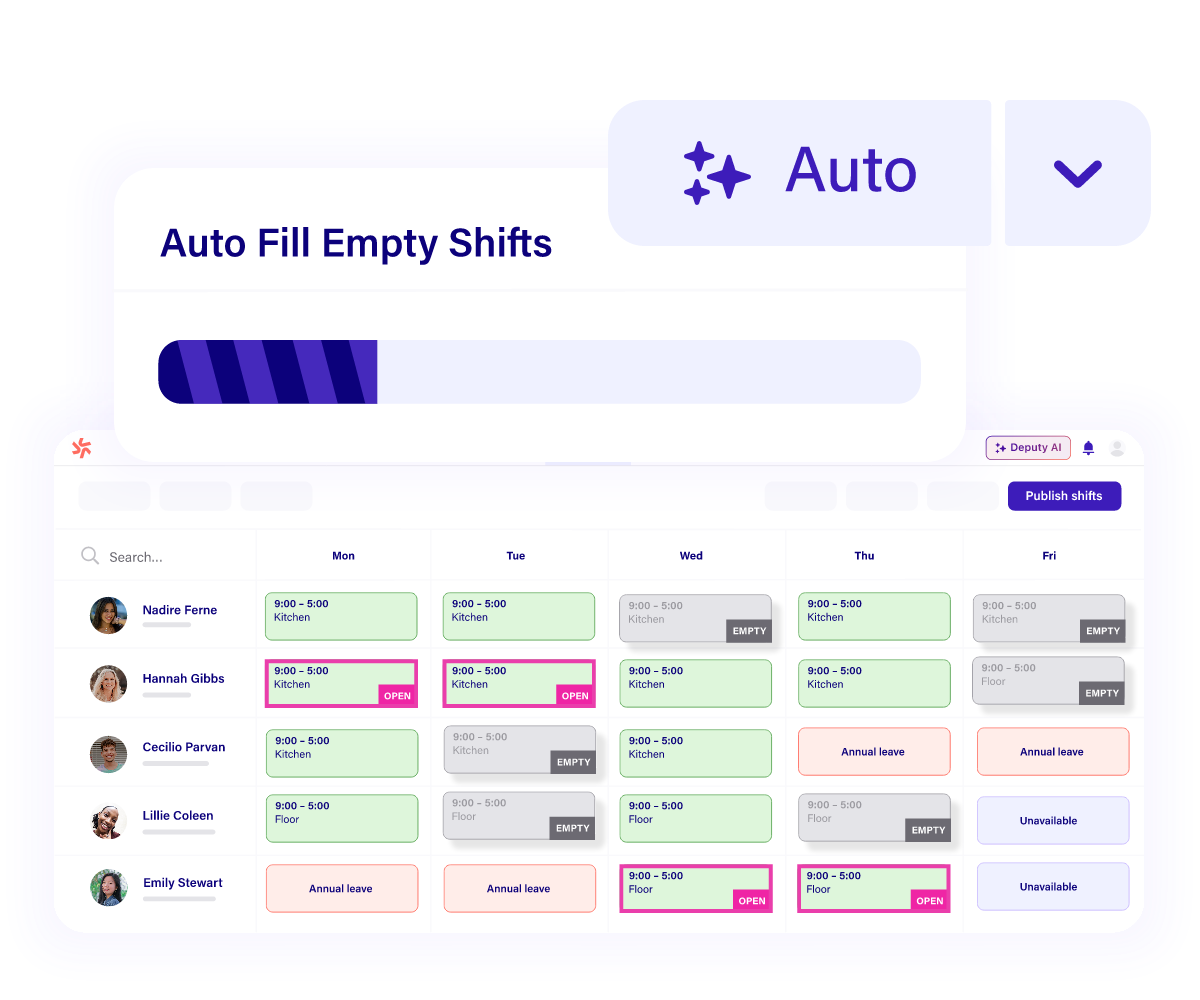
Best for: scheduling depth and labor compliance.
Rating: 4.6/5 on Capterra (770+ reviews) and 4.6/5 on G2.
Built for shift-based teams in retail, hospitality, and healthcare, Deputy handles scheduling, time and attendance, and compliance in one place. What it does well:
- Auto-scheduling. It builds rosters around your demand and labor targets, then flags overtime and clashes before a schedule posts.
- Accurate clock-ins. GPS and biometric clock-in keep the hours flowing into your timesheets accurate.
- Compliance support. Deputy applies break and overtime rules and stores the records you'd want if a wage claim came up, which helps multi-state teams juggling different laws.
- Integrations. It connects with major payroll and POS tools, so approved hours move along without re-keying.
On pricing and what reviewers say:
- Pricing. Plans start at $5 per user a month (Lite), with Core at $6.50 and Pro at $9, plus a $30 monthly minimum and a 31-day trial rather than a free plan.
- What users like. Reviewers praise how quickly teams pick it up and how smoothly day-to-day scheduling runs.
- The common gripe. Because Deputy charges per active user on top of a base fee, owners note the cost adds up quickly as headcount grows, and a few point out it isn't a full HR system.
Skip it if: you're a small single-location shop on a tight budget, or you want payroll and HR on one bill instead of spread across add-ons.
Connecteam
Connecteam is the strongest all-in-one option for deskless teams, and its free plan is hard to beat if you're under 10 people. You get scheduling, a GPS time clock, chat, and task tools in one mobile-first app, so frontline staff who aren't glued to a desk can run their whole day from a phone.
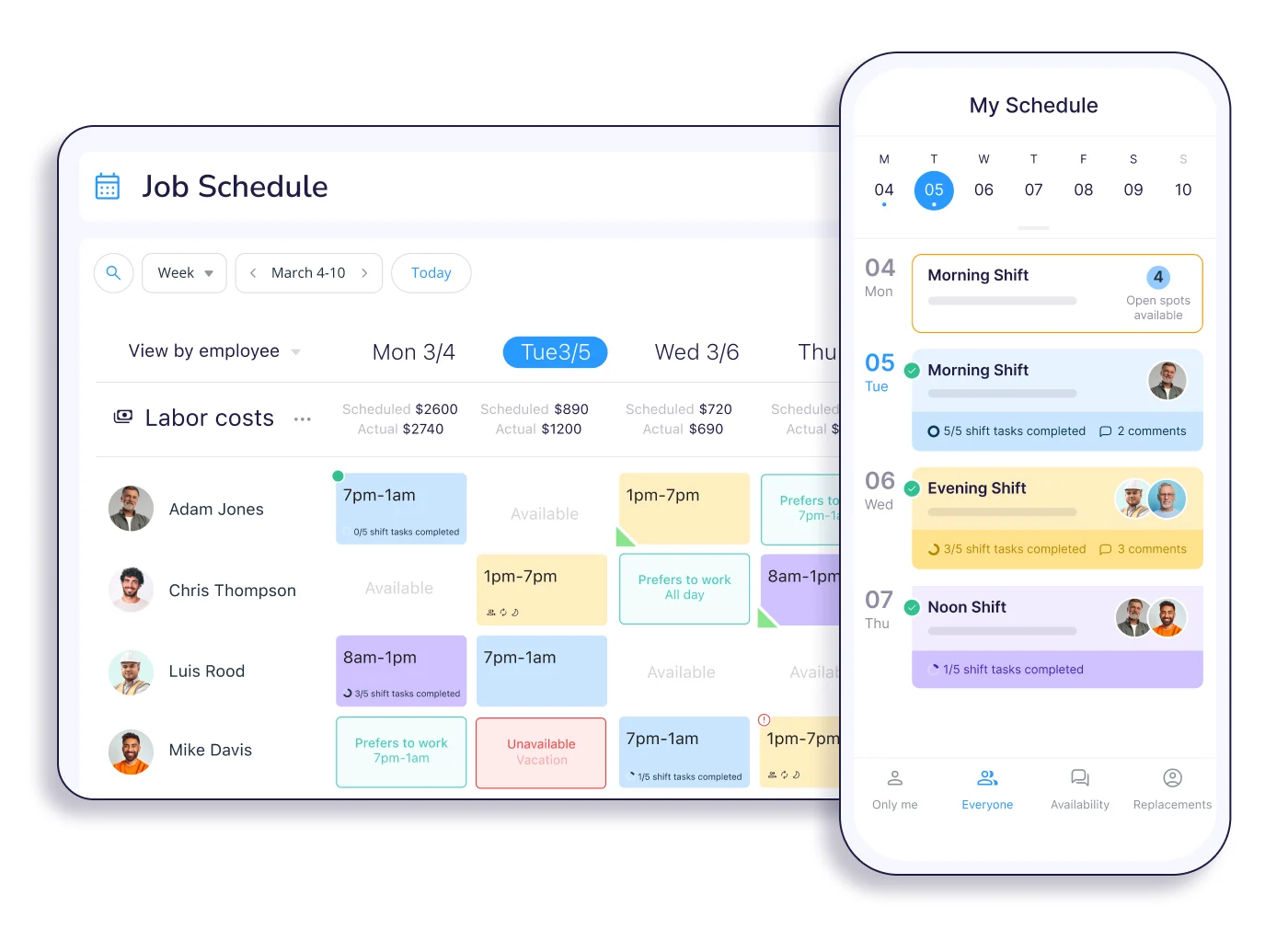
Best for: all-in-one management for deskless teams.
Rating: 4.7/5 on Capterra (1,200+ reviews) and 4.6/5 on G2.
What it does well:
- A real free plan. The free Small Business plan covers up to 10 users with genuine functionality rather than a stripped-down trial, which reviewers single out as unusually generous.
- All-in-one tools. Scheduling, a GPS time clock, team chat, and task management live in one mobile-first app made for frontline staff.
- Hub-based setup. Connecteam organizes its tools into three hubs (operations, communications, and HR), so you can mix and match what you actually need.
On pricing and what reviewers say:
- Pricing. Paid plans start at $29 a month for your first 30 users on Basic (billed annually), with Advanced at $49 and Expert at $99.
- The catch as you scale. Features are different across tiers and hubs, and reviewers note the jump from free to paid feels steep once you cross the 10-user mark.
- No native payroll. Payroll isn't built in, so you'll export hours to a provider like Gusto or QuickBooks.
Skip it if: you only need scheduling and time tracking and don't want to pay for communication and HR modules you won't touch.
Sling
Sling earns its place on the strength of one thing: the most generous free scheduling plan around. Up to 30 users get real shift scheduling, swaps, time-off requests, and built-in messaging at no cost, which makes it a natural pick for a small team that mainly needs to sort out who's working when.
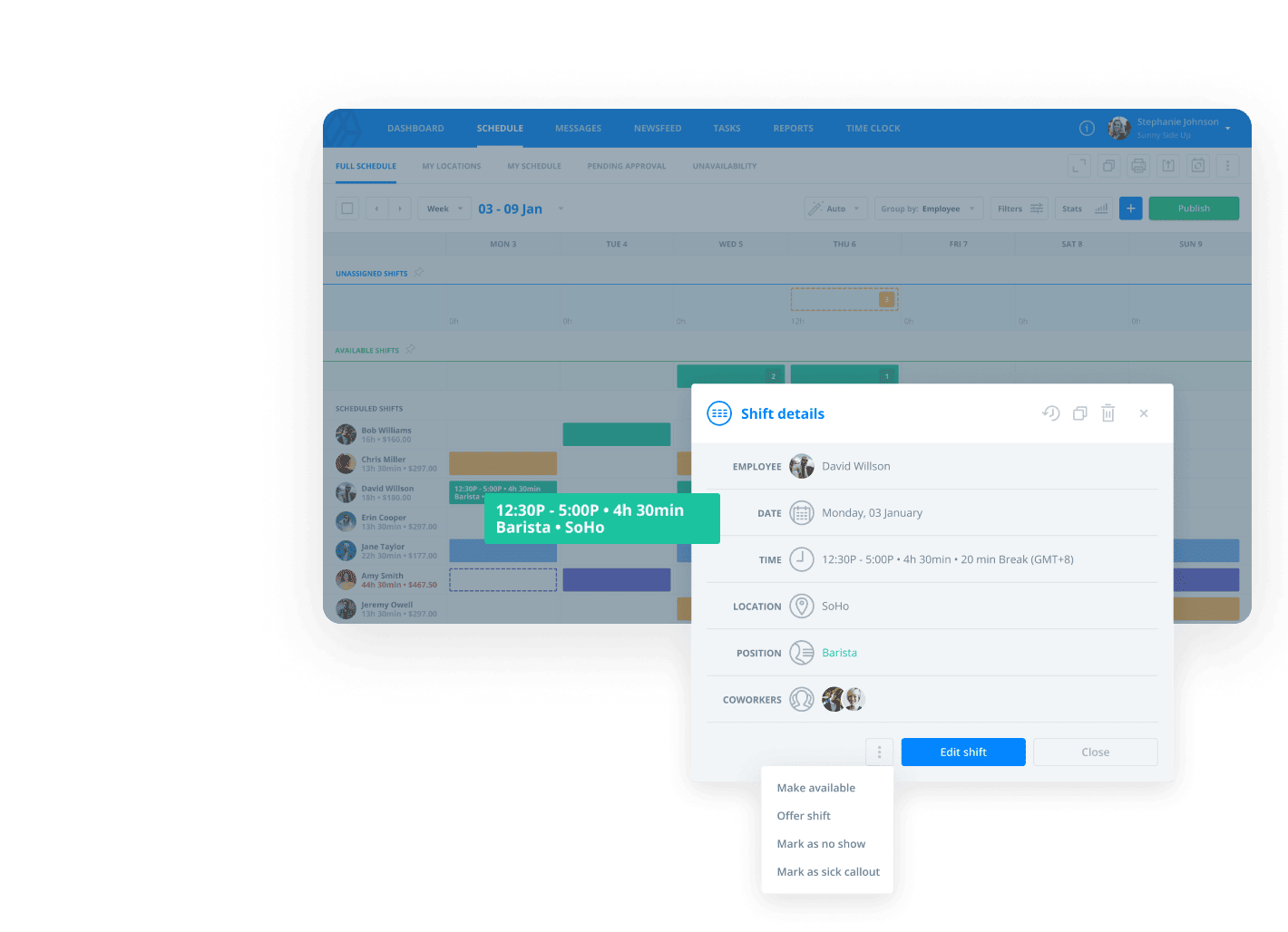
Best for: free scheduling for small teams. Rating: 4.6/5 on Capterra (200+ reviews) and 4.4/5 on G2.
What it does well:
- Generous free scheduling. Up to 30 users get shift scheduling, swaps, time-off requests, and messaging at no cost.
- Built-in communication. A team newsfeed and task tools means you don’t need separate group chats for schedule-related conversations.
- Toast-owned. Now part of Toast, Sling leads with scheduling and communication, which suits restaurants and other shift-based teams.
On pricing and what reviewers say:
- Pricing. Paid tiers stay cheap, with Premium costing $2 per user a month with added time tracking, and Business costing $4, with added labor-cost reporting and POS integration.
- What the free plan leaves out. Time tracking, the kiosk clock, overtime alerts, and GPS all sit behind paid tiers, so teams that need to track attendance tend to upgrade within a few months.
- No native payroll. You'll export hours to your payroll provider rather than run payroll inside Sling.
Skip it if: you need time tracking and labor reporting from day one, since those aren't part of the free plan.
QuickBooks Time
If you already run your books through QuickBooks, QuickBooks Time (formerly TSheets) is the most natural fit, since hours flow straight into QuickBooks payroll and accounting without extra steps. For everyone else, the math gets harder to justify.
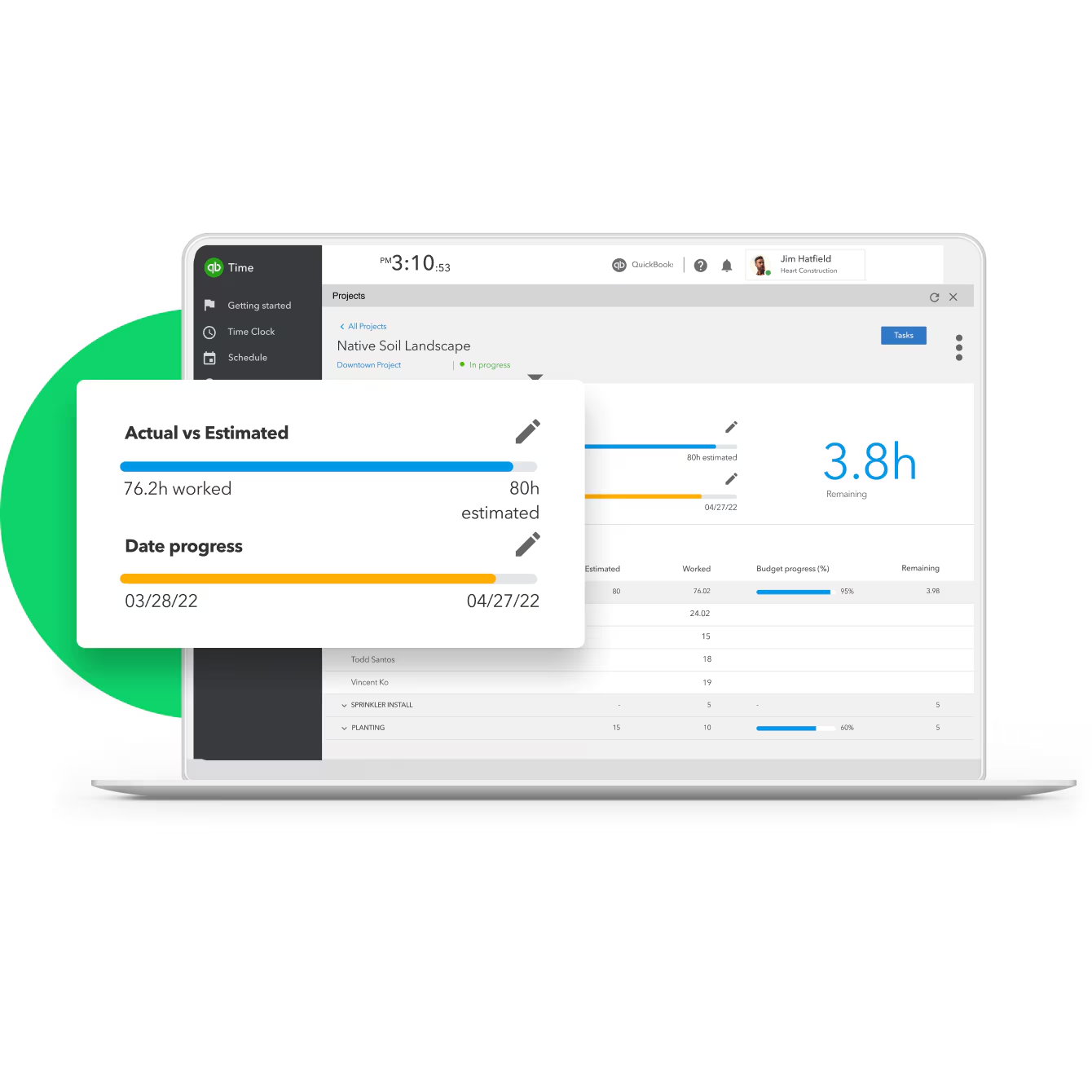
Best for: businesses already using QuickBooks.
Rating: 4.7/5 on Capterra (7,000+ reviews) and 4.5/5 on G2.
What it does well:
- Deep QuickBooks sync. Employee hours flow straight into QuickBooks payroll and accounting, which is great for existing QuickBooks users.
- Solid time tracking. GPS, geofencing, crew clock-in, and automatic timesheets cover the essentials for mobile and field teams.
On pricing and what reviewers say:
- Pricing. Plans run from $8 to $10 per user a month depending on tier, on top of a monthly base fee, and it works best alongside a QuickBooks Online subscription.
- The cost concern. Reviewers flag that the per-user fee on top of a base fee feels high compared to other time-tracking tools.
- Limited flexibility. Some note limited customization for more complex teams.
Skip it if: you're not in the QuickBooks ecosystem, since the base fee, per-user pricing, and recommended QuickBooks subscription stack up fast.
OnTheClock
OnTheClock keeps things refreshingly simple: accurate time tracking and clean payroll exports without a lot of extra features to wade through. For a small team whose main job is getting hours right before payday, that narrow product focus is appealing.
Best for: time tracking accuracy and clean payroll exports.
Rating: 4.7/5 on Capterra (700+ reviews), with about 94% user satisfaction across review sites.
What it does well:
- GPS at the base level. GPS and geofencing come standard even on the entry plan, alongside biometric verification to curb buddy punching.
- Payroll-ready exports. Hours export cleanly to QuickBooks, Gusto, and ADP, with an optional OnTheClock payroll add-on if you'd rather keep everything together.
- PTO tracking. Vacation, sick, and holiday accruals are tracked in the same place as hours.
On pricing and what reviewers say:
- Pricing. It's $4 per employee a month plus a $5 base fee, free for teams of two or fewer, with a 30-day trial beyond that.
- What users like. Reviewers consistently call out the value they get from OnTheClock, and the painless setup.
- The trade-off. Scheduling is functional but basic, and the feature set is lighter than fuller workforce platforms, which is the point for some teams and a limit for others.
Skip it if: you need advanced scheduling or a broader all-in-one set of tools rather than a focused time clock.
Clockify
Clockify is the pick if a truly free time tracker is what you're after, with billing and time-off tools that grow alongside you. Where most "free" tools cap users fast, Clockify keeps core time tracking free for unlimited people, which is why teams of every size land on it.
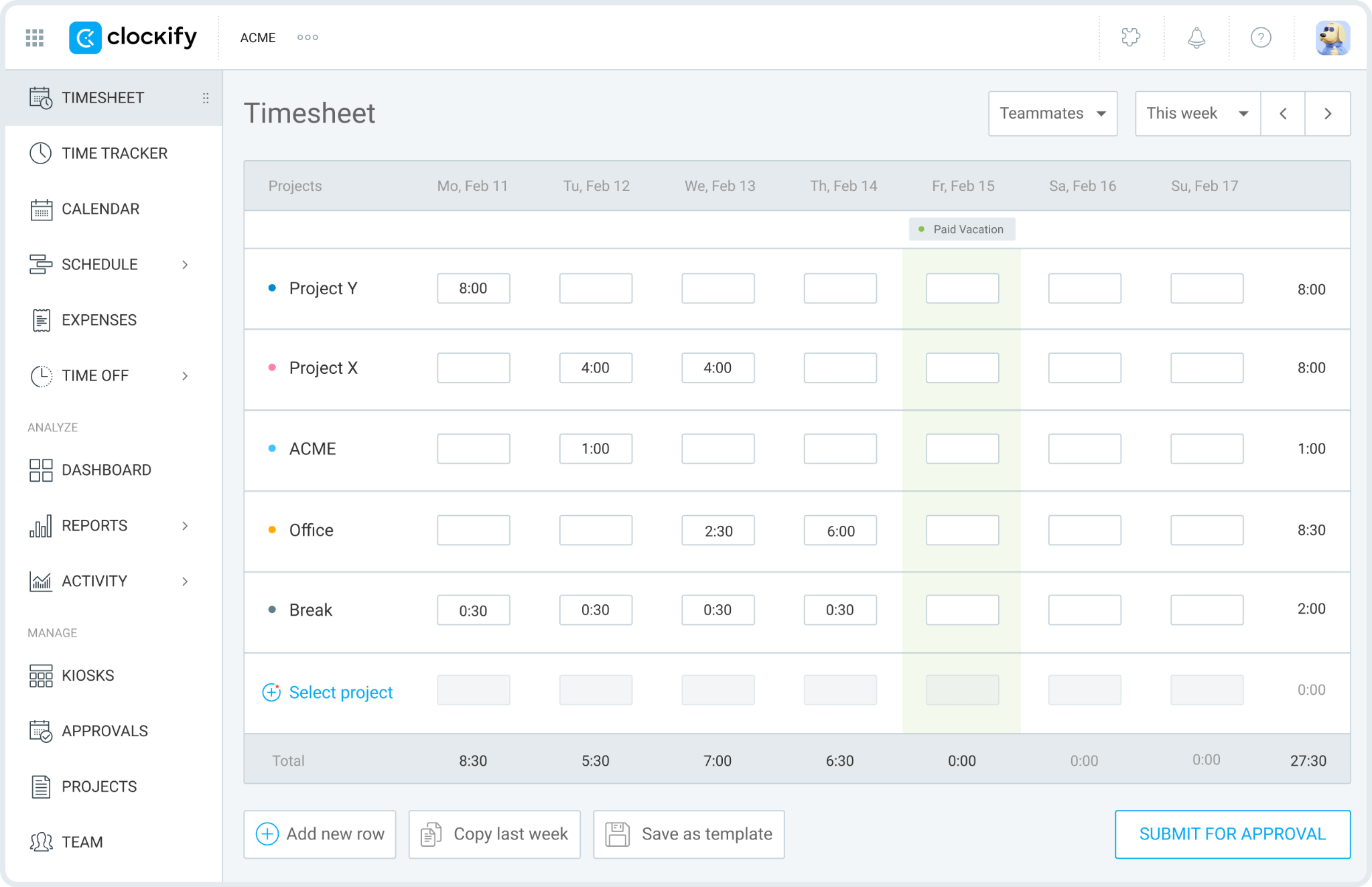
Best for: free time tracking, with billing tools as you grow. Rating: 4.7/5 on Capterra and 4.5/5 on G2 (200+ reviews).
What it does well:
- Free. The free plan covers unlimited time tracking, projects, and reporting with no trial clock.
- Affordable upgrades. Basic at $3.99 per user adds time off, Standard at $5.49 adds scheduling and budgets, and Pro at $7.99 adds GPS, screenshots, and invoicing.
- Payroll-ready. It exports cleanly to QuickBooks for payroll, though it doesn't run payroll itself.
On pricing and what reviewers say:
- GPS sits high. GPS is only on the top Pro tier, so on-site teams that need location clock-in pay the most.
- Built as a timer. Scheduling and PTO require paid plans, and Clockify is a timer-and-billing tool rather than a shift manager.
- The gap for hourly teams. Teams that need GPS clock-in or native payroll will feel what's missing.
Skip it if: you manage shift-based hourly staff who need GPS clock-in, scheduling, or payroll built into one tool.
Hubstaff
Hubstaff fits a specific need: remote and field teams where you want visibility into not just hours, but activity. It tracks time alongside activity levels, optional screenshots, and GPS, which makes it popular with agencies and distributed teams managing billable work.
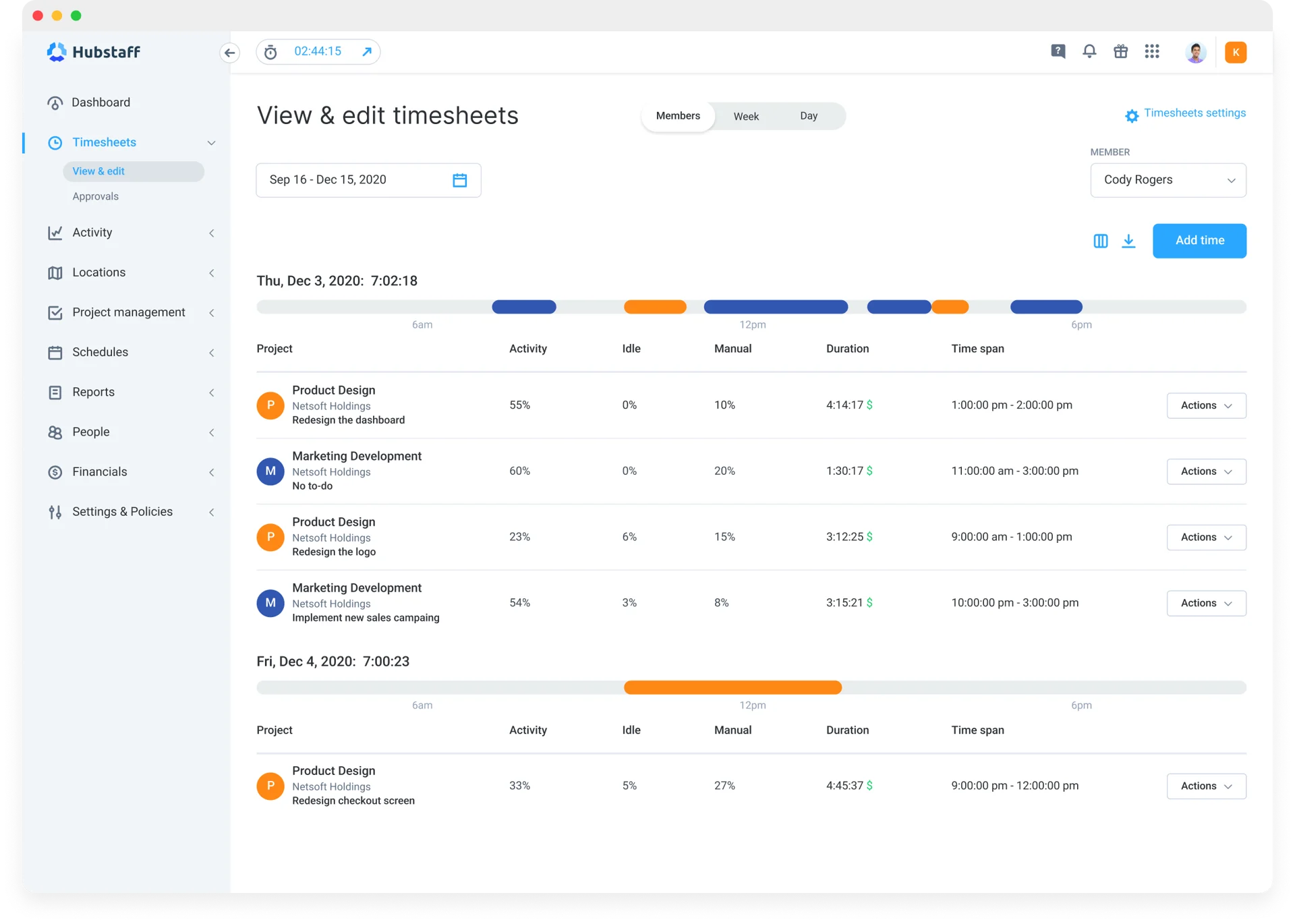
Best for: remote teams that want activity visibility. Rating: 4.6/5 on Capterra (1,500+ reviews) and 4.5/5 on G2.
What it does well:
- Activity visibility. It tracks time alongside activity levels and optional screenshots, which suits agencies and distributed teams managing billable work.
- GPS for field crews. GPS with geofencing covers on-site teams who clock in away from a desk.
- Payments and budgets. Project budgets plus automated payroll and invoicing run through integrations.
On pricing and what reviewers say:
- Pricing. Plans with GPS and scheduling start around $7.50 per user a month, with a two-seat minimum.
- The monitoring caveat. Screenshots and constant activity tracking can feel intrusive to hourly staff, so it's worth setting expectations before rolling it out. SelectHub
- Possibly more than you need. For a straightforward shift-based business, it's heavier than the job calls for.
Skip it if: you run a shift-based team that just needs scheduling and a time clock, or you'd rather not monitor activity to that level.
How Homebase compares
We kept Homebase out of the ranking, but since you're comparing tools, here's an honest look at where we fit.
The biggest difference comes down to how we charge. When I Work and most tools on this list bill per user, so your costs rise every time you hire. Homebase charges per location instead, which means you can add team members without watching the bill climb. Our free plan covers scheduling, time tracking, and team management for up to 20 employees at a single location, and paid plans add advanced scheduling, labor cost controls, and HR and compliance tools.
For time tracking, you get GPS-enabled clock-in, photo verification, and automatic break and overtime calculations, so hours land accurately before they ever reach payroll. Payroll is designed as an add-on: it pulls straight from your timesheets, files your taxes, and keeps the records you'd need if a wage question ever surfaces. On the top plan, you can also reach live HR advisors when a tricky compliance situation comes up.
But we’re not always the right fit for every business: Homebase is designed for single-location and small multi-location teams in the US. If you're running a large enterprise or a complex operation across many countries, a heavier platform will serve you better.
Tiana Post, owner of Awaken Bakery in Bowling Green, KY, put the appeal this way: "We just needed simple — and Homebase really simplified things for me… other solutions were created for big companies. Homebase is perfect for a small business like mine."
If your costs climb every time you add someone, you can track your team's hours and build schedules free with Homebase — with no per-employee fee.
Frequently asked questions about When I Work alternatives
What is the best alternative to When I Work?
It depends on what you need most. Deputy is the strongest pick for scheduling depth and compliance, Connecteam is the best all-in-one for deskless teams, and OnTheClock is ideal if accurate time tracking and clean payroll exports are your priority. Match the tool to your biggest pain point, instead of chasing the highest rating.
Is there a free alternative to When I Work?
Yes, and this is a common reason people switch, since When I Work has no permanent free plan. Connecteam is free for up to 10 users with scheduling, a time clock, and chat included. Sling offers free scheduling for up to 30 users, and Clockify covers time tracking free for unlimited users. Each free plan leaves something out, so check that the features you need aren't behind a paid tier.
How much does When I Work cost?
When I Work starts at $2.50 per user a month for scheduling on a single location. Adding time and attendance raises that to $4 per user a month on the Essentials plan, with Pro at $7 and Premium at $10. Because it's priced per user, the total climbs as you add people, which is what sends many growing teams looking at alternatives.
Why do businesses switch from When I Work?
The two reasons that come up most are cost and scope. Per-user pricing adds up as you hire, and teams that want time tracking, payroll, and compliance in one place often find themselves paying for or juggling several tools. Owners weighing a change usually want fewer moving parts and pricing that doesn't scale with every new hire.
What's a good When I Work alternative with built-in payroll?
Most tools on this list export hours to a payroll provider rather than run payroll themselves. OnTheClock offers its own payroll add-on, and Homebase includes built-in payroll that pulls straight from your timesheets. If keeping hours and payroll under one roof matters to you, that's worth weighing against tools that only export.
Does When I Work have a free plan?
No. When I Work offers a 14-day free trial with access to its features, but it doesn't have a permanent free plan. Once the trial ends, you'll choose between its paid tiers. If a lasting free option is what you're after, Connecteam, Sling, and Homebase all offer one, each with its own limits on users or locations.
Choosing the right fit for how you work
The "best" app depends on what your business is — whether you're a single café, a growing retail group, or a field crew spread across job sites.
Keep in mind that per-user pricing looks cheap at five people, but with a team of twenty, the costs start to add up. So if you're hiring, weigh how the bill grows, not just where it starts. Free scheduling might be easy to find, but free scheduling plus time tracking is rarer than it seems. And the tools that keep hours, payroll, and compliance under one roof save you from having to move data between apps every pay period.
Start with the pain point that pushed you to look in the first place, then pick the tool that solves it without creating three new ones.
If your pain points are the cost that climbs with every hire and too many tools that don't talk to each other, that's the gap we built Homebase to close. You can set up scheduling and time tracking for free and add payroll when you're ready, all billed per location instead of per person.
{{banner-cta}}

Carissa is the SEO + GEO Managing Editor at Homebase, with 13 years of experience in content marketing and SEO strategy. She’s created foundational guides on starting a business, navigating payroll, and managing teams, and helped solo lawyers, artists, and creative entrepreneurs grow their web presence and organic traffic.

.webp)
Carissa is the SEO + GEO Managing Editor at Homebase, with 13 years of experience in content marketing and SEO strategy. She’s created foundational guides on starting a business, navigating payroll, and managing teams, and helped solo lawyers, artists, and creative entrepreneurs grow their web presence and organic traffic.
