

The best employee time clock app for your business depends on where your team works, how you run payroll, and how much control you need over who clocks in from where. Whether you're looking for a digital time clock app to replace paper cards or a full employee clock in app that connects to payroll, the right pick comes down to how your team clocks in, where they work, and what you need the app for employees to clock in and out to do beyond the basics.
Paper timesheets make all three harder: handwriting is ambiguous, hours require manual math, and there's no way to verify a punch after the fact.
This guide compares five options selected using Homebase's published methodology. Prices were checked against each vendor's U.S. pricing page on July 24, 2026, and may exclude taxes, require annual billing, or change after introductory promotions.
TL;DR: The Best Employee Time Clock Apps at a Glance
Not sure where to start? Here's the short version.
- Clockify — project-oriented free option; free for up to five users, scheduling and GPS on paid tiers
- Connecteam — strong option for field teams; free for up to 10 users, paid-plan GPS and geofencing availability varies by tier
- Buddy Punch — strong identity and location controls; IP restrictions and GPS punch records included, geofencing and webcam photos on Pro and higher
- QuickBooks Time — suited to QuickBooks Online users; mileage and advanced project features require Elite
- OnTheClock — lower-cost paid option; GPS and geofencing included in the standard plan at $5/month plus $4/employee
Why Trust Homebase on Employee Time Clock Apps?
We're Homebase, and we make an employee time clock app for small businesses with hourly teams. That means we have a genuine stake in this topic, so we want to be upfront about it: Homebase isn't in the ranked list below.
Every app was evaluated on its own merits, and Homebase does not accept payment for placement in these rankings.
Building a time clock app has taught us what actually matters when choosing an employee time clock app: GPS accuracy when your employee is two blocks away and the geofence is set to 500 feet, payroll integration that doesn't require a CSV export every Thursday night, and an interface simple enough that a new hire can clock in without asking for help.
How Homebase Compares as an Employee Time Clock App
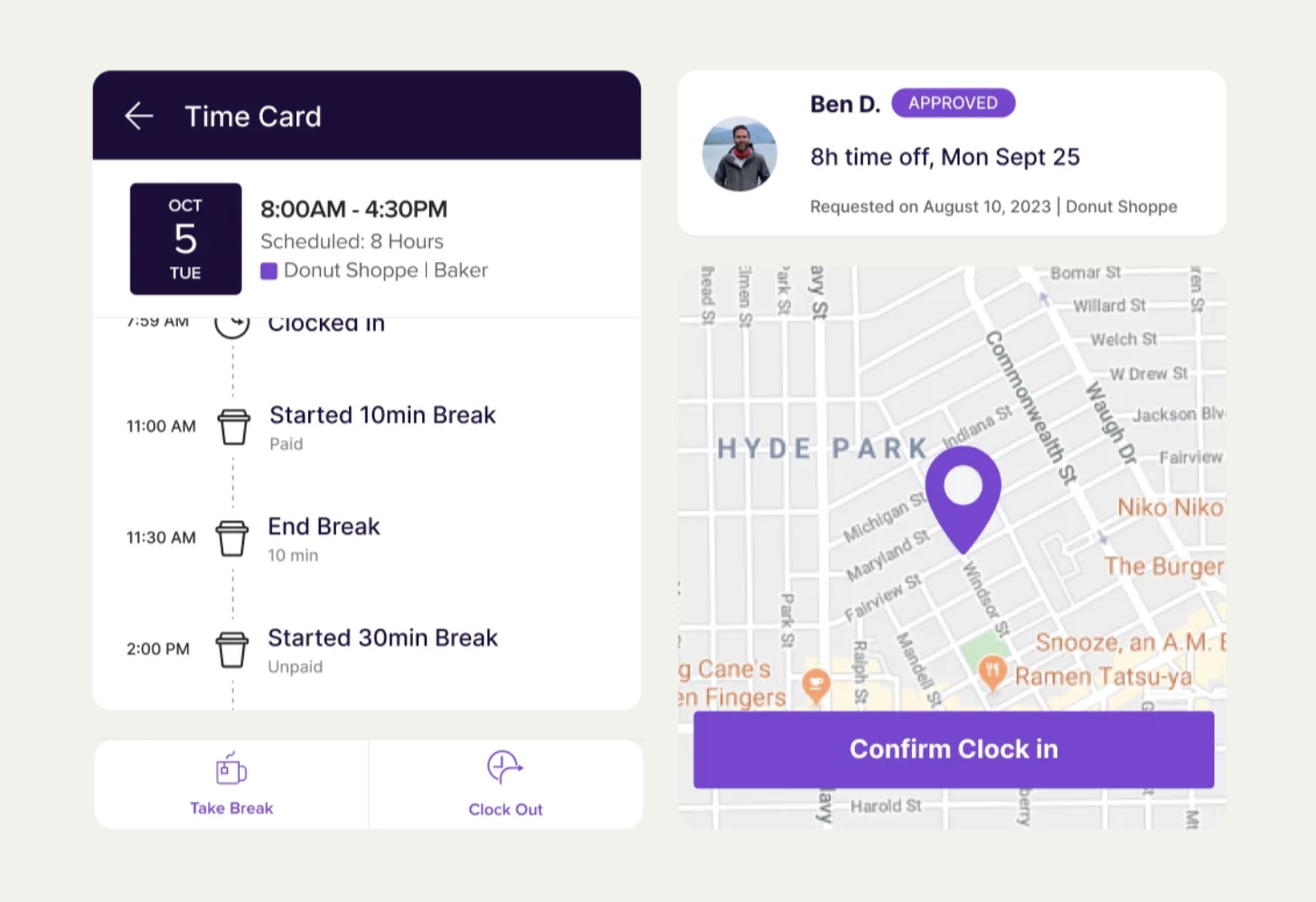
Homebase isn't in the ranked list below, but for readers also considering us, here's an honest picture of where we fit.
The five apps in this guide are primarily time clocks. Homebase is an all-in-one app: scheduling, time tracking, payroll, and team communication are all in the same place.
For a restaurant running three shifts a day, that integration matters, because when the schedule and the time clock are connected, discrepancies surface automatically without anyone having to cross-reference two systems.
"Before Homebase I was manually tallying up my team's work hours and entering them into payroll, crossing my fingers I hadn't made any mistakes. Now our entire team logs in and out quickly and easily with the Homebase app, and all I have to do is send their hours to my payroll program with the click of a button."
— Kathleen Smith, Founder, Smiling Tree Toys
For teams tired of toggling between a scheduling app and a separate employee time clock app, when scheduling and time tracking are in the same place, your hours are already where they need to be when payday comes. See how Homebase's time clock works.
{{banner-cta}}
The 5 Best Employee Time Clock Apps for 2026
Not every business needs the same thing from an employee time clock app. A restaurant running split shifts has different priorities than a cleaning crew spread across five job sites. Here's how each of the top five stacks up, and who each one is built for.
1. Clockify — best free employee time clock app.
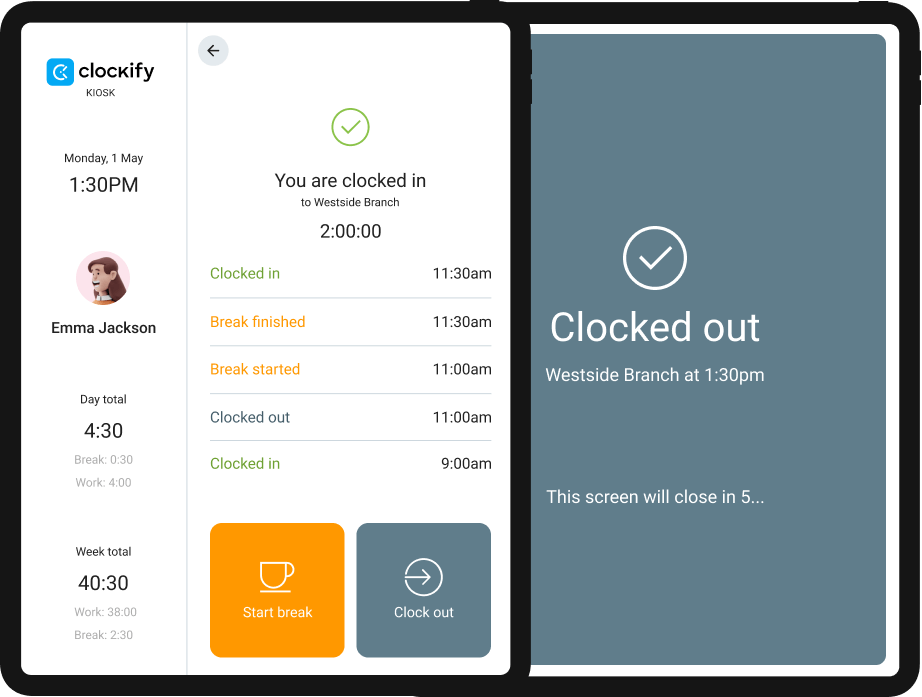
Best for: Freelancers and small teams of up to five users that want project-based time tracking at no cost.
Rating snapshot, July 24, 2026: G2 4.5 (201 reviews) · Capterra 4.8 (9,250+ reviews)
Clockify offers free time tracking for teams of up to five users, with paid tiers for businesses that need GPS, kiosk mode, or scheduling.
The free plan covers project-oriented tracking and basic reporting, a practical starting point for teams moving off spreadsheets.
Key features:
- Free plan covers up to five users
- Project and task-based tracking for billing or internal reporting
- Time card view for weekly clock-in and clock-out summaries
- Web, desktop (Windows, Mac, Linux), mobile (iOS, Android), and browser extension
- More than 100 integrations and connected web apps, including QuickBooks, Asana, and Trello
- Kiosk functionality available on Basic and higher; GPS location tracking and scheduling available on Pro
Pricing: Free for up to five users. Paid plans start at $3.99/seat/month billed annually, or $4.99/month billed monthly.
What users like: Capterra reviewers commonly praise Clockify's ease of use and setup. Many describe it as quick to configure and intuitive to navigate from day one.
What users criticize: Some reviewers report technical or synchronization issues, while others cite limitations in reporting and mobile functionality compared with the desktop version.
Our take: Clockify is a solid answer if your team has five or fewer people and your only need is an employee time clock app that starts at no cost. Paid plans add reminders, a QuickBooks Online integration in Standard, and scheduling in Pro, though the QuickBooks integration cannot be used when the QuickBooks Payroll feature is active.
Businesses managing larger hourly teams at a fixed location will likely outgrow it quickly, because the product is built around project billing rather than shift management.
2. Connecteam — best employee time clock app for field teams.
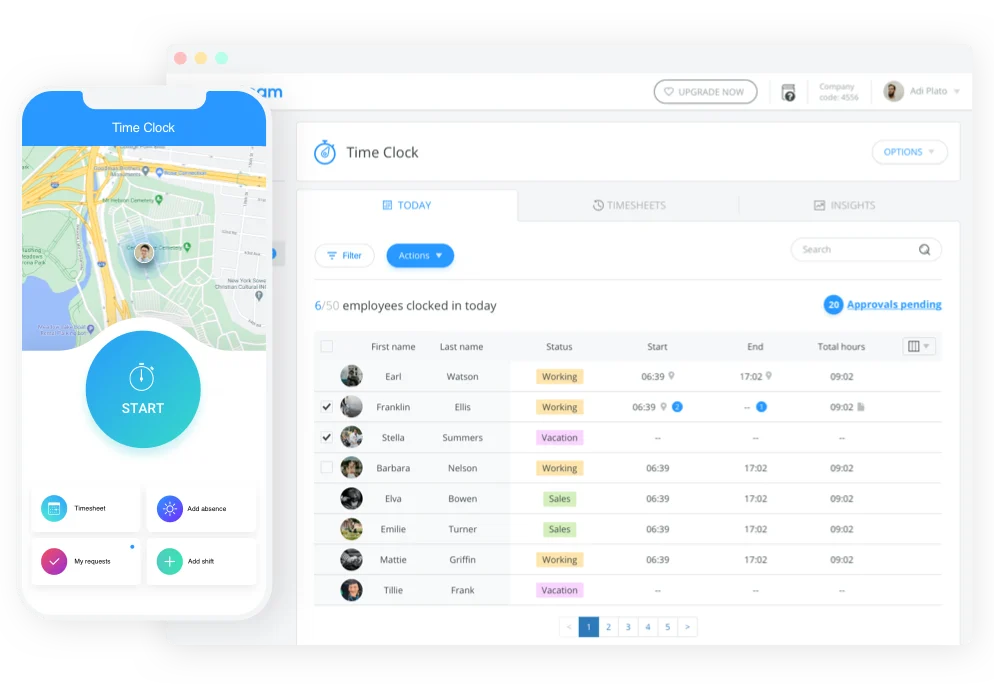
Best for: Construction crews, cleaning services, field technicians, and businesses where employees work across multiple job sites.
Rating snapshot, July 24, 2026: G2 4.6 (3,505 reviews) · Capterra 4.6 (5,301 reviews)
Connecteam is a mobile-first app built for deskless teams, combining GPS time tracking, scheduling, task management, and team communication in one place. Where most employee time clock apps treat GPS as an add-on, Connecteam treats it as a core feature.
That distinction matters most for businesses whose employees clock in from a different address every day.
Key features:
- GPS punch location stamps included in paid Operations tiers; geofencing available in Advanced and higher
- Free Small Business plan covers up to 10 users with access to scheduling, time clock, and communication hubs
- Kiosk mode turns any tablet into a shared time clock for on-site teams
- Automated timesheets generated from clock-in and clock-out data
- Payroll exports to providers including QuickBooks Online, Gusto, ADP, and Paychex (availability varies by plan and country)
- Overtime alerts and break tracking
Pricing: Free Small Business plan for up to 10 users. Operations Basic starts at $29/month for the first 30 users billed annually, or $35/month billed monthly, per hub, so using Operations, Communications, and HR features may require separate subscriptions.
What users like: G2 and Capterra reviewers frequently cite Connecteam's ease of use and the value of having scheduling, time tracking, and communication in one app. Reviewers in field-based industries often note the reduction in separate tools they previously needed.
What users criticize: Some G2 and Capterra reviewers report notification or mobile-app issues, while others say pricing becomes more complex as teams add hubs or move to higher-tier capabilities.
Our take: For businesses with crews in the field, Connecteam's GPS features are useful, not a marketing checkbox. The trade-off is cost complexity: features are divided across hubs, and pricing scales meaningfully as you grow past the free tier.
If your team works primarily at a fixed location, this level of mobile depth is more than you need.
3. Buddy Punch — best employee time clock app for fraud prevention.
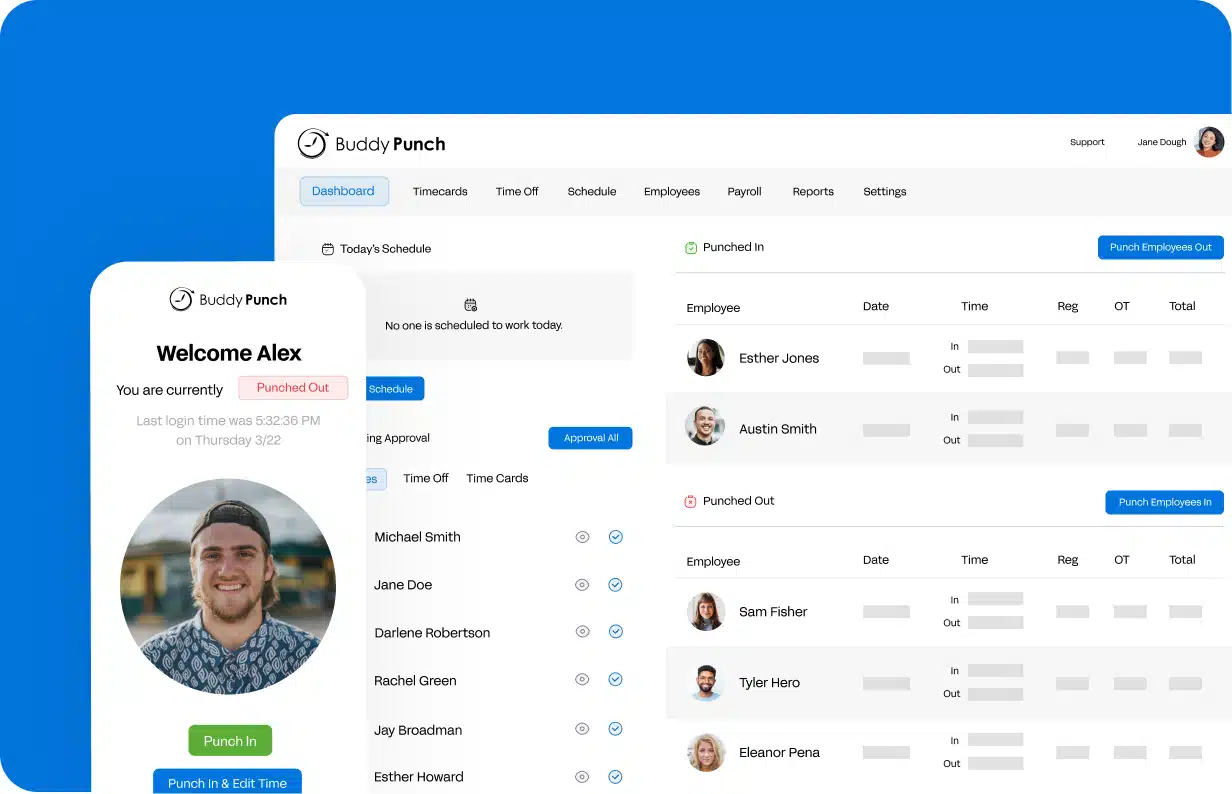
Best for: Businesses dealing with buddy punching, multiple pay rates, or complex overtime rules.
Rating snapshot, July 24, 2026: G2 4.8 (388 reviews) · Capterra 4.8 (1,124 reviews)
Buddy Punch is a time clock app built around accountability. IP address restrictions, GPS punch records, and a detailed administrative log give managers strong controls over how employees clock in and out.
Pro and higher plans add geofencing and webcam photo capture at punch.
Key features:
- Webcam photo capture at clock-in available on Pro and higher plans, when enabled by the administrator
- GPS location logging included; geofencing available on Pro and higher
- IP address restrictions limit clock-ins to approved networks, such as your office Wi-Fi
- Multiple wage rates per employee, with pay calculated by job
- Administrative reporting and error-logging tools; advanced reporting included in the Advanced plan
- Scheduling available as a Starter add-on and included in Pro and Advanced
- Integrations with QuickBooks, ADP, Paychex, and Workday
Pricing: Starter costs $4.99/user/month billed annually, plus a $19/month base fee. Month-to-month billing is $5.99/user plus the base fee. 14-day free trial. No permanent free plan.
What users like: Reviewers frequently praise ease of adoption and the transition from paper-based systems. G2 and Capterra users commonly highlight the intuitive interface and the straightforward clock-in process.
What users criticize: Some reviewers report mobile limitations or slower performance, particularly when connectivity is poor. Lower tiers have more limited reporting than the Advanced plan.
Our take: Buddy Punch earns its name. If time theft is an active problem, or if you have employees on different pay rates who switch jobs mid-week, the level of control here is meaningful at this price.
Scheduling is available as an add-on or in higher plans, and Buddy Punch Payroll is available for an additional charge, making it a more complete option than a pure time clock.
4. QuickBooks Time — best employee time clock app for QuickBooks users.
Best for: Businesses already running payroll through QuickBooks Online.
Rating snapshot, July 24, 2026: G2 4.5 (1,448 reviews) · Capterra 4.6 (7,014 reviews)
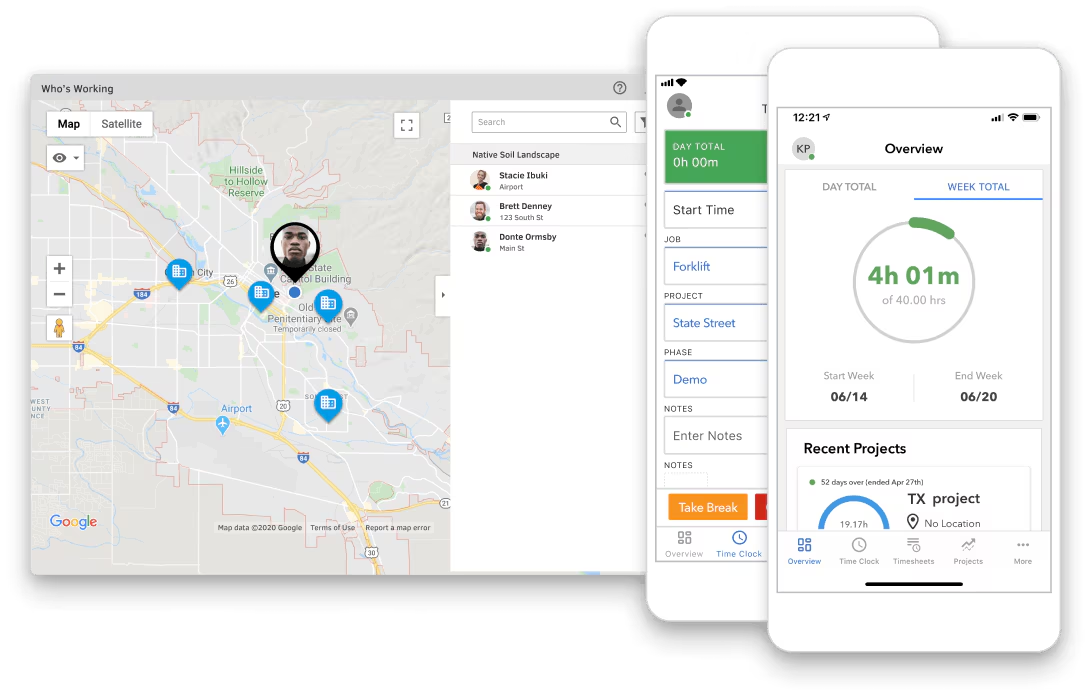
QuickBooks Time (formerly TSheets) can synchronize approved time data with compatible QuickBooks Online and payroll workflows, reducing the need for file exports and re-entry.
If your accounting lives in QuickBooks already, this is often the most direct path to a connected time-tracking setup.
Key features:
- Synchronization with QuickBooks Payroll and QuickBooks Online, reducing manual re-entry of approved time data
- GPS collection while employees are clocked in; Elite geofencing triggers clock-in and clock-out reminders around configured job sites
- Mileage tracking and advanced project tools including job costing (estimates vs. actuals, project activity views) available on Elite
- Overtime alerts
- Time kiosk mode for shared devices on-site
- 30-day free trial; requires an active, compatible QuickBooks Online account
Pricing: Premium costs $20/month plus $10/user/month. Elite costs $40/month plus $12/user/month. Promotional introductory pricing may temporarily reduce the base fee. No permanent free plan.
What users like: Reviewers commonly value the QuickBooks integration and the ability to track time against customers and specific project items without re-entering data.
What users criticize: Some reviewers report clock-in difficulties or limitations in customization. The base-plus-per-user structure is expensive for small teams, and reviewers unfamiliar with QuickBooks describe a steeper learning curve.
Our take: As an employee time clock app, QuickBooks Time earns its spot if your business already runs on QuickBooks and you want payroll to be as hands-off as possible. Once you step outside that ecosystem, or you're managing a small team on a tight margin, the required QuickBooks Online subscription and per-user costs add up quickly.
5. OnTheClock — best budget-friendly employee time clock app.
Best for: Small businesses that want reliable, GPS-backed time tracking with straightforward per-employee pricing.
Rating snapshot, July 24, 2026: G2 4.5 (242 reviews) · Capterra 4.7 (773 reviews)
OnTheClock has been around since 2004, which for a time clock app is a meaningful signal. It's a no-frills tool built for small and mid-sized businesses.
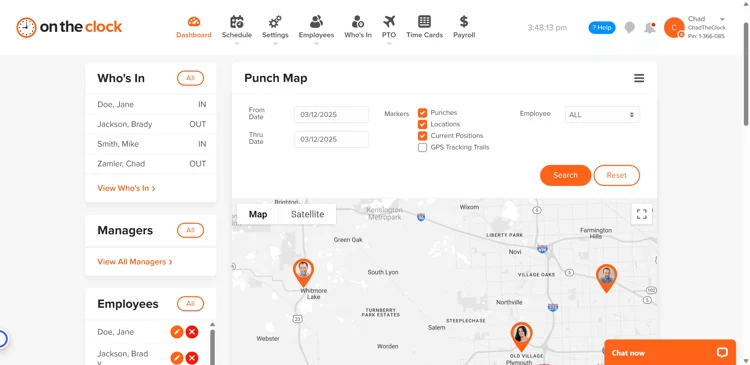
Pricing uses a transparent base-plus-per-employee model, with GPS, geofencing, and payroll integrations included in the standard plan.
Key features:
- GPS tracking and geofencing for location-based clock-ins, included in the standard plan
- Biometric fingerprint clock-in option with compatible hardware; fingerprint service costs an additional $0.50/employee/month
- Automatic overtime and double-time calculations based on custom rules
- PTO tracking and time-off management built in
- Drag-and-drop scheduling included
- Payroll integrations with QuickBooks, Gusto, ADP, Paychex, and Square
- Audit trails for punch edits
Pricing: $5/month base fee plus $4/employee/month. 30-day free trial. No permanent free plan.
What users like: Capterra reviewers frequently praise OnTheClock's ease of use and minimal learning curve for both managers and employees.
What users criticize: Some reviewers report intermittent punch or app issues, including problems in poor-connectivity environments.
Our take: OnTheClock doesn't make headlines, but it does the job reliably at a price that doesn't punish growth. For a 10-person team tired of paper timesheets, it's a simple time clock app and a practical starting point for tightening timekeeping without overcomplicating things. It includes scheduling and offers payroll as a separately priced service, so businesses needing broader HR or communication features may need additional tools.
Which Employee Time Clock App Is Right for Your Business?
The right employee time clock app depends on how your team works, not on feature lists.
Field crews in construction, cleaning, or landscaping need an employee time clock app with GPS from day one, because clock-in location is part of what makes the time record accurate. Connecteam is built for that.
Fixed-location teams at a restaurant, salon, or retail shop get more value from an employee time clock app that connects scheduling and time tracking, so the schedule and actual hours stay in sync.
If your payroll already runs through QuickBooks, QuickBooks Time is probably the most frictionless choice, assuming you're willing to pay the base fee and the per-user charge.
And if your biggest problem is straightforward and you need reliable clock-ins at a fair price, OnTheClock gets the job done.
"Making sure my employees are taking breaks, clocking in and out ON TIME. It's changed my life." — Alexandra Ciotti, Owner, The Hamlet Diner
For teams that need scheduling, time tracking, and payroll in one place, not three separate apps talking to each other, tracking hours is just the start. Try Homebase free and see how much of your payroll prep can run on its own.
FAQs About Employee Time Clock Apps
What is the best free employee time clock app?
The best free employee time clock app options depend on what you need alongside basic tracking:
- Clockify — up to five users, project-based tracking; scheduling not included on the free plan
- Connecteam — up to 10 users, scheduling included on the free Small Business plan
- Homebase — up to 10 employees at one location, basic scheduling and time tracking included
Can employees clock in using their phone?
Yes — every employee time clock app in this guide works on iOS and Android, so your team can use whatever devices they already carry. Most include GPS to confirm location at clock-in, making them practical clock in apps for employees working at a fixed location or out in the field. If you need a time clock app for Android specifically, all five options support it. For teams without smartphones, kiosk mode turns a shared tablet into a clock in and out app for employees, though plan availability varies by product.
What's the difference between a time clock app and time tracking tools?
A time clock app tracks when employees start and end shifts. It's built for hourly teams, break compliance, and payroll accuracy.
Time tracking tools are broader, often used by agencies or freelancers to log hours against projects or clients. Both record time, but they're designed for different work models.
How do time clock apps prevent buddy punching?
The most common methods are:
- Webcam photo capture — requires a photo at clock-in; available on Pro and higher plans in apps like Buddy Punch
- Geofencing — GPS-based boundaries that block or flag punches outside an approved area
- IP address restrictions — clock-ins accepted only from an approved network
Plan availability varies across products. Biometric verification can further reduce credential-sharing risk when combined with compatible hardware.
How does a time clock app integrate with payroll?
Time clock apps connect to payroll in three ways:
- Built-in payroll — the app handles both time tracking and payroll in one place
- Direct integration — approved hours transfer electronically to QuickBooks, Gusto, or ADP without a CSV upload; setup and review are still required
- CSV export — download and upload manually each pay period
Built-in or direct integration involves fewer manual steps.

Kerry McCreadie is the Senior Manager of Organic Growth at Homebase, leading SEO and content strategy for small businesses with hourly teams. With over 10 years of experience, Kerry has developed hundreds of templates and resources for business owners. They've run an arts and culture nonprofit for over a decade and operated their own photography business, bringing hands-on small business understanding to everything they create.

.webp)
Kerry McCreadie is the Senior Manager of Organic Growth at Homebase, leading SEO and content strategy for small businesses with hourly teams. With over 10 years of experience, Kerry has developed hundreds of templates and resources for business owners. They've run an arts and culture nonprofit for over a decade and operated their own photography business, bringing hands-on small business understanding to everything they create.
